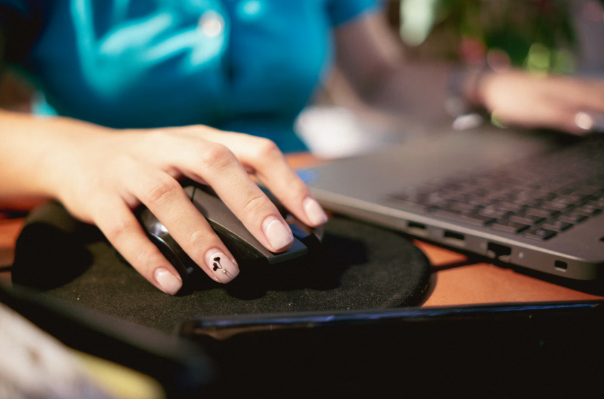

Wrist pain from a mouse rarely shows up on day one. It builds. A few weeks of reaching sideways with a bent wrist and suddenly your shoulder is tight by Thursday and your forearm aches before lunch even starts. That repetitive strain is why an entire category of ergonomic peripherals exists and Contour RollerMouse Red is one of the better-known answers to it, sitting alongside Contour’s other input devices like the UniMouse and Slim Wireless mouse in a lineup built around reducing that kind of strain.
This review looks at what the device actually changes about how you sit and click, where it holds up and where it asks something of you before it pays off.
What is Contour RollerMouse Red?
RollerMouse Red replaces a side-mounted mouse with a bar that sits directly in front of your keyboard, between it and the edge of your desk. Instead of gripping a shell and moving your whole arm, you rest your fingers on the bar and slide it left or right. Rolling it toward you or away from you moves the cursor vertically and pressing down clicks.
The idea behind centered input devices isn’t new. Ergonomics researchers have flagged the sideways reach of a standard mouse as a contributor to shoulder and neck strain for years and the Occupational Safety and Health Administration’s guidance on computer workstations points to neutral wrist posture and reduced reach as two of the main levers for cutting that risk. RollerMouse Red is built around both.
How It Actually Changes Your Posture
The mechanical shift is simple to describe but takes a few days to feel natural. Because the bar spans the width of the keyboard, you can run it with your left hand, your right hand, or both together and swapping sides when one arm gets tired is just how the thing is meant to be used. That alone addresses a complaint a lot of long-time mouse users never think to name: they’ve been favoring one side of their body for years without noticing.
There’s a real learning curve here. Muscle memory built up over a decade of lateral mouse movement doesn’t reset in an afternoon. Most new users report the first three to five days feel slower and less precise than what they’re used to, before the motion clicks and speed comes back.
The Design Choice That Sets It Apart
The clearest thing separating RollerMouse Red from a standard mouse, ergonomic or not, is that it removes the side reach entirely rather than just softening it. Vertical ergonomic mice tilt the wrist into a handshake position and trackball mice cut down on arm movement, but both still sit off to the side of the keyboard. RollerMouse Red sits in the same footprint your hands already occupy for typing, so there’s no reach in either direction.
That’s paired with a heavy aluminum base that keeps the unit planted through fast, repeated bar movements, which matters more than it sounds. A light or unstable base would undercut the whole pitch, since sliding pressure would shift the unit instead of the cursor. The device also carries a Red Dot Design Award, a recognition given for product design rather than for ergonomic outcomes specifically, but it does speak to the build being more than a functional afterthought.
Precision for Real Desk Work
A device built around comfort is only useful if it still does the job. RollerMouse Red is precise enough for the kind of work that actually demands accuracy, spreadsheets with dense cell grids, design software, code editors and long email threads where cursor placement matters. A dedicated DPI button lets you change cursor speed relative to how far you move the bar, so you can slow things down for pixel-level design work and speed them up for scrolling through a document.
The bar itself carries textured grip dots, a small detail that keeps your fingers from sliding when your hands aren’t perfectly dry, which after a full day at a desk is more often than not. It’s a minor feature, but it’s the kind of thing you only notice when it’s missing from a competing device.
If you’re also rethinking the rest of your desk setup, it’s worth pairing ergonomic input devices with attention to where your hands and forearms rest for hours at a time. This guide to how quality mousepads improve comfort during long work hours covers the wrist-support side of that equation.
Cons and Trade-Offs
No ergonomic tool is free of trade-offs and RollerMouse Red has a few worth naming honestly.
The learning curve is real. Sliding and rolling a bar is a different motor skill than moving a mouse across a pad and expecting full speed on day one sets you up for frustration. Budget close to a week before you judge it fairly.
Desk space changes. The bar sits in front of your keyboard, which means your keyboard shifts slightly farther from you than you might be used to, or your desk needs enough depth to fit both comfortably.
It’s a bigger adjustment than a new mouse. Switching input methods this fundamentally isn’t a plug-and-play upgrade. It’s closer to relearning a habit and that’s a bigger ask than most peripheral purchases.
None of these are dealbreakers if the underlying problem, shoulder and wrist strain from hours of reaching, is one you actually have. They’re just the honest cost of the fix.
Image Credit: Unsplash
Who Contour RollerMouse Red Is Best For
This device makes the most sense for people who sit at a keyboard for most of the workday, five days a week and who’ve already started noticing tension in a shoulder, wrist, or forearm by the end of it. Designers, developers, analysts and anyone living in spreadsheets or long documents will get the most out of the centered position and the DPI control.
It’s a weaker fit for someone who uses a mouse only occasionally, in short bursts, since the adjustment period isn’t worth it for light, infrequent use. People who share a workstation across shifts may also find the relearning curve harder to justify if they’re not the only one using the setup.
The Verdict
RollerMouse Red solves a specific, well-documented problem: the sideways reach and wrist bend that standard mice force on anyone at a keyboard for hours. It does that by rethinking the input device’s position rather than just its shape, backed by a stable aluminum base, adjustable DPI and a design recognized with a Red Dot Design Award.
The trade is a genuine one. You give up a few days of feeling slower for a device that, once it clicks, keeps your hands centered and your shoulder out of the reach position that causes trouble in the first place. For anyone who’s already dealing with end-of-day tension and spends real hours at a desk, that trade is worth making.