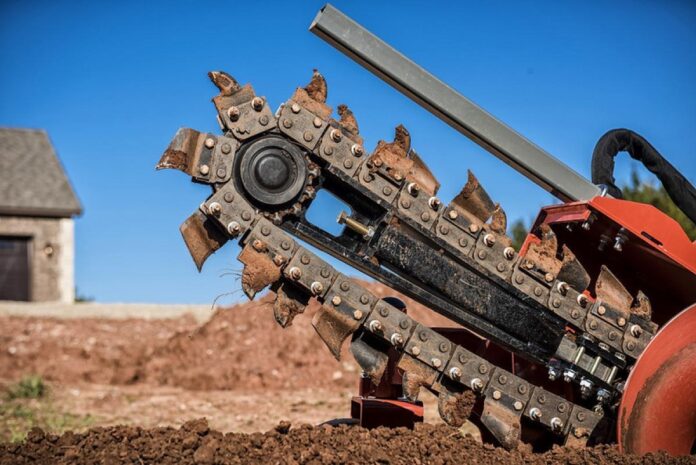

A trencher tooth that keeps wearing unevenly can be frustrating, especially when a new tooth develops the same problem after only a short period of use. However, uneven wear does not always mean the tooth itself is the problem. The holder, mounting position, chain, ground contact, and operating method can all affect how the tooth wears. Before replacing the same part again, it is worth checking the cutting system and working conditions to find what is causing the uneven wear.
1. Start by Identifying the Wear Pattern
Before replacing a worn trencher tooth, take a close look at how it is wearing. Check whether the cutting edge is wearing more heavily on one side, whether the carbide tip is chipped, or whether only certain teeth are wearing faster than the others. These patterns can provide clues about what is happening in the cutting system.
For example, if several teeth in the same position show similar wear, the cause may be related to the holder, chain movement, or how that part of the cutting system contacts the ground. If one tooth is affected while the others remain in good condition, inspect that tooth’s mounting and surrounding components more closely. Identifying the wear pattern first can help you investigate the actual cause instead of simply replacing the tooth again.
2. Check the Tooth Holder and Mounting Position
A worn or damaged holder can change how a tooth sits and moves during operation. Even if the tooth itself is in good condition, a loose fit can cause it to contact the ground at an uneven angle, increasing wear on one side. Before installing another replacement, inspect the mounting area carefully.
Pay attention to:
- Holder or pocket wear: Check whether the mounting area has become enlarged or deformed.
- Tooth movement: Make sure the tooth stays securely in position during operation.
- Retaining components: Inspect pins, clips, or other parts that keep the tooth in place.
- Seating and alignment: Confirm that the tooth sits correctly and is not tilted inside the holder.
If the holder is already badly worn, replacing the tooth alone may only provide a temporary solution. The new tooth can develop the same uneven wear because the underlying mounting problem has not been corrected.
3. Inspect the Chain and Sprockets
The chain and sprockets also affect how evenly the cutting system operates. A worn chain may not move smoothly, while damaged sprocket teeth can affect how the chain engages and travels around the system. If the chain tension is incorrect, excessive movement can further increase the load on individual teeth.
Look for visible chain wear, damaged sprocket teeth, unusual chain movement, or changes in tension during operation. If certain teeth consistently experience more movement or load than others, they may wear faster even when the teeth themselves are suitable for the job.
Uneven tooth wear can sometimes be a symptom of another worn component. Checking the chain and sprockets alongside the teeth can therefore help you identify problems that may otherwise be overlooked.
4. Look at Ground Contact and Cutting Conditions
Uneven wear can also come from differences in how the cutting system contacts the ground. One side of the trench may contain harder material, rocks, or gravel, while the other side is easier to cut. This can cause certain teeth to take more impact or cutting load than others.
The shape and depth of the trench can also matter. If the teeth frequently contact the trench bottom or side wall, localized wear may develop in specific positions. Pay attention to whether the same area of the cutting system repeatedly encounters these conditions.
If uneven wear appears only in certain sections or positions, look at the cutting path as well as the tooth itself. The way the machine contacts the ground can help explain why some teeth wear faster than others.
5. Check How the Trencher Is Being Operated
Even when the ground conditions stay the same, operating habits can affect how much load each tooth receives. Cutting too deep, moving too quickly through hard material, or applying excessive pressure can increase the force on the cutting system. If the machine is repeatedly pushed through difficult sections, some teeth may experience more impact than others.
It is also important not to continue operating with severely worn teeth. A worn tooth may change the way the cutting system contacts the ground, which can place additional load on neighboring components. If the same teeth keep wearing faster after replacement, look at the machine setup and operating method instead of assuming the new teeth are the problem.
6. Make Sure the Tooth Configuration Matches the Job
Before replacing a repeatedly worn tooth with the same part, consider whether its configuration is suitable for the work. Tooth type, shape, carbide configuration, and mounting design can all affect how the cutting edge handles the material. A configuration that works well in softer ground may wear or become damaged more quickly when used in harder or more abrasive conditions.
Your typical application should also be considered. If the trencher regularly works through rocky ground, compacted soil, or mixed material, the tooth configuration should be suited to those demands. Matching the tooth to both the machine and the job can help reduce premature or uneven wear.
7. Check Machine-Specific Replacement Compatibility
When replacing a tooth that has worn unevenly, make sure the replacement matches the specific trencher and cutting system. A tooth that looks similar may still have different dimensions or mounting requirements, which can affect how it sits and operates.
Before ordering, check:
- Machine brand and model
- Tooth dimensions and configuration
- Holder or pocket design
- Mounting and retaining method
- Part number, if available
For example, if you operate a Vermeer trencher, confirm that the replacement configuration matches your machine before ordering vermeer trencher teeth. Checking compatibility before installation can help prevent fitment problems and reduce the risk of repeating the same uneven wear.
What to Check Before Replacing the Tooth
Before installing another tooth, take a few minutes to check the parts and conditions around it. Ask yourself:
- Is the holder worn or damaged?
- Is the tooth seated and secured correctly?
- Is the chain moving smoothly?
- Are the sprockets showing excessive wear?
- Is the uneven wear related to the ground or cutting path?
- Does the current tooth configuration suit the application?
Replacing the tooth without identifying the cause may only lead to the same wear problem again. Understanding why the tooth wore unevenly helps you decide what actually needs to be replaced.
Conclusion
Uneven tooth wear is often a sign that another part of the cutting system or working process needs attention. Checking the tooth, holder, chain, sprockets, ground contact, and machine compatibility can help you identify the cause before replacing parts and avoid repeating the same wear problem.