
In October 2025, Shopify raised its limit on product variants from 100 to 2,048. It kept a second limit in place: each product can still have only three options. For most online stores, that’s more room than they’ll ever use. For a print business selling custom tees, it’s an early hint that a t-shirt isn’t really one product. It’s a stack of decisions that depend on each other.
Run the numbers on a single popular blank. Bella+Canvas lists its 3001 jersey tee in 86 colors. Stock six sizes and that one shirt is already 516 variants. Offer three decoration methods, and you’re at 1,548. Let the customer pick front, back, or both, and you’re past 4,600, well over the ceiling, on one blank. And placement had nowhere to go anyway, because color, size and method already used up all three option slots.
That arithmetic is why a t-shirt configurator tool exists. It’s also why so many print businesses buy the wrong thing when they go looking for one.
A Configurator Is Not a Design Tool With a Nicer Preview
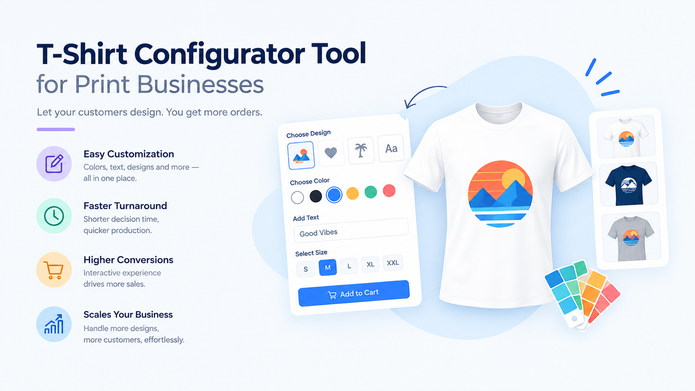
The two get sold together, so they get confused. A design tool is a canvas. The customer brings artwork or text, drags it onto the shirt and sees a mockup. A configurator is the part that decides what’s being ordered: which garment, which color, which size, which print method, where the print goes, how many, and what that exact combination costs.
Plenty of products bundle both, which is fine. The problem is that sales demos spend almost all their time on the canvas, because the canvas is the part that looks good on a screen. The configurator side gets a slide. But the canvas decides whether a customer enjoys the experience. The configurator decides whether the order that comes out the other end is something your shop can actually make at the price you just quoted.
The Real Product Is the Rules, Not the Picture
Here’s the part most buyers miss. A configurator’s value sits mostly in what it refuses to sell.
Every print shop already runs on rules, most of them in someone’s head. Traditional sublimation only works on white or light-colored polyester, so a sublimation print on a black cotton tee shouldn’t be orderable at all. A full-front design sized for an XL won’t fit the print area on an XS. Screen printing carries a setup cost per color, so a single shirt with a six-color design is usually a loss unless a minimum applies. Many shops won’t put dense embroidery on a lightweight jersey tee because the fabric puckers.
Your production manager says these things on the phone every week. A configurator that doesn’t know them just moves that phone call to after the customer has paid, which is the worst possible time to have it.
So the honest test for any t-shirt configurator tool is simple. Don’t ask how the valid combinations look. Try to order an invalid one and watch what happens.
Why Variants Stop Working Long Before You Run Out of Shirts
Standard eCommerce thinks in variants: every sellable combination is a row, with its own SKU and price. That model works for a hoodie in four sizes. It falls apart for decorated apparel because the options aren’t independent. Which methods are available depends on the fabric. How big the print can be depends on the size. The price moves with the method and the number of print locations, then shifts again with quantity.
A variant list can’t say “if the fabric is polyester, offer sublimation.” A rules-based configurator can. It works out each combination when the customer asks for it instead of storing every possible row in advance, which is the only way the 4,600-variant shirt above stays manageable. This is how we approach it at PrintXpand, where the t-shirt design tool ties print zones and method-specific surcharges to the decoration method rather than to a fixed list of SKUs.
One limitation is worth being blunt about. A rules engine only encodes decisions you’ve already made. If your shop hasn’t settled what a second print location costs on a 12-piece order, the software can’t settle it for you.
Where 3D Fits (and Where It Doesn’t)
3D is the feature that gets people excited, and it has a real place. Letting a customer rotate the shirt and see the back print in the color they picked answers a question a flat mockup can’t. A 3D t-shirt configurator is a good presentation layer.
But it’s a presentation layer. It sits on top of the rules; it doesn’t replace them. A beautiful 3D model that happily renders a sublimation print on a black cotton tee is worse than a plain flat mockup that won’t let the customer order it. If budget forces a choice, get the rules right first and add 3D second.
The Rules Will Change, So Someone Has to Own Them
Nothing about the rule set is permanent. Materials move under you. Transfer products like Siser’s EasySubli, printed on a Sawgrass sublimation system, now let sublimated designs go onto cotton and cotton blends, so a rule that was correct two years ago may now be turning away orders you could fill. Suppliers discontinue colors. You buy a DTF printer and suddenly dark cotton is open to full-color prints at low quantities.
Who updates the configurator when that happens? In a lot of shops, nobody, because the tool was set up once by whoever launched the website and then left alone. The rules belong to production, not marketing. If the person who knows what the floor can print has no easy way to change what the configurator allows, the two will drift apart, and customers will find the gap before you do.
When You Don’t Need One Yet
This won’t apply to every shop. If you sell one blank, in one method, in a dozen colors, a simple design tool with a short option list is plenty. A configurator would be overhead you maintain for no gain.
The case gets strong once the combinations outgrow what a person can check by eye, or once orders arrive at hours when nobody’s around to catch a bad one. That’s usually the moment a second decoration method or a wider blank catalog comes in.
Across the print businesses we work with at PrintXpand, the configurator projects that go smoothly tend to start in the same unglamorous place: a written list of everything the shop floor refuses to print, made before anyone picks a preview style.
Author bio
Pratik Shah is Creative head at PrintXpand, a cloud and on-premise web-to-print and print automation platform used by 350+ print businesses in 40+ countries. He works with apparel decorators and print shops on product setup, from design tools and configurators to the production rules behind them, so what customers can order online matches what the shop can actually print. More at printxpand.com.