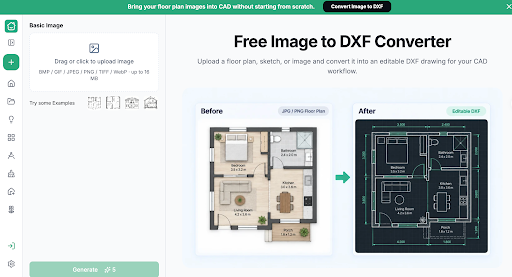

For a design team, the same intake problem can return with every project: the client has a plan image, while the team needs editable drawing material. Rebuilding each base manually can distract from the work the client commissioned. Image to DXF Converter offers a preparation route worth making explicit. RoomDesign provides online Image to DXF Converter, converting suitable JPG or PNG plans into DXF files for a controlled review and drafting workflow.
Ask for the Right Source Before Assigning Drawing Work
Give clients a short intake request that prioritizes the original editable file when available, followed by clear plan images and reliable dimensions. Ask which version represents the current space and what changes they want considered. This prevents the team from beginning work on an old proposal simply because it was the first attachment received.
Assign one person to assess the source and intended task. Their decision should be practical: use an existing CAD file, try image conversion, request better information, or redraw from verified measurements. A repeatable process does not require every source to follow the same route. It makes the choice visible and connects it to the deliverable the team actually needs.
Use a Small Conversion Trial to Guide the Work
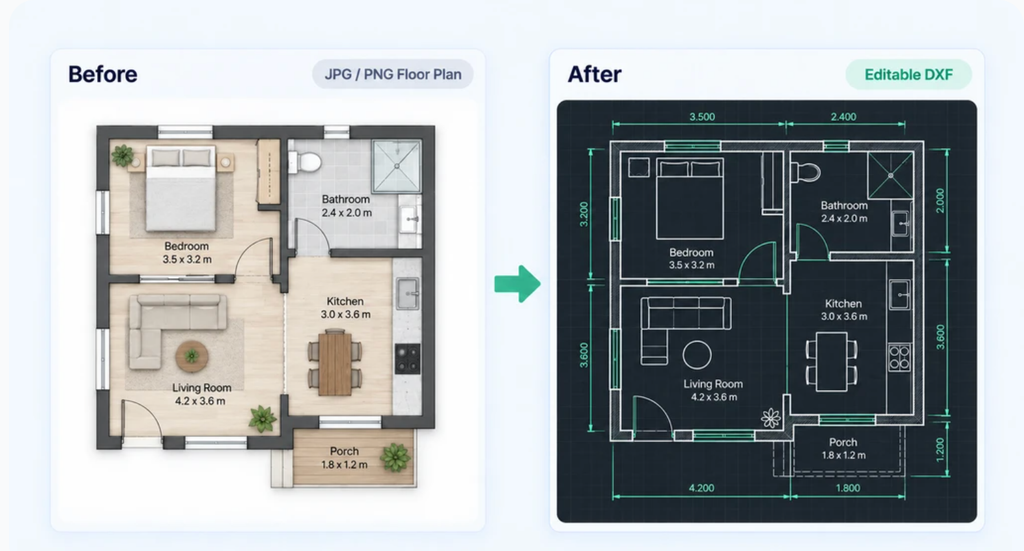
(Before-and-after example displayed in the interface)
For a suitable JPG or PNG, convert a representative plan and inspect the DXF in the team’s CAD software. Review the areas that matter for the assignment rather than treating a successful download as acceptance. Confirm scale and compare the important boundaries with the source.
Keep the raw output and record whether it provides a useful base for this project. If the team measures preparation time, distinguish conversion, review, and cleanup so the result can inform future decisions. Do not assume a universal saving from one example. The point of the trial is to decide whether the converted geometry helps this assignment, with evidence the team can learn from.
Standardize the Handoff, Not the Design
Use a consistent package containing the source image, raw DXF, working drawing, and a short note about dimensions and uncertainties. The person developing the design should know what has already been checked and what remains unresolved. This avoids repeating the same review or relying on assumptions made during intake.
Keep the client’s requested work attached to that package. A technically organized base is not enough if the designer still has to search messages to discover the brief. The preparation process should end with a clear next task, such as developing two room arrangements or updating a specified area. Design judgment remains project-specific even when the file handling is consistent.
Keep the Editable Deliverable in Circulation
Agree where the current file lives and how revisions are accepted. When sharing work, provide the appropriate readable review copy as well as the editable deliverable where required. If only screenshots circulate, the next collaborator may encounter the same tracing problem the team just solved.
Review the process after several actual projects. Identify which source types were useful, where information was repeatedly missing, and which questions should be added to intake. Improve the request and handoff based on those observations. The aim is a dependable route from client material to design work, not a rigid checklist that consumes more effort than the drawing preparation it was intended to improve.
Conclusion
Request better source information, test conversion on the task at hand, and keep the editable file connected to its brief and review notes. That makes preparation easier to repeat without making every project identical.
RoomDesign (https://roomdesign.io/image-to-dxf) provides Image to DXF Converter for this intake stage. Try it on the next suitable client plan and judge the result by whether it helps your team begin the actual design work.
Try RoomDesign: https://roomdesign.io/image-to-dxf