
A longer AI video sounds easier to edit.
Instead of generating four or five short clips and joining them together, you might get most of the scene in one piece.
Great. Fewer clips to deal with.
Then you watch it.
The opening drags. One movement in the middle looks odd. The ending goes on too long.
You no longer have a stitching problem.
You have a different editing problem.
Take a Simple Product Video
Imagine a short video for a new pair of running shoes.
The shoes sit beside a bench. A runner picks them up, gets ready and heads outside. The video ends with the shoes in motion.
One approach is to generate several short clips:
Shoes on bench → Runner picks them up → Getting ready → Running
Then comes the work of joining them.
The timing needs to match. The cuts need to feel natural. The shoes should look the same from one clip to the next.
Another approach is to fit more of that action into one longer generation.
That can remove some of the joins, but it changes what the editor needs to watch for.
Fewer Clips Can Solve One Problem
Every new clip creates another place where something can feel off.
The lighting changes. The camera angle jumps. The product looks slightly different. An action ends in one position and starts somewhere else in the next shot.
Keeping more of the action inside one usable clip can reduce some of those problems.
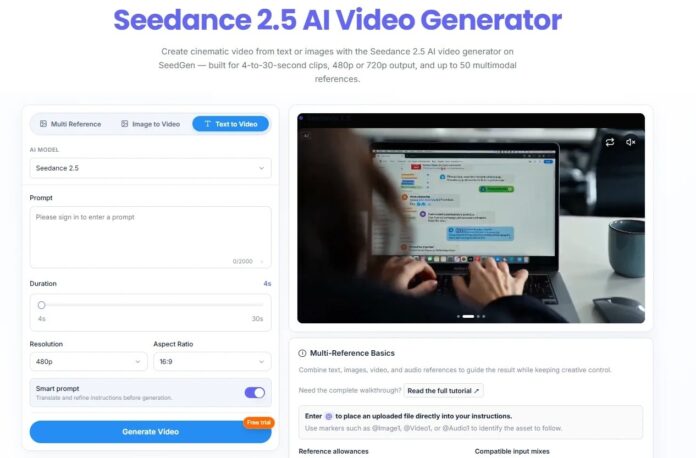
That is where longer generation in Seedance 2.5 starts to matter for editors. The current workflow presents longer clip options, giving editors another way to approach scenes that might otherwise be split into several pieces.
But the key word is usable.
If only half of a longer clip works, its length is not much of an advantage.
The Problem May Move Inside the Clip
Suppose most of the running shoe video looks good.
The runner picks up the shoes. The movement works. The product stays clear.
Then something goes wrong near the end.
Maybe the shoe changes shape slightly. Maybe the runner’s movement becomes awkward. Maybe the camera drifts away at the wrong moment.
Now what?
With separate short clips, you might simply replace the bad one.
With a longer clip, the choice is less obvious.
Do you cut before the problem? Generate the whole thing again? Or try to fix what went wrong?
The answer depends on the problem.
The current workflow presents local editing as an option for adjusting a visual region or element without rebuilding the entire result. That may help when the problem is limited to a product detail or part of the frame.
If the failure involves timing, motion or an entire section near the end, cutting or regenerating may still be necessary.
Not every mistake is worth repairing. Sometimes another generation is simpler.

A Smooth Video Can Still Be Wrong
There is another thing editors cannot skip: checking the product itself.
For a real running shoe campaign, the shoes need to look like the actual shoes.
Check the color, logo, sole and overall shape. If prices, text or product claims appear, check those too.
A shoe can stay consistent through the whole clip and still be wrong.
For editors using a Seedance 2.5 workflow on product work, generation is only part of the job. The result still needs to match what customers will actually see.
If the real shoe has a white sole and the generated video gives it a black one, smooth motion does not save the shot.
For commercial work, getting the product right matters more than making every camera move look impressive.
Generated footage should not be treated as proof of fit, cushioning, durability, grip or athletic performance. Claims like these still need verified product information and real-world evidence.
More Footage Is Not the Goal
A longer generation does not mean the final video has to be longer.
If the idea works in 13 seconds, stop at 13 seconds.
There is no prize for keeping another seven seconds just because they were generated. Editors have always cut usable footage when it does not help the final video.
AI does not change that.
What Changes for Editors?
Longer AI video can mean fewer clips to join, and that is useful.
But the work does not end there. A longer clip still needs someone to decide what stays, what goes and what is worth fixing.
For editors, the bigger change may be simple: less time joining pieces, more time deciding which pieces deserve to stay.