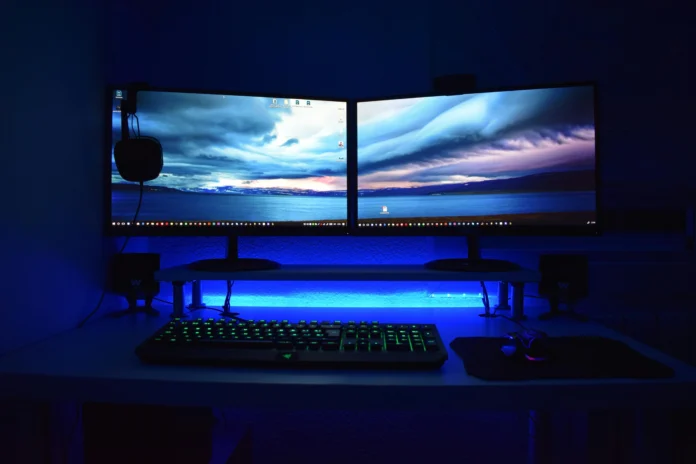

A gaming PC is at the heart of any setup, but the computer itself is only part of the experience. The equipment you use to control games, hear audio, communicate with teammates, and stay comfortable can make a significant difference to how you play. This is where choosing the right Gaming Peripherals becomes important.
From responsive keyboards and precise mice to comfortable headsets and practical furniture, the right accessories can help create a setup that feels better and works more effectively. However, you do not need to buy every available accessory. The better approach is to identify what you actually need and invest in equipment that suits your games, habits, and budget.
Start by Understanding Your Gaming Style
Before buying new accessories, consider the types of games you play most often. Different genres can benefit from different equipment.
Competitive FPS players may prioritise a responsive mouse and keyboard, while racing fans may focus more on dedicated controllers or racing equipment. Players who spend several hours gaming may place greater importance on comfort and ergonomics.
Your setup should therefore be built around your habits rather than simply following the latest trends. A product that works brilliantly for one player may not necessarily be the right choice for another.
Choose a Gaming Keyboard That Fits Your Needs
The keyboard is one of the most frequently used accessories in a PC gaming setup. When comparing gaming keyboards, think about the type of switches, key layout, responsiveness, durability, and additional features.
Mechanical keyboards are popular among gamers because they provide distinct key feedback and are available with different switch characteristics. Some players prefer a lighter and faster feel, while others prefer more tactile feedback.
Features such as programmable keys, RGB lighting, media controls, and detachable cables may also be useful, but they should not be the deciding factor if they do not improve your actual gaming experience.
If you also use the computer for work or study, consider choosing a keyboard that is comfortable for both gaming and everyday typing.
Find a Gaming Mouse With the Right Feel
A mouse can have a major impact on gameplay, especially in competitive genres where precise movement matters. When selecting gaming mice, pay attention to shape, weight, sensor performance, button placement, and grip style.
There is no single mouse shape that is perfect for everyone. Some players prefer lightweight designs that are easy to move quickly, while others like a slightly heavier mouse with a more substantial feel.
Consider how you hold your mouse as well. Your grip style and hand size can influence which design feels most comfortable.
Rather than choosing based purely on specifications, look for a mouse that feels natural in your hand and gives you consistent control.
Choose a Headset for Gaming and Communication
Audio can make games more immersive while also providing useful information during gameplay. A good headset can help you hear environmental sounds, communicate with teammates, and enjoy music or other entertainment when you are not gaming.
When comparing headsets, consider audio quality, microphone performance, comfort, connectivity, and noise isolation.
If you regularly play multiplayer games, microphone quality is particularly important. Clear communication can make teamwork easier, especially during competitive matches.
Comfort should also be considered. If you regularly game for several hours, a headset that feels uncomfortable can quickly become a distraction.
Don’t Forget the Mouse Pad
A mouse pad may seem like a small part of a setup, but it provides a consistent surface for mouse movement.
Different players prefer different sizes and surface types. A compact pad may work for someone using a small amount of desk space, while a larger pad can provide more room for low-sensitivity mouse movements.
Large mouse pads can also provide a unified surface for both the keyboard and mouse, creating a cleaner appearance while giving you more freedom to position your equipment.
When choosing a mouse pad, consider its surface texture, size, thickness, and base grip.
Create a Comfortable Gaming Area
Your desk and chair are just as important as the accessories you use directly in games. A comfortable setup can make long gaming sessions more enjoyable and help you maintain a better sitting position. Your gaming PC should also have enough space around it for proper airflow and easy access to cables and connections.
When selecting gaming desks and chairs, consider available space, desk height, surface area, storage, chair adjustability, and overall comfort.
Your desk should provide enough room for your monitor, keyboard, mouse, gaming PC, and other equipment without making the area feel cramped.
For the chair, look for features that allow you to adjust the seating position to suit your body. Comfort should take priority over appearance, even though modern gaming furniture can also contribute to the overall look of your setup.
Think About Your Available Space
Not every gamer has a large dedicated gaming room. If your setup is located in a bedroom, office, or shared space, available room can influence which peripherals are practical.
Measure your desk area before purchasing larger accessories. A large mouse pad, additional monitor, speakers, and other equipment can quickly consume available space.
Cable management is another useful consideration. Keeping cables organised can make your setup look cleaner and reduce clutter around your desk.
A well-organised setup does not necessarily require expensive accessories. Simple cable clips, ties, and sensible positioning can often make a noticeable difference.
Consider Wired and Wireless Options
Many modern accessories are available in both wired and wireless versions. Each option has advantages.
Wired peripherals typically offer straightforward connectivity and do not require battery charging. Wireless equipment can provide a cleaner desk and greater freedom of movement.
When choosing between them, think about what matters most to you. Competitive gamers may have specific preferences regarding connectivity and responsiveness, while casual players may prioritise convenience and a clutter-free setup.
Wireless technology has improved considerably, but battery life and charging requirements are still worth considering.
Set a Realistic Budget
You do not need to replace every accessory at the same time. If your budget is limited, prioritise the equipment that will make the biggest difference to your gaming experience.
For many PC gamers, a good mouse and keyboard may be more important than decorative accessories. Players who spend long sessions gaming may want to prioritise a comfortable chair, while multiplayer gamers may benefit more from investing in a reliable headset.
Think about your current equipment and identify the biggest weakness in your setup. Upgrading that component first can provide better value than purchasing several inexpensive products at once.
Choose Peripherals From a Reliable Source
Once you know what you need, compare products based on features, compatibility, quality, and price. Make sure the accessories you select work with your existing gaming PC and other equipment.
Veno Scorp offers a variety of products designed to help gamers create complete and practical gaming setups. From input devices to audio equipment and gaming furniture, comparing different options can make it easier to find accessories that suit your preferences.
The goal is not to have the most expensive setup. It is to create a gaming environment where every component serves a useful purpose.
Build a Better Gaming Peripherals Setup
Choosing the right Gaming Peripherals is ultimately about matching your equipment to the way you play. Start with the essentials, consider comfort and compatibility, and then add accessories that genuinely improve your experience.
Whether you are upgrading an existing setup or creating your first dedicated gaming space, thoughtful choices can help you get more from your gaming PC without unnecessary spending.
Ready to Upgrade Your Gaming Peripherals?
Looking to improve your gaming setup? Explore the range of Gaming Peripherals available from Veno Scorp and find accessories that match your gaming style, available space, and budget.
From gaming keyboards and gaming mice to headsets, mouse pads, gaming desks and chairs, choose the equipment you need to create a more comfortable, organised, and enjoyable gaming environment.
FAQs
Q1. Which Gaming Peripherals should I buy first?
Ans – Start with the accessories you use most. A keyboard, mouse, and headset are common priorities, while your budget and preferred games should determine which upgrades make the most sense.
Q2. Are mechanical gaming keyboards better for gaming?
Ans – Mechanical gaming keyboards are popular because of their responsive feel and variety of switch options. However, the best keyboard depends on your personal preferences, typing habits, and gaming style.
Q3. What should I look for in gaming mice?
Ans – Consider the mouse’s shape, weight, sensor, button placement, grip style, and overall comfort. The right choice should feel natural and provide consistent control.
Q4. Do gaming desks and chairs really matter?
Ans – Yes. A suitable desk can provide enough room for your equipment, while a comfortable chair can make longer gaming sessions more enjoyable. Ergonomics and adjustability are important factors to consider.
Q5. Should I choose wired or wireless peripherals?
Ans – Both can be good options. Wired products offer simple connectivity, while wireless accessories can reduce cable clutter and provide greater flexibility. Choose based on your preferences and setup.