
CapCut has become one of the world’s most popular video editing apps, offering powerful AI tools, advanced effects, and professional editing features for content creators. However, the availability of certain features, templates, or services can vary depending on your location. As a result, many users search for a CapCut Pro VPN to improve privacy while accessing the app and to use it more securely on different networks.
In this guide, you’ll learn what a CapCut Pro VPN is, why people use one, how to set it up safely, and the best practices for protecting your online activity while editing videos.
What Is a CapCut Pro VPN?
A CapCut Pro VPN is simply a virtual private network (VPN) used while accessing CapCut. A VPN encrypts your internet connection and routes your traffic through a secure server, helping protect your data when you’re connected to public Wi-Fi or other less secure networks.
Some users also rely on a VPN when traveling internationally, where app availability or certain online services may differ by region. Keep in mind that a VPN does not unlock paid Pro features. Access to premium tools still requires a valid CapCut Pro subscription where applicable and is subject to CapCut’s terms of service.
Why Do People Use a VPN with CapCut?
There are several legitimate reasons to use a VPN while working with CapCut:
- Protect your connection on public Wi-Fi.
- Improve online privacy by encrypting internet traffic.
- Access your usual online services while traveling, where regional availability may differ.
- Reduce the risk of data interception on unsecured networks.
For creators who frequently edit videos on the go, these benefits can help create a safer online experience without changing how the app itself works.
How to Set Up a CapCut Pro VPN
Setting up a VPN for CapCut is straightforward and usually takes only a few minutes.
1. Choose a Trusted VPN Provider
Select a reputable VPN service that offers reliable performance, strong encryption, and servers in multiple countries. Look for providers with a clear privacy policy and applications for your preferred devices.
2. Install the VPN App
Download the VPN application from the official website or your device’s app store. Install it on your smartphone, tablet, or computer.
3. Sign In
Open the VPN app and log in with your account credentials.
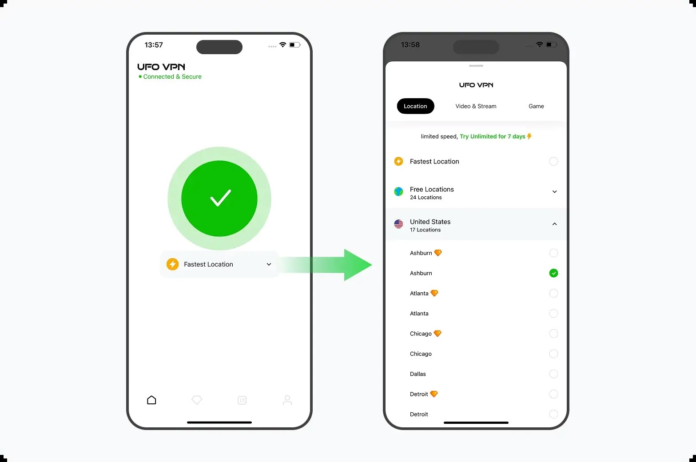
4. Connect to a Server
Choose a server location appropriate for your needs. If you’re traveling, you may prefer a server in your home region to maintain access to services you normally use. Avoid selecting locations solely to circumvent subscription or licensing requirements.
5. Open CapCut
Once the VPN connection is active, launch CapCut and continue editing your videos as usual.
Why Choose UFO VPN?
When selecting a VPN, reliability and security matter. UFO VPN offers features that many users value, including:
- Encrypted internet connections
- Multiple server locations
- Apps for major operating systems
- Easy-to-use interface
- Support for browsing securely on public Wi-Fi
Whether you’re uploading videos, downloading assets, or editing while traveling, a secure VPN connection can add an extra layer of protection to your online activity.
Tips for Better Performance
Using a VPN doesn’t have to slow down your editing experience. Follow these tips for optimal performance:
- Connect to a nearby server whenever possible.
- Use a stable Wi-Fi or high-speed mobile connection.
- Keep both CapCut and your VPN app updated.
- Close unnecessary background applications that consume bandwidth.
- Restart the VPN if you experience connectivity issues.
These simple steps can help maintain a smoother workflow while editing and exporting videos.
Is Using a VPN with CapCut Safe?
Yes, using a reputable VPN is generally safe for enhancing privacy and securing your internet connection. However, users should always:
- Download VPN software from official sources.
- Avoid free VPNs with unclear privacy policies.
- Respect local laws and regulations.
- Follow CapCut’s terms of service.
- Maintain an active Pro subscription if you wish to use paid premium features.
A VPN is designed to protect your connection—not to replace legitimate subscriptions or bypass licensing requirements.
Final Thoughts
Using a CapCut Pro VPN can be a practical way to improve privacy and security while editing videos, especially when you’re connected to public Wi-Fi or traveling abroad. Although a VPN cannot unlock CapCut Pro’s paid features, it can help safeguard your data and provide a more secure browsing experience.
By choosing a trusted provider such as UFO VPN, keeping your apps up to date, and using CapCut in accordance with its subscription and usage policies, you can focus on creating high-quality content with greater confidence and peace of mind.