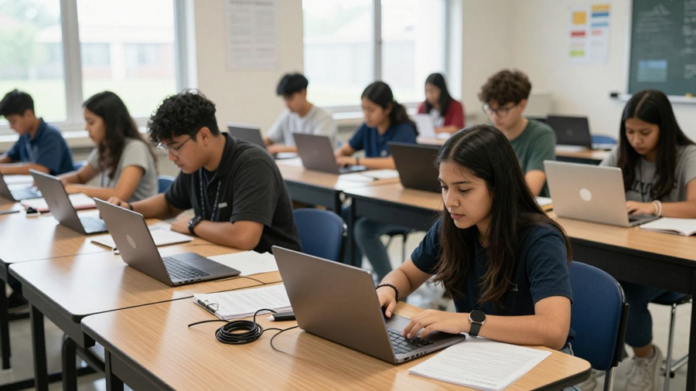

The new survey of 300 K12 teachers offers a useful starting point for understanding classroom technology from the teacher’s side of the desk. It asks less about whether schools own digital tools and more about what happens when those tools meet real lessons, limited time, and varied student needs. That distinction matters because access alone does not make technology useful.
The classroom technology questions teachers were asked
A meaningful survey needs to look beyond device counts and software licenses. Teachers can describe whether tools are available, how often they use them, and which obstacles interrupt instruction. They can also explain whether technology supports a lesson or simply creates another task to manage.
Those questions connect equipment to experience. They invite teachers to discuss reliability, preparation, support, student participation, and the work required when a planned activity does not function as expected. The result is a more grounded view of classroom technology challenges.
How teacher experience shaped the survey responses
Teacher responses are shaped by the setting in which technology is used. A teacher with dependable classroom support may view the same platform differently from a colleague who has to solve technical problems alone. Grade level, subject, class size, and student familiarity with digital tools also influence the answer.
That context does not make teacher feedback less valuable. It makes the feedback more specific, revealing where a broad technology plan meets local conditions. Patterns across responses can show recurring problems, while differences can point to needs that require more tailored support.
The difference between access, adoption, and effective use
Access means that a device, platform, or connection is available. Adoption means that teachers and students actually use it. Effective use goes further: the tool must serve a clear instructional purpose without placing unreasonable demands on the people using it.
These stages should not be treated as interchangeable. A school may distribute devices while teachers still lack time to plan with them, or it may introduce a platform that students can open but cannot use confidently. The survey’s value lies partly in separating possession from practical benefit.
What the survey can and cannot reveal
Teacher surveys can reveal patterns in workload, confidence, frustration, and perceived student response. They can identify where support feels insufficient and where technology appears to fit naturally into instruction. They cannot, by themselves, prove that one tool caused a particular academic result.
That boundary is useful rather than limiting. Survey findings work best alongside classroom observation, student feedback, usage information, and learning evidence. Read carefully, the findings can guide better questions without pretending to provide a complete picture of every school.
Where classroom technology challenges begin
Classroom technology challenges often begin before a lesson starts. A weak connection, missing charger, outdated device, or unclear support process can change the shape of an entire period. Teachers then spend energy preserving the lesson rather than improving it.
The problems are rarely isolated. Infrastructure, time, training, and unequal access reinforce one another, creating conditions in which even well-chosen tools become difficult to use. Teacher experience makes those connections visible.
Unreliable devices, connectivity, and technical infrastructure
A device that freezes or a network that drops at the wrong moment affects more than convenience. It interrupts directions, breaks student concentration, and forces teachers to switch plans quickly. Repeated failures also make teachers less willing to build important activities around digital tools.
Reliability includes the surrounding systems. Charging, account access, updates, classroom displays, and technical response all shape whether a device is ready for learning. When those basics are dependable, teachers can focus on instruction instead of diagnosing preventable faults.
Limited planning time and competing classroom demands
Technology often asks teachers to do more work before students ever see the lesson. They may need to compare tools, create accounts, adapt materials, check accessibility, and prepare a backup activity. Those steps compete with grading, family communication, collaboration, and classroom preparation.
A tool can therefore be technically sound and still be impractical. Planning time determines whether teachers can use technology thoughtfully or settle for the fastest available option. A survey that captures this time cost provides a clearer account of implementation than adoption numbers alone.
Inconsistent access to training and support
Training is most useful when it answers the problems teachers face in their own classrooms. A brief demonstration may explain where to click, but it may not show how to manage a mixed-ability group, recover from a failed activity, or adapt the tool for a particular subject. Teachers need room to practice and ask follow-up questions.
Support also needs to continue after launch. Peer help, coaching, clear documentation, and responsive technical assistance can prevent small uncertainties from becoming permanent avoidance. Without that network, teachers may be left to learn through trial and error during live instruction.
Technology gaps between schools, classrooms, and students
Technology access is rarely uniform across a district. One classroom may have current devices and strong connectivity, while another shares equipment or works around dead zones. Students may also differ in home access, keyboard skills, online habits, and familiarity with common platforms.
Those differences affect participation. A digital assignment can appear equal on paper while placing very different demands on students. Schools need to examine the conditions around access, not simply count how many devices have been purchased.
How technology affects teachers’ daily work
Technology changes the rhythm of teaching. It can simplify distribution, support collaboration, and give students additional ways to practice, but it can also add decisions and interruptions. The daily experience depends on how well the tool fits the lesson and the school’s working systems.
Teachers often become the connection point among several platforms. They translate instructions, monitor participation, answer access questions, and repair gaps between systems. That invisible coordination is a central part of the technology story.
The time cost of troubleshooting and workarounds
Troubleshooting rarely appears in a lesson plan, yet it can consume a meaningful part of class time. Teachers may reset passwords, locate missing files, restart devices, or find another way to present material. Each workaround protects the immediate lesson but adds cognitive and emotional strain.
Over time, these interruptions influence planning choices. Teachers may avoid activities that depend on several fragile steps, even when the underlying idea would benefit students. The result is not resistance to technology so much as a rational response to repeated friction.
Managing multiple platforms and disconnected systems
A crowded platform environment creates its own workload. Teachers may move between systems for assignments, communication, assessment, attendance, and resources, each with different logins and routines. Students then face the same fragmentation from the other side.
Schools can reduce this burden by clarifying which tools serve which purposes. A smaller, coherent set of systems is easier to explain, support, and maintain. The goal is not to remove every digital option, but to avoid making teachers act as manual links between disconnected services.
Balancing digital tools with instructional goals
Technology should follow the learning goal rather than define it. A collaborative document may help students revise together, while a digital quiz may provide a quick check for understanding. In other lessons, paper, conversation, modeling, or hands-on work may be the better choice.
This judgment belongs to the teacher. Instructional purpose comes first when technology is evaluated well. The question is not whether a tool looks modern, but whether it helps students think, practice, create, communicate, or receive useful feedback.
When technology adds value versus friction
Teachers tend to notice value when a tool makes a difficult task easier or makes a useful learning experience possible. It may give students timely feedback, support different ways of participating, or help a teacher see misconceptions earlier. Friction appears when the tool adds steps without improving the learning activity.
A simple review can help schools discuss that difference. Teachers can consider the time required, the number of systems involved, the student benefit, and the support available when something fails. These observations are more actionable than a general claim that technology is either good or bad.
What teacher experience reveals about student impact
Teacher experience offers an immediate view of how technology reaches students. It shows who can enter an activity easily, who needs help, and who disengages when the process becomes confusing. It also helps distinguish genuine engagement from visible activity on a screen.
Student impact is not uniform. The same tool can expand participation for one learner and create a barrier for another. Careful interpretation therefore requires attention to access, readiness, accessibility, classroom norms, and the quality of the learning task.
Unequal student access and digital readiness
Students bring different experiences to digital work. Some have reliable internet and regular practice at home, while others depend entirely on school time or shared equipment. Even when every student receives a device, differences in confidence and digital routines remain.
Teachers often see these gaps first. They may need to teach file management, navigation, online communication, or basic troubleshooting alongside the subject content. That additional instruction is not a distraction from learning; it is part of making digital participation possible.
Engagement gains alongside distraction risks
Interactive tools can invite students to respond, create, and receive feedback more quickly. They can also make participation more visible and give quieter students another channel for contribution. Those benefits depend on purposeful design and clear expectations.
Screens introduce competing possibilities as well. Notifications, unrelated browsing, and rapid task switching can weaken attention. Teachers must balance the appeal of digital activity with routines that keep students focused on the intellectual work of the lesson.
Accessibility and support for different learning needs
Technology can offer flexible ways to read, listen, respond, organize, and demonstrate understanding. Such flexibility may help students who need adjustments in pace, format, or input method. The benefit depends on whether the selected tool actually supports the needed function.
Teachers also need time to check materials before assigning them. A platform that works for most students may still create barriers through unclear navigation, inaccessible files, or limited response options. Accessibility should be considered during planning, not added only after a student encounters a problem.
The relationship between technology use and learning outcomes
Technology use alone does not establish learning. Outcomes depend on the quality of instruction, the task, student background knowledge, feedback, and the conditions in which the tool is used. A digital activity can be busy without being intellectually productive.
Teacher observations can help connect use with evidence. They can identify whether students explain ideas more clearly, revise more effectively, or receive feedback in time to act on it. Those observations should be tested against student work and other forms of assessment.
Why implementation often falls short
Implementation is not finished when a contract is signed or a platform is made available. It unfolds through daily choices, local routines, and the support teachers receive after the initial rollout. Weakness in any of those areas can make a promising plan feel disconnected from classroom reality.
The recurring issue is often not a lack of effort. It is a gap between decisions made at one level and conditions experienced at another. Teacher feedback can narrow that gap when it is gathered early and treated as evidence rather than resistance.
Choosing tools without enough teacher input
Teachers understand details that may not appear in a product demonstration. They know how long transitions take, which students need extra support, and where a platform may conflict with established routines. Leaving them out of selection can produce a tool that looks suitable but fails under ordinary classroom pressure.
A stronger process includes teachers in trials, evaluation, and follow-up review. Their input can clarify what problem the tool is meant to solve and what tradeoffs it introduces. It can also build shared ownership when the final decision is made.
Gaps between professional development and classroom reality
Professional development can fall short when it focuses on features rather than teaching situations. Teachers may leave knowing how to operate a tool but not how to use it with a large class, limited time, or uneven student access. One session rarely changes that.
Useful learning is practical and ongoing. It gives teachers examples, rehearsal time, peer discussion, and a way to revisit questions after implementation. Support should be connected to actual lessons, not separated from the conditions in which those lessons occur.
Privacy, security, and data-use concerns
Teachers are responsible for more than making a platform function. They also need to understand what information is collected, who can access it, how long it is retained, and how students and families are informed. Unclear answers can undermine confidence even when the tool appears useful.
Schools should provide plain-language guidance and a clear process for raising concerns. Privacy review belongs before adoption, while security practices need attention throughout the tool’s use. Transparency gives teachers a firmer basis for making responsible classroom choices.
Adoption barriers across grade levels and subjects
A tool that suits one setting may not transfer neatly to another. Early elementary classrooms, laboratories, art rooms, language courses, and special education contexts have different schedules, materials, and instructional routines. A single adoption model can overlook those differences.
Schools can allow room for local adaptation while keeping essential expectations clear. Teachers need to know which practices are required, which are recommended, and where professional judgment applies. That balance supports consistency without treating every classroom as identical.
How schools can respond to teacher-reported challenges
Teacher feedback becomes useful when it leads to visible decisions. Schools can use it to rank infrastructure needs, revise training, simplify platform choices, and identify where students require additional support. The response should be steady rather than limited to a survey report.
A practical plan connects each reported challenge with an owner, a timeline, and a way to check progress. It also makes space for teachers to say whether a change helped. That loop keeps technology work tied to classroom experience.
Involving teachers in technology decisions
Teacher participation should begin before a purchase is finalized. Representatives from different grades and subjects can test tools, review workflows, and identify barriers that a central team may miss. Their involvement also helps schools distinguish a genuine instructional need from enthusiasm for a new feature.
After adoption, teachers should have a regular channel for review. Short feedback cycles can catch problems while they are still manageable. They also signal that classroom knowledge remains part of the decision process.
Prioritizing reliable infrastructure and responsive support
Reliability is a basic condition for trust. Schools should track recurring device, connectivity, account, and equipment problems rather than treating each incident as an isolated inconvenience. Response times matter because a delayed fix can affect many lessons.
Support should be easy to reach and clear about next steps. A teacher should not have to search through several offices to report a problem or learn whether it is being addressed. Consistent systems reduce the need for improvised workarounds.
Designing practical, ongoing professional learning
Professional learning works better when it is close to the classroom. Teachers can explore one instructional use at a time, try it with students, and return with questions or examples. Peer observation and small communities of practice can make that process less abstract.
Schools can also protect time for the work. Without scheduled opportunities to practice and reflect, training becomes another obligation squeezed between larger demands. Ongoing support helps teachers build confidence without expecting instant mastery.
Measuring success through classroom evidence and teacher feedback
Schools need measures that reflect teaching and learning, not just logins or completed training sessions. They can examine student work, participation patterns, lesson time, support requests, and teacher observations together. No single measure captures the full effect of classroom technology.
A useful review asks whether the tool improved the intended activity and what burden it placed on teachers and students. The following evidence sources can keep that review grounded:
- Teacher accounts of preparation time and interruptions
- Samples of student work before and after a change
- Student feedback about access, clarity, and participation
- Records of technical issues and support response
These sources give leaders a fuller basis for adjustment. If the evidence shows that a tool adds work without improving learning, changing course is a responsible decision. If it helps, the same evidence can show where support is needed for broader use.
Conclusion
The new survey of 300 K12 teachers points attention toward the lived conditions of classroom technology. Teachers can reveal where access becomes friction, where support changes adoption, and where digital tools affect students unevenly. Schools that listen carefully are better positioned to invest in reliable systems, practical learning, and technology that serves instruction rather than competing with it.