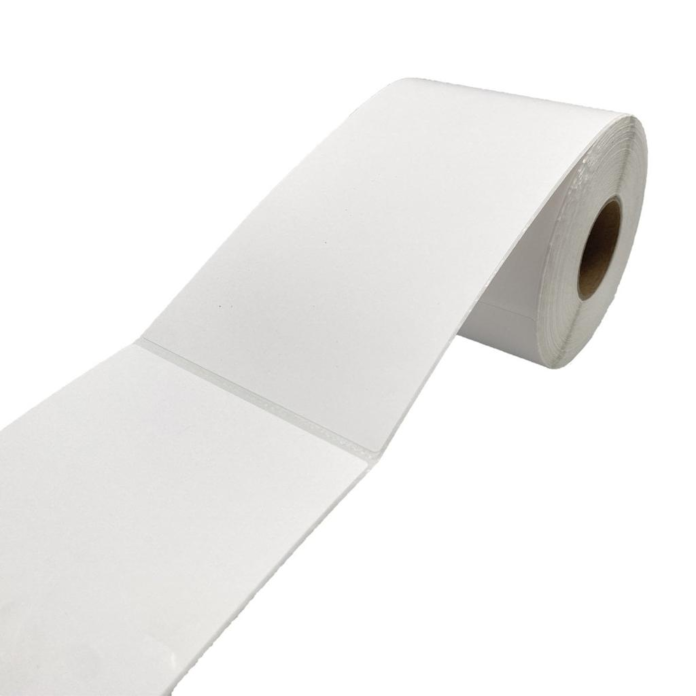

Use perforations when operators need to separate labels, tags, or groups cleanly by hand while keeping the remaining web intact. Do not add them automatically. Standard die-cut labels can usually be peeled from the liner without perforations, and automatic dispensers, rewinders, and applicators often run more reliably with an unbroken liner.
A perforation is a controlled line of cuts and ties. Its performance depends on cut length, tie length, liner strength, web direction, label construction, and the force applied during printing or tearing. The correct design tears when intended but survives converting, winding, shipping, printing, and normal tension changes.
What Is a Perforation?
A perforation alternates cut sections with small uncut ties. The cuts create a tear path, while the ties hold the web together. Perforations may cross only the liner between die-cut labels or pass through continuous tag stock. They can also separate fanfold sections or create detachable parts within a larger label.
Perforation strength is not defined by one number. The cut-to-tie ratio, material thickness, fiber direction, die condition, and placement all matter. Two perforations with the same visible pattern can tear differently when used on glassine liner, kraft liner, film liner, or tag stock.
When Are Perforations Useful?
Perforations are useful when a shipping counter hands a printed label strip to another worker, when tags must be separated without scissors, or when a batch needs to remain together until it reaches a workstation. They can also provide a clean tear point on continuous tickets and receipts.
They are valuable only if hand separation is part of the actual workflow. If labels are printed and immediately peeled, a perforation adds manufacturing complexity without helping the operator. Map who handles the web after printing, where separation occurs, and whether individual labels or groups must remain connected.
When Should Perforations Be Avoided?
Avoid perforations when the printer or applicator pulls the liner under significant tension, when the web changes direction around small rollers, or when uninterrupted liner strength is required for high-speed dispensing. A weak perforation can separate inside the machine and create a difficult rethreading or cleanup task.
Also avoid placing a perforation where adhesive can be exposed to a cutter, platen, or sensor. Standard printer cutters are often intended to cut liner, receipt paper, or tag stock between labels, not through pressure-sensitive adhesive. Use the machine’s approved media path and cutting method.
Can Perforations Cause Jams or Web Breaks?
Yes. A perforation with too few or too-small ties can open during acceleration, backfeed, calibration, or a sudden stop. A rough perforation may snag a guide. Paper dust from the cut area can collect on sensors and rollers, while an off-center tear can leave a jagged edge that steers the web.
If breaks occur, inspect whether they happen at every perforation, only near the core, or only at higher speed. Check roll tension, guide pressure, backfeed distance, and the angle around the peel plate. Strengthen the perforation or remove it rather than compensating with excessive printer pressure.
Where Should a Perforation Be Placed?
For die-cut thermal labels, the perforation is commonly placed through the liner in the gap between labels. It should not cut into the label face or intersect adhesive-coated areas. Allow enough distance from the die-cut edge to protect both the perforation ties and the label release behavior.
Placement must also consider the printer’s sensor and tear bar. A perforation, notch, or hole can change the amount of light seen by a gap sensor. If it crosses the sensor track, test calibration carefully. For black-mark media, keep the mark readable and separate from the tear feature unless the printer design requires otherwise.
How Strong Should the Perforation Be?
It should survive the highest normal web tension with a safety margin yet tear by hand without stretching the liner or pulling labels from it. A handheld roll may need an easy tear, while an industrial applicator needs stronger ties. There is no universal cut-to-tie ratio for all materials and machines.
Approve strength using the final face, adhesive, liner, width, and roll direction. Test after normal storage because humidity can weaken or expand paper liners. Labels near a tightly wound core may also experience different stress from those at the outside of the roll.
Do Perforations Replace Gaps or Black Marks?
Not necessarily. A perforation is primarily a separation feature, while a gap or black mark is a registration feature. Some printers can detect a notch or hole, but a perforation line may not provide a consistent sensor signal. The printer still needs the media type and sensing method it supports.
Specify registration and separation independently: label gap, black mark, notch, hole, perforation, or a defined combination. Run calibration on the finished roll. If the printer feeds multiple labels or reports media out, do not assume the perforation can substitute for the original sensor feature.
What Should Be Specified to the Converter?
- Perforation location, direction, cut length, tie length, acceptable tear force, and whether it crosses liner only or the full construction.
- Printer model, print mode, speed, backfeed, peel or cutter option, and the maximum web tension in downstream equipment.
- Whether the operator tears individual labels, fixed-size batches, fanfold sections, tickets, or detachable label parts.
Use a dimensioned drawing and an approved roll. Descriptions such as easy tear or strong perforation are subjective and cannot replace a test result.
How Should You Approve Perforated Labels?
Ask the label maker for a converted sample using the final liner and perforation tool. Print a full sequence at normal speed, including starts, stops, calibration, and backfeed. Tear samples with the actual operator method, then run the same roll through any dispenser or applicator.
Approve both functions separately. First confirm that the web does not break unintentionally. Then confirm that intended hand separation is clean and repeatable. Check for liner fibers, adhesive exposure, damaged labels, sensor errors, and jagged edges. Retain samples from the approved lot for comparison with future production. Train operators to tear across the perforation instead of pulling along the web direction.