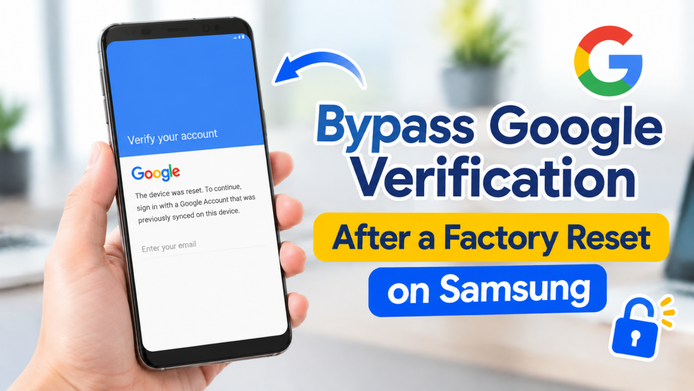

A Samsung phone can look perfectly normal after a factory reset, yet you may find yourself unable to get past the initial setup. Instead of taking you to the home screen, Android displays a request for the Google account that was used on the device before it was erased.
This situation often catches people off guard. Perhaps you reset your phone to fix a software problem, forgot which Gmail address you had added years ago, or bought a pre-owned Samsung device without realizing it was still connected to someone else’s account.
The message is related to Factory Reset Protection, commonly called FRP. It is an Android security feature that checks whether the person setting up a reset device has the required account credentials. So, what can you do when Samsung keeps asking for Google verification? The right approach depends on how you got the phone and whether you can access the original account. Here are several options to work through. In this post, we will introduce how to bypass Google vertification using officail methods and Samsung FRP bypass tool.
What Is Preventing Your Samsung Phone From Completing Setup?
FRP is intended to make unauthorized use of a reset Android phone more difficult. When a Google account is registered on a device, Android can require that account to be verified after certain types of factory reset.
This explains why wiping the phone does not necessarily remove the Google account requirement. The reset clears local information, but it does not automatically cancel the device’s protection. You might run into this screen in a few different circumstances:
- You reset the phone from Recovery Mode rather than through its normal Settings menu.
- You cannot remember the Google account previously used on the phone.
- You changed the account password shortly before resetting the device.
- A second-hand Samsung phone still has the previous owner’s account protection enabled.
Before trying different solutions, identify which situation applies to you. For example, someone who simply forgot a password has a different problem from someone who purchased a phone that is still linked to its former owner’s account.
Start by Checking Whether You Can Recover the Original Google Account
If the Samsung phone belongs to you, recovering the account is generally the simplest way to get through Google verification. On the setup screen, enter the Gmail address that was previously associated with the device. If you cannot remember the password, use Google’s account recovery service.
Follow the recovery prompts and provide any information Google requests. Depending on your account settings, you may be able to confirm your identity using a recovery phone number, backup email address, or another verification method. Once you regain access, return to the Samsung setup screen and try signing in again.
There is one situation worth mentioning: if you recently changed your Google password, the new credentials might not work immediately during device verification. Google and Samsung security checks can involve a waiting period. Give the change time to take effect before attempting another login.
You should also check your other Google accounts if you have used several email addresses over the years. The account needed here is one that was previously associated with the phone, not simply any Gmail account you currently own.
Bought a Used Samsung Phone? Ask the Seller to Resolve the Account Link
A second-hand phone can be perfectly functional and still be unusable during its first setup if the previous owner did not prepare it properly. In this case, repeatedly entering your own Google account is unlikely to solve the issue. The device is asking for credentials associated with its earlier setup.
Contact the seller and explain that the phone is displaying Google account verification after the reset. Ask them to help complete the ownership transfer through the appropriate Google account settings or assist with the setup process.
If the seller cannot be reached, keep your purchase receipt, order confirmation, and any other ownership records. You can then contact Samsung support or an authorized service center to ask what assistance is available.
Be cautious of anyone offering to remove FRP remotely without checking the device or its ownership. Avoid sharing your Google password, verification codes, or other private account information with an unknown service provider.
When Account Recovery Is Failed: Consider an Android FRP Tool
Sometimes, the original account cannot be recovered easily, or the normal support route does not provide an immediate solution. If you are the legitimate owner or have permission to service the device, a dedicated Android phone unlocker may be worth investigating.
One option is MagFone Android Unlocker, a desktop application that provides Android unlocking features, including FRP-related functionality for supported devices.
According to its current product compatibility information, MagFone Android Unlocker supports Samsung devices running Android 6 through Android 16. However, support depends on the exact phone model, software version, and security configuration. A compatible Android version alone does not guarantee that every device can be processed successfully.
If you want to check whether it is suitable for your Samsung phone, follow this general process:
- Visit the official MagFone Android Unlocker website and download the desktop program. Launch the application and review the Android unlocking features available.
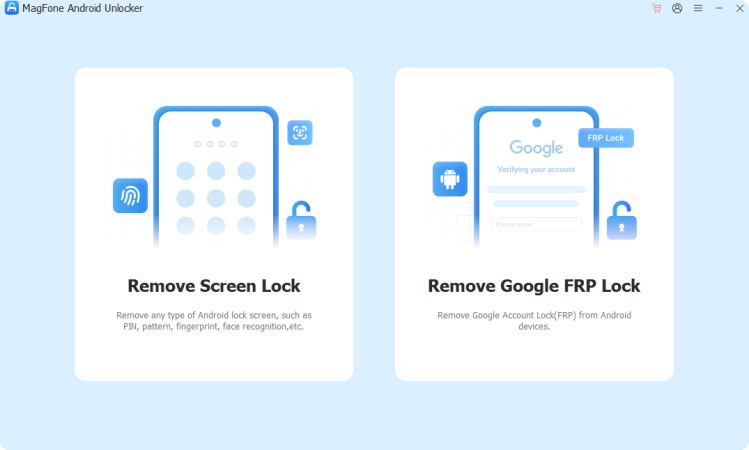
- Check the FRP-related option and confirm that your Samsung model and software version are supported. Connect your phone to the computer and follow the instructions displayed by the program.
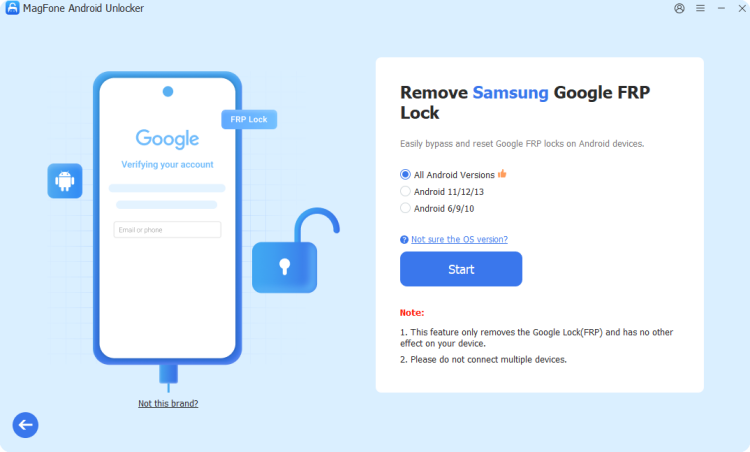
- Read the warnings carefully before proceeding with any operation.
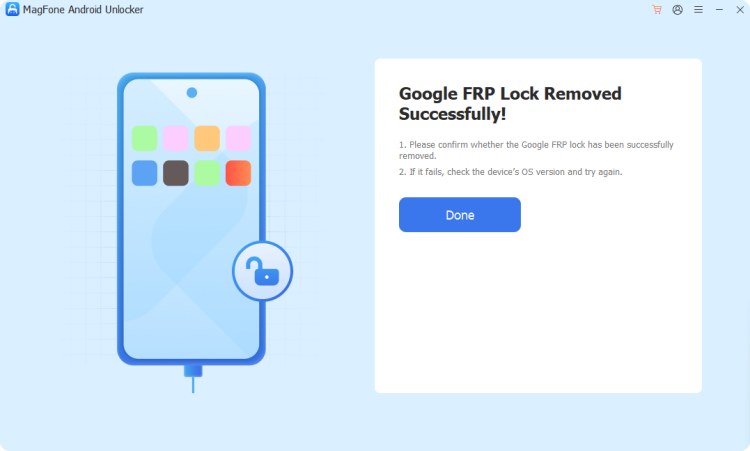
The available process may differ between Samsung devices. Do not assume that instructions for one Galaxy model will work on another. Also, remember that FRP exists to protect device owners. Only consider this type of software for a phone you own or have explicit authorization to service. Check the compatibility details and product terms before making a purchase.
Preparing Your Samsung Phone Before the Next Factory Reset
If you have already regained access to your phone, it is worth taking a few minutes to prevent the same issue from happening again.
- Remove the Google account before erasing the device.
Open Settings and find the account management section. On many Samsung models, this is located under Settings > Accounts and backup > Manage accounts. Select the Google account and choose Remove account. The exact menu wording may vary with the One UI version.
- Reset the phone through its normal Settings menu.
Once the account has been removed, go to Settings > General management > Reset > Factory data reset. Review the information on the screen and confirm the reset.
- Make sure you can access your account.
Before giving away or resetting a device, check that you know the Google email address and password associated with it. If you use multiple accounts, make sure you can identify the one added to the Samsung phone.
- Save your personal information first.
A factory reset removes local data. Back up important photos, contacts, messages, and documents before starting, so you do not lose information you still need.
These simple checks can prevent an ordinary phone reset from turning into a lengthy account verification problem.
Which Samsung FRP Solution Should You Choose?
There is no single approach that fits every Google verification situation. The best choice depends on your access to the account and your relationship to the device.
- You remember the original Google account: Sign in during setup.
- You forgot your password: Recover the account through Google.
- You purchased a locked second-hand phone: Contact the previous owner or seller.
- You have proof of ownership but cannot resolve the account issue: Ask Samsung support about available assistance.
- You need another option for a supported device: Review a dedicated program such as MagFone Android Unlocker and check its compatibility before use.
The important thing is not to confuse a factory reset with the removal of FRP. Erasing the phone does not necessarily clear the account protection attached to it.
Final Words
Getting stuck at Google verification does not mean your Samsung phone is permanently unusable. In many cases, the issue can be resolved by recovering the original Google account or asking the previous owner to complete the proper transfer.
For devices where those routes are unavailable, Samsung support can help clarify the ownership requirements. A third-party Android unlocking application may also be worth considering when the device is supported and you have permission to service it.
Before choosing a solution, identify your exact Samsung model and Android version. A little preparation can save time and help you avoid methods that are not suitable for your phone.