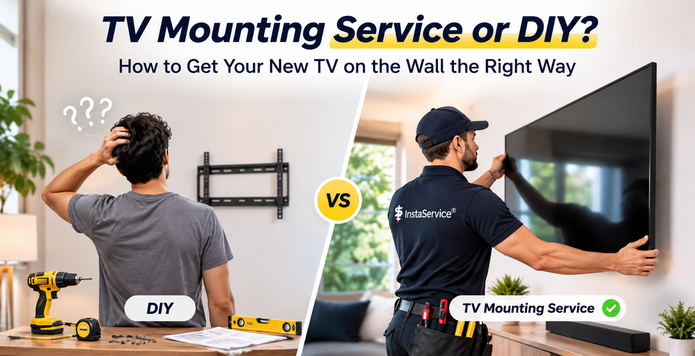

There’s a moment every new TV owner knows well. The box is open, the screen is bigger than you remembered, and it’s leaning against the wall while you figure out what comes next. Maybe it stays on the old stand for a week. Maybe a month.
Mounting a TV looks simple: a bracket, a few screws, done. In reality it’s one of those jobs where small mistakes show up later, as a screen that sits a little crooked, a bracket that pulls away from soft drywall, or a tangle of cables you can’t unsee. This guide walks you through what actually matters, so you can decide whether to do it yourself or bring in help.
Why wall mounting is worth it
A wall-mounted TV frees up floor space, makes a room look finished, and puts the screen at a better viewing angle than most stands can. It’s also safer. A heavy flat screen on a narrow stand can tip if a child pulls on it or a pet bumps into it. Fixed securely to the wall, it isn’t going anywhere.
Step 1: Check your TV’s VESA pattern and weight
Look at the back of your TV. The four threaded holes form a square or rectangle called the VESA pattern, measured in millimeters (for example 300 x 300 or 400 x 400). You’ll find it in the manual or on the spec sheet too.
Your bracket needs to support two things: that VESA pattern and your TV’s weight, with room to spare. If your TV weighs 50 pounds, a bracket rated for 60 is cutting it close. Aim well above.
Step 2: Pick the right type of bracket
There are three main types, and the right one depends on how you watch.
- Fixed mount: Sits flat against the wall, like a picture frame. Clean look, lowest profile, best when you sit straight in front of the screen.
- Tilting mount: Angles the screen down a few degrees. Useful when the TV has to go a little higher than ideal, or to cut glare from a window or ceiling light.
- Full-motion (articulating) mount: Pulls out and swivels. Great for open-plan rooms or corner placements, but the extended arm puts a lot more force on the wall, so anchoring into studs or masonry is not optional.
Step 3: Get the height right
This is the most common mistake people make. A TV mounted too high looks dramatic in photos and gives you a sore neck in real life.
The rule of thumb is to put the center of the screen at your seated eye level. For most sofas, that’s around 40 to 45 inches from the floor. Sit where you normally watch, have someone mark your eye line on the wall, and work from there.
What about above the fireplace? It’s popular, but it usually puts the screen too high for comfortable viewing, and heat rising from the fireplace can affect the electronics. If that’s the only spot, a tilting or pull-down mount helps, and it’s worth checking your TV maker’s guidance first.
Step 4: Know what’s behind your wall
The wall decides how the mount is attached, and this is where most DIY jobs go wrong.
- Drywall with wood studs: The most common setup in U.S. homes. Studs are usually 16 inches apart, and your bracket should be screwed into at least one, ideally two. Standard drywall anchors on their own are not built for the weight and leverage of a mounted TV.
- Plaster: Common in older homes. It can crack when drilled and makes studs harder to find. Go slowly and use the right bit.
- Brick or concrete: Very strong, but it needs a hammer drill and masonry anchors rated for the load.
- Metal studs, tile or stone: These need specialty hardware and extra care. Tile in particular can crack if drilled the wrong way.
Before you drill anywhere, use a stud finder that also detects live wires, and think about where pipes might run. A hole in the wrong place turns a 45-minute job into a much bigger problem.
Step 5: Plan your cables before you drill
A floating TV with four cords hanging below it never looks quite right. You have two main options:
- Surface raceways: Paintable channels that run cables along the wall. Simple, renter-friendly and easy to change later.
- In-wall cable kits: Hide everything behind the drywall for the cleanest look. One important note: a regular power cord or extension cord should not be run inside a wall. Use a kit rated for in-wall power, or have an outlet installed behind the TV.
Also think about what else needs connecting, like a soundbar, streaming box or game console, and where those devices will live.
Finish the room, not just the wall
Once the TV is up, the rest of the space should work with it. Most setups need somewhere to keep the soundbar, router and consoles, which usually means a media console or low cabinet. If yours arrived flat-packed in the same holiday shopping run, professional furniture assembly can have it built and in place on the same day the TV goes up.
Then there’s light. A screen that faces a bright window will fight glare for half the day, no matter how good the panel is. Blackout or layered curtains fix that and make movie nights feel more like a theater. If you don’t have the right rods yet, curtain installation is a small job that makes a big difference to how your new TV actually looks.
DIY or hire a TV mounting service?
If you’re comfortable with a drill, own a good stud finder and level, have a second person to help lift, and you’re working with standard drywall over wood studs, mounting a TV yourself is very doable.
It makes sense to bring in help when:
- The TV is 65 inches or larger and heavy enough that lifting and aligning it safely is a two-person job at minimum
- You’re mounting on brick, concrete, plaster, tile or metal studs
- You want a full-motion arm or a fireplace placement
- You’re replacing an old wall-mounted TV and need the old bracket and holes dealt with
- You simply don’t want to risk the wall, or a brand-new screen
A good pro will help you choose the placement, find the studs, mount and level the bracket, secure the TV and check that it’s stable before they leave. Booking a TV mounting service also tends to be quicker than most people expect. With home services apps like InstaService, you can book a vetted local service expert for a set time slot, often the same week you bring the TV home, and pay once the job is done.
Quick pre-mounting checklist
- VESA pattern and TV weight confirmed
- Bracket type chosen and rated above your TV’s weight
- Eye-level height marked from your usual seat
- Wall type known and studs located
- Wires and pipes checked before drilling
- Cable plan decided (raceway, in-wall kit or new outlet)
- A second person on hand for lifting
Frequently asked questions
How high should I mount my TV? Place the center of the screen at seated eye level, usually about 40 to 45 inches from the floor. Go higher only with a tilting mount that angles the screen back down toward you.
Can I mount a TV on drywall without studs? It isn’t recommended for most TVs. Drywall alone can’t reliably hold the weight and leverage of a mounted screen over time, especially with a full-motion arm. Anchor into at least one stud or use hardware specifically rated for the load.
How long does it take to mount a TV? A standard drywall job usually takes a professional about an hour. Masonry walls, cable concealment or removing an old mount can add time.
Is it safe to mount a TV above a fireplace? It can be done, but it often places the screen too high for comfortable viewing, and heat can affect the TV. Check your manufacturer’s guidance and consider a pull-down or tilting mount.
The bottom line
A new TV deserves better than a temporary spot on the floor. Get the bracket, height, wall and cables right and you’ll have a setup that looks clean and stays put for years. Whether you take it on yourself or hand it off, a little planning before the first hole is drilled is what makes it work.