
Most of what we spend money on isn’t new. It’s the same morning tea, the same weekly groceries, the same fuel stop, the same monthly bills. We repeat these purchases for months and years.
So why do most expense trackers make us enter every detail from scratch each time?
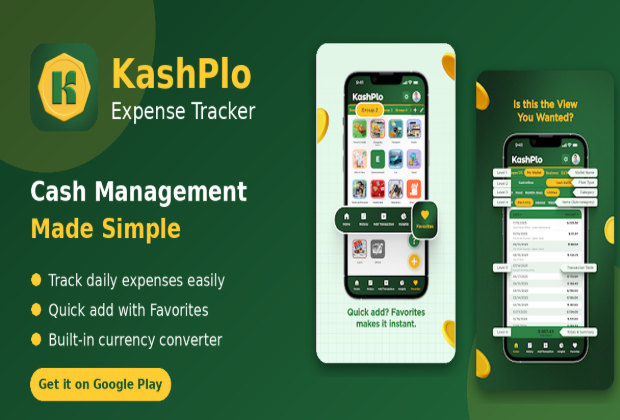
KashPlo’s Favorites feature is built around this simple observation. If you spend on the same things again and again, you should only have to set them up once. This guide explains what Favorites are, how to use them well, and why this one feature can make tracking feel almost effortless.
What Are Favorites?
A Favorite is a saved transaction template. You create it once, with the details that rarely change:
- Wallet: where the money comes from (cash, card, bank account)
- Category: such as food, transport or utilities
- Item: the specific thing you bought
After that, recording the expense takes three steps:
- Tap the Favorite.
- Type the amount.
Your selected wallet, category and item are already filled in, so there’s nothing to choose. The whole process takes about 4 seconds.
Why This Matters More Than It Sounds
The amount is the only thing that changes from purchase to purchase. Everything else is repetition. By removing the repetition, Favorites take away the part of tracking that people find most tiring.
This has a practical effect on your habits. When logging an expense takes a few seconds, you can do it right at the moment of purchase, while it’s fresh in your mind. You don’t need to save receipts or try to remember what you spent at the end of the day. And records made on the spot tend to be more accurate than records made from memory.
What to Save as a Favorite
A good rule: if you’ve recorded something three times, it probably deserves to be a Favorite. Here are common ideas.
Daily spending
- Tea or coffee
- Lunch
- Snacks
- Commute or fuel
Weekly spending
- Groceries
- Eating out
- Laundry or household supplies
Monthly spending
- Rent
- Electricity, gas and water bills
- Internet and phone
- Subscriptions
Personal routines
- Gym or sports
- Pocket money for family members
- Regular donations
Start with five to ten of your most frequent expenses. You’ll likely cover most of your everyday records right away.
How to Set Up Favorites Well
A few small habits make Favorites even more useful.
1. Use clear names.
“Morning Tea” is easier to find than “Item 1.” Names you recognize instantly mean less time searching.
2. Pick the right wallet.
If you always pay for lunch in cash, set your Lunch Favorite to your cash wallet. That way your balances stay correct without any extra effort.
3. Be specific where it helps.
You might create separate Favorites for “Weekly Groceries” and “Quick Store Run” if you want to see how they differ over time.
4. Review and tidy up occasionally.
If a Favorite no longer matches your routine, remove it, and add new ones as your habits change.
Favorites in a Real Week
Here’s how Favorites might look for someone with a typical routine.
| Moment | Favorite used | What you do |
| Monday morning | Morning Tea | Tap, type amount, save |
| Wednesday lunch | Lunch | Tap, type amount, save |
| Friday evening | Weekly Groceries | Tap, type amount, save |
| End of month | Internet Bill | Tap, type amount, save |
Every entry follows the same short pattern. After a few days, it becomes automatic.
Favorites Plus the Rest of KashPlo
Favorites handle fast entry. The rest of KashPlo helps you make sense of what you’ve recorded:
- Table-style home screen: Your transactions appear in a clean, easy-to-scan list, so it’s simple to confirm that your Favorite entries were saved correctly.
- Monthly Tasks: For recurring bills, you can record a payment from a task and mark it complete, so you can see what’s paid and what’s due. Your most recent payment amount can even fill in automatically.
- Quick Dashboard: Check income, expenses, balance and budget for Today, This Month, Last Month or This Year, with category charts when you want a wider view.
- Travel tracking: Record expenses in other currencies and see them converted to your home currency.
Together, these keep the everyday experience quick while still giving you a clear picture when you need one.
Common Questions
Do I have to use Favorites for every expense?
No. For one-off purchases, you can enter a transaction normally. Favorites are meant for the things you spend on repeatedly.
Can I use different wallets and categories?
Yes. KashPlo supports multiple wallets, categories and items, and each Favorite uses the combination you choose.
Is 4 seconds realistic?
For a saved Favorite, where you only type the amount, it’s about that quick. Entering a brand-new expense with all its details naturally takes a bit longer.
Final Thoughts
Good habits come from making the right action easy. Favorites make recording your regular expenses so quick that skipping it feels like more effort than doing it. Set up a handful of your most common purchases once, and you may find that tracking your spending no longer feels like a chore.
Want to try it yourself? KashPlo is available on the App Store for iPhone and iPad, and on Google Play for Android. It’s free to download, with optional in-app subscriptions.