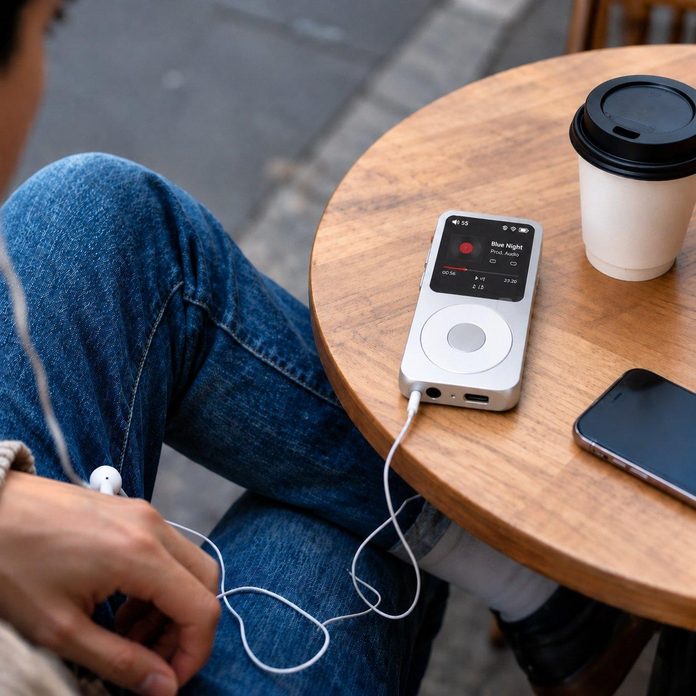

If you have only ever listened to music on your phone, the idea of a separate music player can seem old-fashioned, and the Fosi Audio DAP Neo can seem like a strange thing to buy. But there is a simple reason people still use one: a player built only for music does that one job better than a phone that is doing twenty other things at the same time. This guide explains the basics, with no jargon, so you can decide if one suits you.
You do not need to know anything about audio to use one. If you can copy files to a memory card and plug in earphones, you can use a dedicated player. The rest of this guide is about what the player does, what you need to get started, and what to expect on the first day.
What a dedicated player actually is
A dedicated player, often called a DAP, is a small device that stores music and plays it through a headphone socket. That is its whole job. It does not make calls, it does not show notifications, and it does not run apps in the background. Because it only does one thing, it can put all of its effort into doing it well, with parts chosen for sound rather than for everything at once.
The difference you hear comes from that focus. A phone squeezes its audio parts in alongside everything else, and the result is often good enough but rarely special. A dedicated player gives the music a cleaner path from the file to your ears, and that shows up as clearer detail and a more solid, natural sound. You may not notice it on a noisy street, but in a quiet room, you probably will.
What you need to get started
You need three things: the player, a memory card, and earphones you like. The player stores music on a memory card, which you fill from your computer by copying files across, much like copying photos to a USB stick. The Fosi Audio DAP Neo is designed around that simple way of working, so there is no account to set up and no app you have to install to hear your music.
For earphones, start with the pair you already own. They will work fine for a first listen, and you can upgrade later once you know what the player sounds like. For music, start with files you already have on your computer, or buy downloads in a good-quality format. You do not need a huge library on day one. A few favourite albums are enough to learn your way around.
- A memory card, your earphones, and a few favourite albums
- Copy files from your computer, just like a USB stick
- No account or app is needed to start listening
Your first listen: what to expect
On the first day, keep it simple. Charge the player, put the card in, plug in your earphones, and play an album you know well. Pick one you have heard a hundred times, because that is how you will notice the difference. Listen to the voices, the quiet parts, and the space between the instruments, and see if anything stands out that you had not noticed before.
Do not expect a shock. The difference between a good player and a phone is usually subtle at first, and it grows as you listen more. If the sound seems quiet or thin, check the volume and try a different pair of earphones before deciding anything. And give yourself a few days. Your ears need time to adjust to hearing music without the phone’s noise in the background.
When a player makes sense, and when it does not
A dedicated player makes sense if you listen to music properly, not just as background noise. If you sit down with an album, if you own music files rather than only streaming, or if you want to listen without notifications interrupting, a player is a good fit. It also suits anyone whose phone battery never lasts the day, because the player takes the music load off it.
It makes less sense if you only ever stream, and you are happy with your phone’s sound. A player is not for everyone, and there is no shame in that. It is a tool for people who want to hear their music properly and without distraction. If that sounds like you, a first player is a small step, and this is a friendly place to start.
A dedicated music player is not complicated, and it is not a step backwards. It is a simple device that plays your music well, without the distractions of a phone, and the Fosi Audio DAP Neo is built for exactly that kind of listening.
Start with the earphones and the albums you already have, give it a few days, and listen to music you know well. If you enjoy hearing the detail you had been missing, you will know the player has earned its place in your pocket.