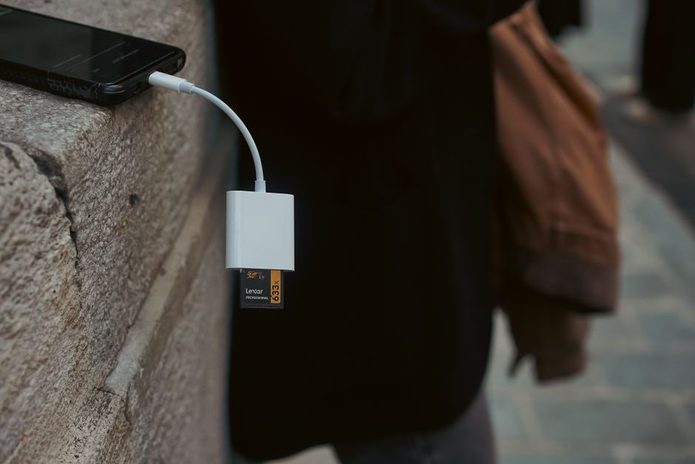

You probably shoot, save, and share almost everything from your phone. That convenience is hard to beat, but it also creates a quiet mess: files scattered across apps, storage warnings at the worst time, and transfer speeds that feel stuck in 2016. If you use an iPhone, camera, drone, or handheld recorder, an SD card reader still solves a very current problem. It’s not glamorous tech, yet it can seriously clean up your workflow.
Speed matters more than most people realize
Transfer speed sounds like one of those specs companies slap on packaging to impress people in electronics aisles. In practice, it affects whether your workflow feels smooth or painfully stop-start.
If you regularly import photos from a mirrorless camera or footage from an action cam, slow readers become a bottleneck. You finish shooting quickly, then lose time staring at a progress bar that crawls like it pays rent there.
For people who regularly transfer photos, videos, or other files between memory cards and an iPhone, Lexar says dual-slot reader reaches 205MB/s, which can make imports and backups more efficient. Actual transfer speeds will still depend on the card, file size, and device compatibility, but faster hardware can reduce unnecessary waiting during everyday workflows.
Your phone is powerful, but file handling still gets messy
Phones have become absurdly capable. You can record 4K video, shoot ProRAW photos, edit clips, and upload content before your coffee cools down. The weak point isn’t capture quality. It’s what happens after.
Large files pile up fast. A few minutes of high-resolution footage can eat gigabytes, and cloud syncing doesn’t always save you. Slow uploads, mobile data limits, and app-specific storage quirks can turn simple transfers into a scavenger hunt.
That’s where a dedicated reader earns its spot. Instead of relying on indirect workarounds, you move files straight from the card to your device. Cleaner process, fewer taps, less friction. For creators, students, and anyone juggling media across gadgets, that direct path matters more than people expect.
Dual-slot readers are more practical than they sound
At first glance, a dual-slot reader can seem like overkill. You might think, “I use one card type, so why would I care?” Fair question. Real-world gear setups are rarely that tidy.
Maybe your camera uses SD cards, but your drone records to microSD. Maybe a friend hands you footage on a different format. Maybe you switch between devices often enough that carrying multiple adapters starts to feel like traveling with a bag of tiny regrets.
A dual-slot design cuts that clutter. One compact tool handles both formats, which is especially useful if you create content on the move. It also lowers the chance of forgetting the one adapter you actually need that day. Convenience sounds minor until you’re trying to offload files in a car, classroom, hotel room, or event venue with ten minutes to spare.
iPhone workflows have improved, but accessories still do heavy lifting
Apple has made file handling better over time. The Files app is more useful than it used to be, and external storage support no longer feels like an afterthought. Even so, iPhone workflows still depend heavily on the right accessory.
That matters for anyone treating a phone as part of a serious media setup instead of just a social app launcher. Journalists, student filmmakers, musicians, and travel creators often need quick imports without dragging a laptop everywhere.
With a reader that connects directly, you can review footage, sort assets, and move material into editing or backup apps while staying mobile. That doesn’t mean every process becomes instant or flawless. iOS still has limits depending on file type, app behavior, and available storage. Still, the right reader turns your phone from a convenient viewer into something much closer to a field workstation.
Buying the wrong reader creates annoying little problems
Not all card readers are built the same, and the differences show up fast. Some run hot. Some feel flimsy. Some promise broad compatibility, then get oddly selective once you start using real devices and real files.
When you compare options, look beyond headline speed. Check whether the reader supports the card formats you actually use, whether it works cleanly with your phone model, and whether the connector setup fits your daily routine. A compact reader is nice, but not if it blocks your case or disconnects whenever you shift your grip.
Also pay attention to transfer stability. A slightly slower reader that stays reliable can be more useful than a speedier option with fussy behavior. Tech specs sell the dream; build quality decides whether you trust the thing after two weeks.
Who actually benefits from carrying one?
You don’t need to be a full-time content creator to get value from an SD card reader. The most obvious users are photographers, videographers, and drone pilots, but the circle is wider than that.
You might be a student moving lecture recordings and project files. You might play with retro handhelds, audio gear, or portable cameras that still rely on removable storage. You might simply prefer local backups over hoping your cloud account behaves.
A reader becomes especially useful if you:
– Shoot photos or video on a dedicated camera
– Use microSD-based devices like drones or action cams
– Edit media on your phone or tablet
– Need quick backups while traveling
– Run out of phone storage more often than you’d like to admit
It’s a small accessory, but it solves a surprisingly modern problem: too many files, too many devices, and not enough patience.
A small tool can make your setup feel much smarter
Tech conversations usually gravitate toward flashy gear. New phones, smarter cameras, AI features, bigger sensors. Meanwhile, the humble card reader sits in the background doing the unglamorous work of making those devices cooperate.
That background role matters. Good workflows are rarely built on one impressive gadget. They come from reducing friction between steps: capture, transfer, review, edit, store, repeat. If one step is clunky, the whole system feels heavier.
An SD card reader won’t transform your life or write your captions for you, which is probably for the best. What it can do is remove a stubborn point of friction from your routine. In a phone-first world packed with giant files and limited time, that’s not minor. It’s the kind of practical upgrade you notice every single time you use it.