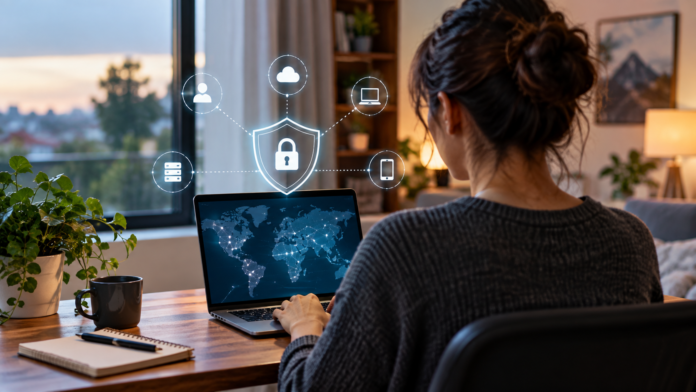

Remote work has made it easier for businesses to hire talent from different locations, offer employees more flexibility, and keep operations moving without everyone being in the same building. At the same time, it has created a new challenge: making sure employees can connect to company systems safely wherever they happen to be working.
When team members are accessing business applications from home networks, shared workspaces, hotels, or while traveling, security needs to extend far beyond the traditional office perimeter. Building a safer remote working environment means combining the right technology with clear policies and good everyday habits.
Move Beyond the Traditional Office Network
In the past, businesses could focus much of their cybersecurity strategy around protecting a physical office network. Today, employees may be connecting from dozens of different locations, sometimes using networks the company has no control over.
This means organizations need to think more carefully about how users access applications, files, and cloud services. Instead of assuming that someone is safe simply because they have connected to the company network, businesses can apply security checks every time access is requested.
Solutions such as Cloud Secure Edge from SonicWall can form part of this type of modern approach, helping organizations create more secure connections for users accessing business resources remotely.
Use Strong Authentication
Passwords alone are no longer enough for many business systems. Even strong passwords can be stolen through phishing attacks, reused across accounts, or exposed in data breaches.
Multi-factor authentication adds another layer of protection by requiring users to provide an additional form of verification. This might involve an authentication app, security key, or biometric check.
Businesses should also encourage employees to use unique passwords for every service and consider password management tools to make secure credentials easier to handle.
Control Who Can Access What
Not every employee needs access to every system.
Limiting permissions based on job responsibilities can reduce the potential impact of a compromised account. Someone working in marketing, for example, may not need access to financial systems or sensitive HR records.
Regularly reviewing user permissions is equally important. Employees change roles, projects end, and people leave organizations, so access rights should be updated rather than being left in place indefinitely.
Keep Devices Secure
Remote security depends heavily on the devices employees use. Laptops and mobile devices should receive regular software updates, security patches, and antivirus protection.
Businesses may also want to introduce device management policies that allow administrators to enforce certain security settings. Encryption can help protect sensitive information if a laptop or phone is lost or stolen.
Employees should also understand the risks of leaving devices unattended in public places or allowing other household members to use work equipment.
Give Employees Practical Security Training
Technology can only do so much. Employees remain an important part of any security strategy.
Regular training can help remote workers recognize phishing emails, suspicious login requests, unsafe downloads, and other common threats. Training works best when it focuses on realistic situations rather than overly technical explanations.
Make Secure Remote Work Part of Everyday Operations
Remote working is unlikely to disappear, so businesses should treat secure connectivity as a long-term operational requirement rather than a temporary solution.
By combining controlled access, strong authentication, secure devices, modern networking technology, and employee awareness, organizations can give remote teams the flexibility they need without unnecessarily increasing security risks.