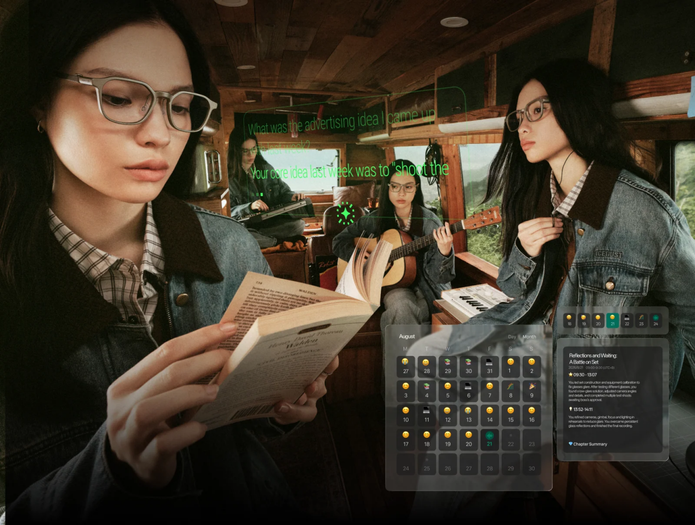

AI glasses battery life can vary widely because “wearing time” and “active feature time” are not the same thing. A pair of glasses may spend part of the day waiting for a command, then switch into more active operation for translation, recording, AI requests, or visual information. Each activity creates a different power demand. Hardware design also matters, including the display, microphones, processors, wireless connections, and battery capacity. Understanding these changing workloads makes battery claims easier to interpret and gives users a better way to estimate how AI glasses may fit their own routines.
Different Features Create Different Power Demands
A Quiet Dashboard and an Active Display Are Different Workloads
Display-equipped AI glasses do not consume power at one fixed rate throughout the day. A brief schedule check asks the visual system to work differently from a long teleprompter session or extended live captions. Display activity can change with how often information appears, how long it remains visible, and how the optical system manages that content. This is why two people wearing the same glasses for the same number of hours may create different battery workloads. One might occasionally glance at notifications, while another regularly reads captions or presentation text. When evaluating AI glasses battery life, users should therefore consider how much of their day involves active visual information rather than looking only at total hours worn.
Listening, Recording, and AI Processing Add Their Own Loads
AI glasses can perform several audio-related tasks, and each creates its own pattern of power use. Voice activation may keep the system ready for spoken requests, while recording requires microphones and related hardware to operate for longer periods. Live captions and translation add processing because the glasses need to work with incoming speech and return useful information. Meeting notes introduce another workflow involving captured audio and AI organization. These functions explain why battery life is closely connected to what the wearer actually does. RayNeo iO AI Glasses, for example, support voice assistance, recording, AI meeting notes, Lifelog, live captions, translation, and an invisible teleprompter while offering up to two days of everyday use. That runtime is best understood alongside the mix of functions available during regular wear.
Wireless Activity Changes Throughout the Day
AI glasses also exchange information with connected services and devices, making wireless activity another part of the battery equation. The amount of communication can change from one task to another. A simple notification requires a different interaction pattern from an AI request that needs information to move through a connected system. Synchronizing data, receiving updates, and accessing online functions can all create periods of wireless activity. The important point is that connectivity is dynamic. It can become active when a feature needs it and remain quieter at other moments. A realistic view of AI glasses battery life therefore includes both visible actions and the background communication that supports them, rather than treating the battery as if it powered only the display.
Runtime Depends on Design and Personal Usage Patterns
Battery Capacity Is Only One Part of the Equation
A larger battery can store more energy, but runtime also depends on how efficiently the entire device operates. AI glasses pack electronics into a wearable frame, so designers must consider power alongside size, weight, optics, controls, and physical comfort. Processors, microphones, displays, wireless components, and software all contribute to total energy use. Power management determines when different components need to operate fully and when they can reduce activity. As a result, battery capacity alone cannot describe the complete experience. Two wearable devices could approach power management differently even when they support similar tasks. For shoppers, a stated everyday-use duration can therefore be more meaningful when considered together with the device’s feature set and intended pattern of use.
Your Personal Feature Mix Shapes the Result
Battery life becomes easier to predict when users map it to a typical day. Consider someone who checks a dashboard several times, asks occasional AI questions, and receives notifications. Compare that routine with a day containing multilingual conversations, a long recorded meeting, and a presentation using a teleprompter. Both involve AI glasses, but the second routine keeps more systems active for longer periods. Even the order of activities can create a different daily power pattern. Instead of asking only, “How many hours does the battery last?” it is more useful to ask which features will run most often. This turns a general runtime figure into a practical estimate based on personal habits rather than an identical expectation for every wearer.

Charging Design Becomes Part of Daily Battery Planning
Battery experience includes more than the interval between 100% and the next recharge. The charging method determines how easily power fits into a routine. A charging clip, for example, can provide a compact way to connect eyewear to power, while USB-C compatibility can fit alongside other commonly charged electronics. Users can also plan charging around natural breaks such as desk time, evening routines, or travel preparation. This creates a useful distinction between maximum runtime and practical availability. The first describes how long a device can operate under stated conditions; the second reflects how easily the wearer can keep it ready across repeated days.
Conclusion
AI glasses battery life varies because the glasses rarely perform the same workload all day. Displays, microphones, AI processing, recording, translation, wireless activity, and background functions each create different power demands. Hardware efficiency and power management then determine how those demands translate into runtime. Personal habits complete the picture, since occasional dashboard checks create a different usage pattern from extended captions, meetings, or presentations. Looking at the full daily workload makes battery specifications much easier to understand and compare.