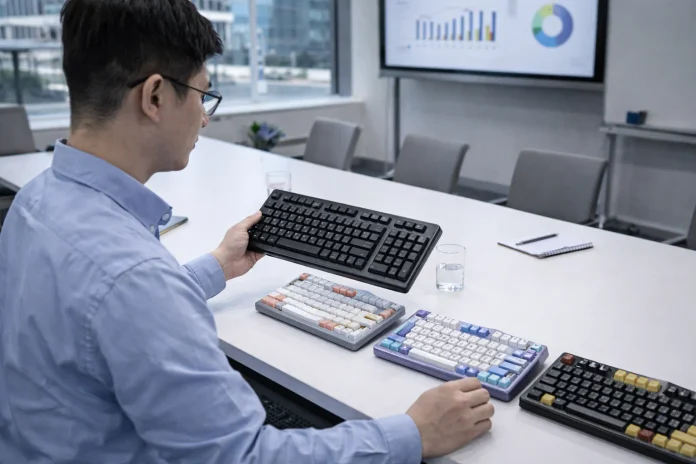

Efficiency often depends on how well everyday tools support the tasks people perform most frequently. For engineers, developers, and other technical professionals, a keyboard that allows shortcut customization can help streamline repetitive actions and create a more personalized computer setup. Programmable keyboards offer flexibility for users who want to adapt key functions to their working habits, while thoughtful equipment choices and organized workflows can help make complex tasks easier to manage.
Keyboard Features That Support Engineers and Technical Professionals
Technical work often involves switching between applications, entering commands, reviewing information, and navigating complex software environments. The best keyboard for engineers depends on the user’s daily responsibilities and individual preferences. Developers may prioritize compact layouts and convenient access to frequently used commands, while other technical professionals may prefer a different arrangement of keys for their specialized applications.
When comparing keyboards, it is useful to consider layout, key placement, typing feel, build quality, and compatibility with the computer setup. A keyboard that fits the user’s workflow can help make common actions more consistent and reduce unnecessary movement between tasks.
The surrounding workspace matters, too. Keeping frequently used equipment accessible, maintaining a comfortable desk arrangement, and organizing digital tools can help support concentration during detailed technical work.
Custom Keyboard Shortcuts for Faster and More Efficient Workflows
One advantage of a programmable keyboard is the ability to customize certain keys or functions to suit individual needs. A programmable keyboard can allow users to assign functions or shortcuts, depending on the keyboard’s capabilities and configuration software. This flexibility can be useful for people who repeatedly perform the same actions throughout the day.
For example, users may configure shortcuts for frequently used commands, application functions, or other supported actions. Before customizing a keyboard, it helps to identify repetitive tasks and determine which shortcuts would provide the greatest practical benefit. Clear, memorable assignments can make custom configurations easier to learn and maintain.
Programmability is not equally important for every user. Someone who primarily writes documents may have different requirements from a software developer or technical specialist. Comparing available customization options with actual work habits can help determine whether programmable features are worthwhile.
Preserving Important Documents With Flatbed Scanners
Technical professionals may also need to digitize printed plans, diagrams, photographs, or other reference materials. Flatbed scanners can be useful for scanning individual pages, photographs, and certain delicate or bound materials that may not be suitable for an automatic document feeder.
When selecting a scanner, consider the dimensions of the materials, the level of image detail required, and how the resulting files will be stored and accessed. Clear file names and organized folders can make scanned references easier to retrieve when they are needed for a project.
Although scanning equipment serves a different purpose from a programmable keyboard, both can support an organized technical workspace. Keyboard customization helps users tailor computer interactions, while scanning tools can help convert physical reference materials into accessible digital files. Selecting tools based on real workflow needs can make daily work more manageable.