
A keynote is created as one continuous experience, but its most useful ideas may serve several audiences after the event. A central argument can become an educational clip. A speaker’s example can support a recap article. An audience question can answer something future attendees also want to know. The challenge is turning a long stage recording into smaller pieces without flattening the talk or misrepresenting the speaker.
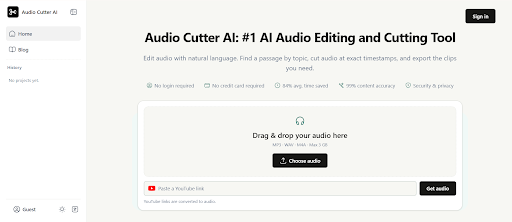
I work on conference content teams, and I use Audio Cutter AI to locate sections by topic, divide approved recordings into editorial units, and prepare audio for the people producing recaps and social videos. The workflow accelerates discovery while keeping speaker agreements and human review at the center.
The Event Agreement Comes First
Before repurposing a keynote, I check what the event and speaker have agreed to. Recording permission does not always include unlimited promotional use, downloadable clips, or paid advertising. Presentation slides may also contain licensed images or unpublished information that cannot appear in another format.
I create a rights note for each session: approved channels, embargo dates, required speaker review, and any restricted sections. Editors see that note before they receive the media.
Building a Map of the Keynote
I Use the Agenda and Live Notes
The program description, speaker outline, and producer’s live notes give me an initial map. I turn phrases such as “three design principles,” “case study from the pilot,” and “audience question about adoption” into specific searches.
When a candidate passage is found, I listen to the complete argument around it. Keynote speakers often introduce an idea, tell a story, and then explain the lesson. Cutting only the conclusion may remove the evidence that makes it credible.
I Separate Ideas From Event Logistics
Introductions, sponsor acknowledgments, applause, stage changes, and housekeeping are part of the event recording. Some should remain in the full replay but do not belong in a focused excerpt. I remove them from working clips only after checking that the transition still sounds natural.
Applause deserves special attention. A small amount can communicate the room’s response, but an abrupt cut in the middle of applause sounds artificial. The intended channel determines whether I keep it, fade it later, or choose a cleaner ending.
I Treat Questions as Their Own Content Type
Q&A sections can produce practical clips, but audience voices may require separate consent. If the question cannot be used, I may introduce the subject in on-screen text and retain only the speaker’s answer, provided it stands accurately on its own.
I also check whether the speaker refers to a slide, an earlier joke, or another panelist. A standalone clip needs enough context to be understood outside the room.
Creating Packages for Different Teams
The recap writer, social producer, and speaker-relations manager need different outputs. I may provide the writer with a combined listening file of key passages, the social editor with separate approved clips, and the relations manager with a review set that includes surrounding context.
Using Audio Cutter AI, I can export selections separately or combine them when a single review file is easier. Every file includes the event, session, speaker, topic, and approval status. I never label a discovery-stage clip as final.
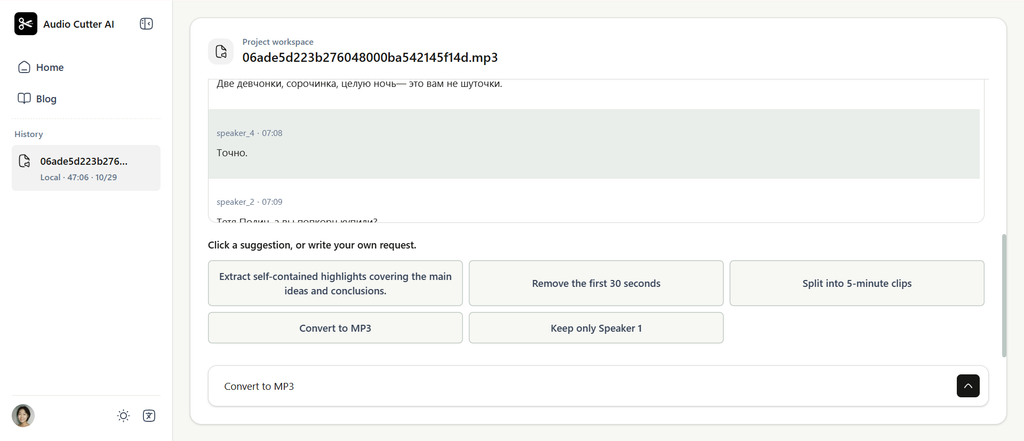
(Prepare Keynote Audio for Multiple Content Teams with Audio Cutter AI)
Returning to the Full Production
The selected audio is only one part of conference repurposing. Video editors still need the camera recording, slides, captions, brand graphics, and properly mixed sound. Writers need verified names and claims. Social teams need publishing copy and channel-specific approvals.
For overlapping speakers, audience noise, or a passage that begins during applause, I compare the selection with the original multitrack recording when available. A clean content boundary does not automatically produce clean production audio.
Preserving the Speaker’s Meaning
Before release, I ask a simple question: would someone who watched the full keynote recognize this as a fair representation of the speaker’s point? The clip may be shorter and more focused, but it should not manufacture certainty, controversy, or a promise that was not present on stage.
I retain the original recording, session notes, approval history, and exported versions. That record matters when a clip is reused months later by a team that was not present at the event.
Extending the Value of a Keynote Responsibly
A conference archive becomes more useful when people can reach its ideas without watching every session in full. The most effective workflow combines fast discovery with deliberate review, clear rights, and organized handoffs.
Audio Cutter AI(https://audiocutter.ai/) helps our team find and package the strongest sections of a keynote. The tool shortens the route to the material, while the event team remains responsible for context, permissions, production quality, and the speaker relationship.