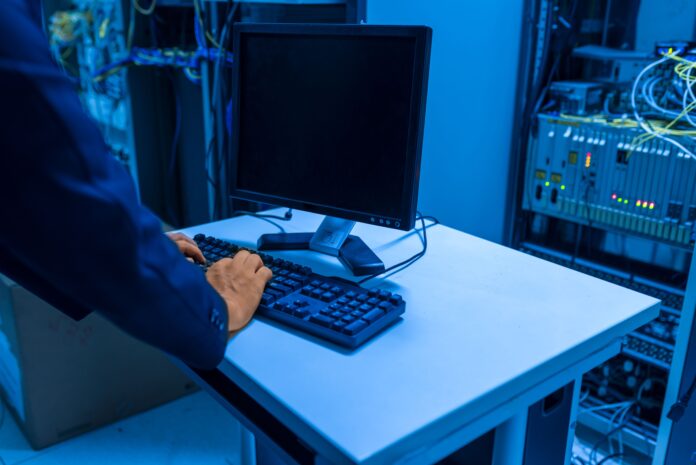
 serves as the command hub for an organization's IT infrastructure.)
A Network Operations Center (NOC) serves as the command hub for an organization’s IT infrastructure. From monitoring servers and networks to managing cybersecurity incidents and system performance, every second matters in a NOC environment. Operators need immediate access to accurate, real-time information, and the right display setup plays a major role in achieving that goal.
One of the most effective ways to build an efficient and organized NOC is by using rackmount monitors. Unlike traditional desktop displays, rack-mounted solutions are designed to integrate directly into server racks, helping organizations save space while improving accessibility and equipment management.
Choosing the right rackmount monitor configuration depends on the size of your infrastructure, the number of systems being monitored, and your operational requirements. This guide explores the best rackmount monitor configurations for Network Operations Centers and explains how they improve productivity, reliability, and long-term performance.
Why Rackmount Monitors Are Essential in a NOC
Network Operations Centers operate around the clock. Engineers constantly monitor:
- Server performance
- Network traffic
- Security alerts
- Virtual machines
- Cloud infrastructure
- Backup systems
- Storage arrays
- Environmental sensors
- Power management
Traditional desktop monitors can quickly create clutter and consume valuable workspace. Rackmount monitors provide a cleaner, more organized solution by integrating directly into standard server racks.
Benefits include:
- Better space utilization
- Faster server access
- Cleaner cable management
- Improved equipment organization
- Simplified maintenance
- Professional rack layout
For growing data centers and enterprise IT environments, rack-mounted displays have become an industry standard.
Factors to Consider Before Choosing a Rackmount Monitor Configuration
Not every NOC has the same requirements. Before selecting a configuration, consider:
Number of Servers
The larger your infrastructure, the more systems operators need to monitor simultaneously.
Available Rack Space
Rack capacity determines how many devices can be installed without affecting airflow or maintenance access.
KVM Requirements
Many organizations use Keyboard, Video, and Mouse (KVM) switches to manage multiple servers from a single console.
Screen Resolution
Higher-resolution displays allow administrators to view more information without switching between windows.
Redundancy
Mission-critical environments often require backup systems to ensure continuous access during maintenance or hardware failures.
Single Rackmount Monitor Configuration
For small server rooms and branch offices, a single rackmount monitor is often sufficient.
This setup typically includes:
- One rackmount monitor
- Integrated keyboard
- Touchpad or trackball
- KVM compatibility
This configuration works well for:
- Small businesses
- Remote offices
- Edge computing installations
- Test environments
Advantages include:
- Low hardware cost
- Simple installation
- Easy maintenance
- Efficient use of rack space
Although simple, it provides reliable access to critical systems when needed.
Rackmount Monitor with Integrated KVM Console
One of the most popular configurations for Network Operations Centers combines a rackmount monitor with an integrated KVM console.
This setup allows administrators to manage multiple servers using one monitor, keyboard, and pointing device.
Benefits include:
- Reduced hardware requirements
- Faster server switching
- Simplified administration
- Cleaner cable management
- Lower maintenance costs
This configuration is ideal for medium-sized organizations that manage dozens of servers from a centralized location.
Dual Rackmount Monitor Configuration
Organizations requiring simultaneous monitoring of multiple systems often choose dual-monitor rackmount configurations.
This allows operators to display:
- Network dashboards
- Security monitoring
- Server health
- Virtual machine management
- Performance analytics
Having two screens improves workflow by reducing the need to switch between applications.
This setup works particularly well for:
- Enterprise data centers
- Cloud service providers
- Financial institutions
- Telecommunications companies
Multiple Rackmount Console Deployment
Large Network Operations Centers may deploy several rackmount monitor consoles throughout the facility.
Each console can be dedicated to a specific responsibility, such as:
- Network monitoring
- Cybersecurity
- Server administration
- Storage management
- Disaster recovery
- Backup operations
This distributed approach improves team collaboration while reducing congestion around a single management station.
High-Resolution Display Configuration
Modern network management platforms display increasingly detailed dashboards.
Higher-resolution rackmount monitors allow administrators to view:
- Larger monitoring dashboards
- Multiple application windows
- Complex network diagrams
- Real-time analytics
- Virtual machine consoles
Higher pixel density also improves readability during extended monitoring sessions.
Industrial-Grade Rackmount Monitors for Continuous Operations
Network Operations Centers rarely shut down.
Industrial-grade rackmount monitors are built for:
- 24/7 continuous operation
- Long product life
- Stable brightness
- Reliable image quality
- Low maintenance
Unlike consumer monitors, industrial displays are designed for mission-critical environments where downtime is unacceptable.
Touchscreen Rackmount Monitor Configuration
Some organizations benefit from touchscreen functionality.
Touch-enabled rackmount monitors simplify interaction with:
- Industrial control systems
- SCADA software
- Monitoring dashboards
- Custom management applications
Touch capability can improve operator efficiency in environments requiring frequent user interaction.
Redundant Console Configuration
High-availability environments often install redundant rackmount consoles.
Benefits include:
- Backup access during maintenance
- Improved disaster recovery
- Reduced operational risk
- Continuous server accessibility
This approach is commonly used in:
- Financial institutions
- Government agencies
- Healthcare organizations
- Large enterprise data centers
Rackmount Monitors with Remote Management Integration
Modern IT infrastructure increasingly relies on remote management technologies.
Rackmount monitor configurations often support:
- IP KVM systems
- Remote BIOS access
- Virtual media
- Secure remote administration
These capabilities allow administrators to troubleshoot systems even when they are not physically present at the data center.
Optimizing Cable Management
Poor cable organization creates unnecessary maintenance challenges.
Rackmount monitor configurations help reduce cable clutter by integrating:
- Monitor
- Keyboard
- Pointing device
into a single rack-mounted unit.
Cleaner cable routing improves:
- Airflow
- Maintenance speed
- Equipment identification
- Overall rack organization
Well-managed racks also reduce the likelihood of accidental cable disconnections.
Supporting High-Density Server Environments
As organizations adopt virtualization and cloud infrastructure, server density continues to increase.
Rackmount monitor configurations help support high-density deployments by minimizing external equipment while maintaining convenient access to critical systems.
This enables data centers to maximize computing capacity without sacrificing serviceability.
Industrial LCD Solutions for Control Centers
Many Network Operations Centers extend beyond traditional IT environments.
Organizations managing industrial infrastructure often rely on industrial LCD displays for:
- Utility monitoring
- Manufacturing operations
- Transportation systems
- Energy management
- Process automation
Industrial LCD solutions provide the durability needed for environments where standard office displays may not perform reliably.
Military Rackmount Applications
Government agencies and defense organizations frequently operate secure Network Operations Centers that require rugged hardware capable of functioning under demanding conditions.
Military rackmount display systems are commonly deployed in:
- Defense communication centers
- Tactical command facilities
- Intelligence operations
- Secure government data centers
- Mission-critical control rooms
Their rugged construction supports dependable operation in environments where reliability is essential.
Choosing the Right Rackmount Monitor
Selecting the best rackmount monitor depends on your operational goals.
Consider factors such as:
- Rack size compatibility
- Screen size
- Native resolution
- Brightness
- Viewing angles
- KVM support
- Touchscreen capability
- Connectivity options
- Industrial durability
- Serviceability
The right configuration should support both your current infrastructure and future expansion plans.
Why Businesses Choose Rackmountsales
Reliable Network Operations Centers require dependable hardware that delivers consistent performance day after day. Whether managing enterprise networks, industrial automation systems, or mission-critical infrastructure, choosing the right display solution is essential for operational efficiency.
Rackmountsales offers a wide range of rackmount monitors, industrial LCD solutions, and military rackmount systems designed to meet the demands of data centers, government facilities, industrial environments, and enterprise IT operations. These solutions combine durability, reliability, and seamless integration to support organizations that depend on uninterrupted access to critical systems.
With products built for long-term performance, Rackmountsales helps businesses create organized, efficient, and scalable Network Operations Centers.
Final Thoughts
An effective Network Operations Center depends on more than powerful servers and advanced software. The way operators interact with systems has a direct impact on response times, productivity, and overall infrastructure reliability. Choosing the right rackmount monitor configuration can streamline server management, improve workspace organization, and reduce operational complexity.
Whether your organization requires a single integrated console, dual-monitor deployment, multiple management stations, or rugged industrial LCD and military rackmount solutions, selecting hardware designed for continuous operation is a smart investment. With dependable rackmount monitors from Rackmountsales, organizations can build Network Operations Centers that are efficient, scalable, and prepared to support the demands of modern IT infrastructure for years to come.
READ ALSO: Why the Industries That Depend on Specialized Equipment Never Compromise on Quality or Certification