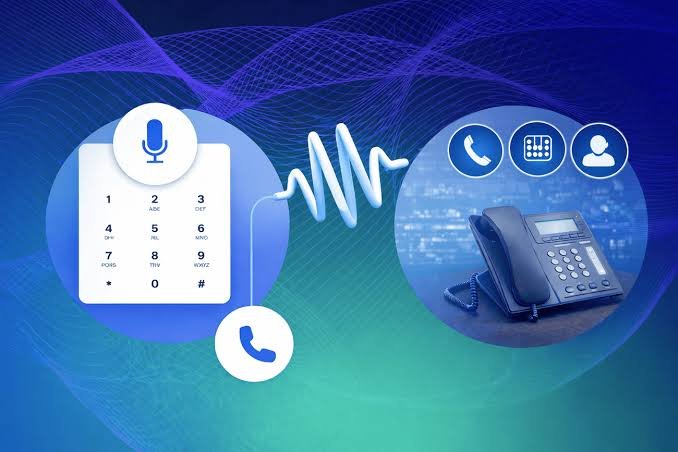

Most small businesses need an auto attendant which is a recorded greeting that lets callers press a key to reach the right person or team.
A full IVR earns its cost only when callers keep asking the same account questions and your phone menu can pull answers from your own systems.
A live virtual receptionist fits when every caller expects a human voice from the first ring.
The confusion comes from vendors using all three terms loosely. Once you separate what each one actually does, the choice comes down to who calls you and what they want.
What Is the Difference Between an IVR, an Auto Attendant, and a Virtual Receptionist?
All three answer the phone when nobody on your team does. They differ in how much they can do on their own and whether a person is involved.
- Auto attendant: A recorded menu that routes callers by keypress, such as “press 1 for sales.” It connects people and does nothing else.
- IVR (interactive voice response): A menu that can also take spoken answers, look up information and complete simple tasks without an agent.
- Virtual receptionist: Either a live person working remotely for an answering company or, in some phone systems, another name for the auto attendant.
You’ll also hear “phone tree” and “automated phone system.” Both are everyday names for a recorded menu, and in practice they usually describe an auto attendant.
What Is an Auto Attendant?
An auto attendant answers your main number with a greeting and a short menu. Each keypress sends the caller to a person, a team, a voicemail box or a recorded message.
A good auto attendant phone system also follows your business hours. During the day, “press 2 for service” rings your service team, and after closing, the same option can play a message or forward to whoever is on call.
Submenus extend the same idea. A caller who presses 2 for service can hear a second short menu that splits repairs from new installations, and the main greeting stays just as short.
That covers what most small businesses need from a phone menu. The caller reaches the right department on the first try, and nobody at the front desk has to transfer every call by hand.
What Is IVR, and How Is It Different?
IVR stands for interactive voice response. An auto attendant is the simplest form of IVR, but a full IVR system goes further by understanding speech and connecting to databases.
Here is what a full IVR can do that a basic menu can’t:
- let callers say “billing” instead of pressing a key
- read out an account balance, an order status or an appointment time
- take a payment or confirm a booking without an agent
- check who’s calling and send known customers to their account manager
Each of those features depends on connecting the phone menu to your other systems. That integration is where the cost and setup time sit, which is why banks and airlines run full IVR while a small office rarely needs it.
Plenty of providers label a simple keypress menu as an “IVR phone system.” Before you compare prices, check if the offer is a routing menu or a self-service system, because the two solve different problems.
What Does “Virtual Receptionist” Mean?
This is the term that causes the most confusion. It means two different things depending on who’s selling it.
An answering company uses it to describe real people who answer your calls remotely, greet callers by your business name and take messages or transfer calls. You pay for their time, and the experience is closer to having a receptionist in the building.
Phone system providers often use “virtual receptionist” as another name for an auto attendant. In that version, nobody answers live; the recorded menu inside a business communication platform does the receptionist’s routing job alongside your numbers, business hours and voicemail.
That’s why the price gap between the two versions is so wide.
Which One Does Your Small Business Need?
Start with the calls you get, not with the feature list. Look at a few weeks of call history and note why people called and who ended up handling each call.
Then match the pattern to the tool:
- Calls split across a few departments or people: An auto attendant handles this on its own. A menu with sales, service and accounts covers it.
- Callers ask the same factual questions all day: A full IVR can answer order status or appointment times, as long as your systems can feed it the data.
- Every call is a high-value first impression: A live virtual receptionist suits firms where callers expect a person, like a small law office taking new client inquiries.
- Calls come in after hours: An auto attendant with after-hours rules covers routine calls, and a live answering service covers callers who need a human at night.
You don’t have to pick just one. A common setup runs an auto attendant during the day and sends overnight calls to a live answering service, so routine calls stay automated and urgent ones still reach a person.
On a cloud phone system, the auto attendant isn’t a separate box in the server closet. It comes with the same system that runs your numbers and business hours, so changing a menu takes minutes instead of a service call.
How Do You Set Up a Phone Menu Callers Don’t Hang Up On?
A menu that sends callers in circles does more damage than no menu at all. These rules keep it short and useful.
1. Put the most common reason first
If most callers want to book an appointment, that option comes before billing or careers. Your call history tells you the order.
2. Say the department before the key
“For sales, press 1” works better than “press 1 for sales,” because the caller hears what they want before they hear the number. They don’t have to hold every option in their head until the end.
3. Keep the first menu short
Put the main departments up front and move anything detailed into a submenu. A caller who has to listen to a long list usually presses zero or hangs up.
4. Always offer a way to a person
Add an option that reaches someone on your team, even if it rings a shared group. Callers who can’t find their option need an exit that isn’t hanging up.
5. Plan for wrong keys and silence
Record a short message for callers who press nothing and another for callers who press an invalid key, then repeat the menu. Before you sign with a business VoIP provider, check that its menus handle both cases and let you send unanswered calls to voicemail or another team. A menu without those fallbacks drops the callers who were already struggling.
6. Test it from a customer’s phone
Call your own number and go through every option until you reach a person or a voicemail box. Check the after-hours path too, especially after a holiday or a change to your schedule.
7. Record a separate after-hours version
The daytime menu shouldn’t promise a sales team that has gone home. After closing, tell callers your hours and route them to voicemail or an on-call number.
What Do Good IVR Scripts Sound Like?
A script should sound like your business, not like a call center. Write it the way your best receptionist would talk, then read it out loud before you record it.
Here’s a daytime script for a small service company:
“Thanks for calling Bright Path Plumbing.
For new appointments, press 1. For an update on a job that’s already booked, press 2.
For billing, press 3. To speak with our office team, press 0.”
Here’s an after-hours version of the same menu:
“Thanks for calling Bright Path Plumbing. Our office is closed.
For an emergency like a burst pipe or a gas smell, press 1 to reach our on-call technician.
For anything else, leave a message after the tone and we’ll call you back when we open.”
Both scripts name the business in the first sentence and give the caller their options before anything else. The after-hours version also tells callers what counts as an emergency, so the on-call technician isn’t woken up for a billing question.
Start Simple and Add What Callers Ask For
A small business doesn’t have to choose the most advanced option to look professional. An auto attendant with clear options, a route to a person and a separate after-hours menu covers the calls most small teams get.
Add speech recognition or self-service only when your call history shows callers asking the same questions over and over. Bring in a live virtual receptionist when the calls you miss are the ones where a human voice wins the business.