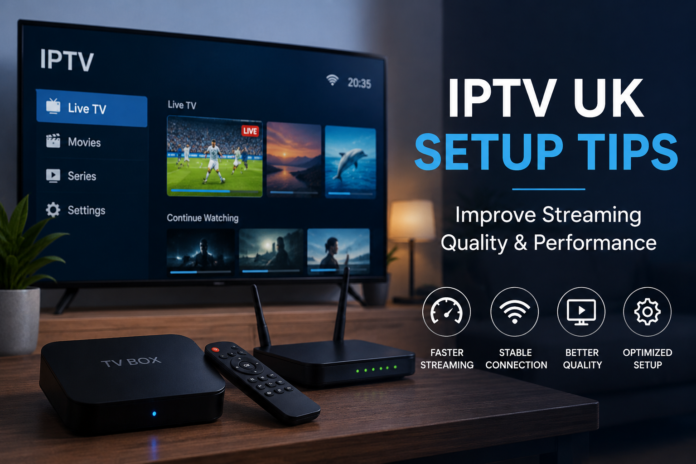

Internet television has changed how people watch entertainment in the UK. More households now rely on internet-based streaming instead of traditional cable or satellite systems because it offers flexibility, device compatibility, and access to a wide variety of content. However, getting the best viewing experience depends heavily on proper setup. A poor configuration can lead to buffering, freezing, lag, low picture quality, or unstable connections.
This guide explains practical IPTV UK setup tips that help improve streaming quality, device performance, internet stability, and overall viewing experience. Whether someone is setting up IPTV UK for the first time or trying to optimize an existing system, understanding the right setup process can make a major difference.
Understand Your Internet Speed Requirements
One of the most important parts of IPTV streaming is internet speed. Since IPTV relies entirely on an internet connection, weak or unstable speeds can create constant interruptions during playback.
For standard-definition streaming, a minimum speed of around 10 Mbps is usually enough. High-definition streaming often requires at least 20 Mbps, while 4K streaming performs better with speeds above 40 Mbps. These recommendations become even more important when multiple devices are connected to the same network.
Many users focus only on download speed, but connection stability matters just as much. A fast connection with constant fluctuations may still cause buffering. Running regular speed tests helps identify whether the network performs consistently throughout the day.
It is also useful to check internet usage inside the home. Gaming consoles, smart TVs, cloud backups, and video calls can consume bandwidth in the background. Reducing unnecessary network activity during streaming hours can improve IPTV UK performance significantly.
Use a Wired Ethernet Connection Whenever Possible
Wi-Fi offers convenience, but wired Ethernet connections are usually more reliable for IPTV streaming. Wireless networks can experience signal interference from walls, appliances, neighboring routers, and multiple connected devices.
An Ethernet cable provides a direct and stable connection between the router and streaming device. This reduces latency, improves consistency, and lowers the chance of buffering during live streams or high-resolution playback.
For homes where the router is far from the television setup, powerline adapters can help extend a wired-style connection through existing electrical wiring. This solution often performs better than weak Wi-Fi signals in larger homes.
If Wi-Fi must be used, positioning the router closer to the streaming device can help improve signal strength. Avoid placing routers inside cabinets or behind large objects that block wireless coverage.
Choose the Right Streaming Device
Not all streaming devices perform equally. Older hardware may struggle with high-definition streams, modern codecs, or demanding applications. Choosing the right device is essential for stable IPTV playback.
Android TV boxes remain popular because they support a wide range of applications and customization options. Smart TVs with modern operating systems can also handle IPTV efficiently when updated regularly. Streaming sticks are convenient for smaller setups, while dedicated media boxes often provide stronger processing power.
The amount of RAM and storage available on a device also affects performance. Devices with limited memory may freeze or slow down when multitasking. A faster processor improves navigation speed and stream loading times.
Before installation, checking device compatibility with IPTV applications helps avoid technical problems later. Updated operating systems and current firmware versions also improve security and playback stability.
Keep Applications and Firmware Updated
Many streaming problems happen because devices or apps are outdated. Developers frequently release updates that fix bugs, improve compatibility, enhance streaming quality, and strengthen security.
Users should regularly check for updates on streaming devices, IPTV apps, smart TVs, and routers. Automatic updates can simplify this process, although some users prefer manual control to avoid unexpected changes.
Outdated firmware may also create connection problems with newer streaming technologies. Routers especially benefit from firmware updates because they improve network efficiency and security.
Ignoring updates for long periods can eventually lead to crashes, poor performance, or unsupported app features. Keeping everything current ensures smoother operation and fewer technical interruptions.
Optimize Router Placement and Settings
Router placement has a major impact on IPTV performance, especially in homes that rely on Wi-Fi connections. A centrally positioned router generally provides better coverage across multiple rooms.
Keeping the router elevated and away from metal surfaces can improve signal distribution. Thick walls, mirrors, and electronic appliances can interfere with wireless signals.
Modern routers usually support both 2.4 GHz and 5 GHz frequency bands. The 2.4 GHz band offers wider coverage, while the 5 GHz band provides faster speeds over shorter distances. IPTV streaming often performs better on 5 GHz because it experiences less congestion.
Changing router channels may also help in crowded residential areas where neighboring Wi-Fi networks overlap. Restarting the router occasionally can refresh the connection and improve performance.
Advanced users sometimes enable Quality of Service settings, commonly known as QoS. This feature prioritizes streaming traffic so IPTV data receives more bandwidth compared to less important activities.
Reduce Buffering and Freezing Issues
Buffering is one of the most frustrating IPTV problems. Several factors contribute to this issue, including weak internet speeds, overloaded devices, background downloads, or poor network configuration.
Clearing the application cache regularly can improve performance. Streaming apps store temporary files over time, and excessive cache buildup may slow down playback.
Closing unused applications also frees device memory and processing power. Many users leave apps running in the background without realizing how much performance they consume.
Restarting both the streaming device and router can solve temporary connection issues. This simple step often refreshes network communication and improves stability.
Lowering video resolution can also help when internet speeds fluctuate. While many users prefer the highest quality available, stable playback usually creates a better viewing experience than constant buffering.
Use Reliable DNS Settings
DNS settings influence how quickly devices connect to streaming servers. Some default internet provider DNS systems are slower than public alternatives.
Changing DNS settings can improve response times and reduce loading delays. Public DNS services are often optimized for speed and reliability.
Many users notice smoother navigation and faster channel loading after adjusting DNS configurations. However, changes should be made carefully inside the router or device network settings.
It is important to restart the device after applying new DNS settings so the changes take effect properly.
Maintain Strong Home Network Security
Security is often overlooked during BEST IPTV UK setup, but protecting the home network is extremely important. Weak security settings can allow unauthorized access, reducing available bandwidth and compromising privacy.
Strong Wi-Fi passwords help prevent unknown devices from connecting to the network. Using WPA2 or WPA3 encryption provides better protection compared to older security methods.
Changing default router login credentials is another important step. Many routers still use factory usernames and passwords that are widely known.
Users should also disable unused router features, such as remote administration, if they are not needed. Keeping the network secure improves both safety and streaming performance.
Manage Device Storage and Performance
Streaming devices often slow down when storage becomes nearly full. Applications, cached files, downloads, and system updates gradually consume available space.
Deleting unused apps and clearing temporary files can restore performance. Devices with limited internal storage especially benefit from regular maintenance.
Some users install too many applications that run background services continuously. This can reduce available memory and increase system lag.
Factory resetting a device occasionally may also help restore smooth performance if long-term software clutter becomes excessive. Before doing this, users should back up important settings or login details.
Improve IPTV Streaming on Smart TVs
Smart TVs offer convenience because they combine streaming capabilities directly inside the television. However, built-in systems sometimes have limited processing power compared to external streaming devices.
Keeping the TV operating system updated is essential for stability and compatibility. Removing unused applications can also improve responsiveness.
Connecting the television through Ethernet instead of Wi-Fi often produces smoother playback. If the television supports only older wireless standards, an external streaming device may perform better.
Adjusting picture settings can improve viewing quality as well. Some TVs apply heavy motion smoothing or processing effects that increase lag during streaming. Using cinema or standard modes often creates a more natural image.
Understand VPN Usage for IPTV
Some users choose to use VPN services during streaming for additional privacy and network protection. A VPN encrypts internet traffic and can help reduce exposure on public or shared networks.
However, VPN performance depends heavily on server quality and location. Slow VPN servers may reduce streaming speeds and create buffering issues.
When selecting a VPN for streaming purposes, speed consistency is more important than simply choosing the cheapest option available. Nearby servers often provide better performance than distant locations.
It is also important to configure the VPN correctly on the streaming device or router. Incorrect settings can cause connection instability or application errors.
Monitor Data Usage
High-definition and 4K IPTV streaming consume large amounts of data. Homes with monthly internet data limits should monitor usage carefully.
Streaming in 4K for long periods can use hundreds of gigabytes each month. Multiple users watching simultaneously increases consumption even further.
Lowering resolution settings when ultra-high-definition quality is unnecessary can reduce bandwidth usage considerably. Monitoring tools inside routers or internet provider dashboards help track data consumption more accurately.
Understanding usage habits prevents unexpected slowdowns or additional charges associated with internet data limits.
Configure Audio and Video Settings Correctly
Many users focus only on internet speed while ignoring device display settings. Incorrect audio or video configurations can reduce overall viewing quality.
Matching device output resolution to television capabilities helps avoid unnecessary scaling issues. For example, a Full HD television may not benefit from forcing 4K output.
Frame rate settings also influence playback smoothness. Some content streams better with automatic frame rate matching enabled.
Audio settings should match the connected sound system. Incorrect configurations may cause delayed sound, missing dialogue channels, or compatibility issues with external speakers.
Testing different display modes helps identify the best balance between picture quality and performance.
Restart Equipment Regularly
Many people leave routers and streaming devices running continuously for weeks or months. Over time, memory leaks and temporary software issues may reduce performance.
Restarting equipment regularly clears temporary errors and refreshes network connections. This simple habit can improve stability without requiring advanced troubleshooting.
Power cycling the router, modem, and streaming device in sequence often resolves minor connectivity problems. Waiting a few moments before reconnecting to power helps devices establish clean network sessions.
Regular restarts also allow updates to install properly and keep systems operating more efficiently.
Avoid Overloading the Network
Modern homes often contain dozens of connected devices. Smartphones, laptops, gaming systems, smart speakers, cameras, and cloud services all compete for bandwidth.
Heavy downloads or online gaming during streaming sessions can affect IPTV quality. Scheduling large updates or backups outside peak viewing hours can improve stability.
Some routers allow users to monitor which devices consume the most bandwidth. Identifying high-usage devices helps optimize network performance more effectively.
In larger households, upgrading to a more powerful router may provide better traffic management and stronger wireless coverage.
Learn Basic Troubleshooting Techniques
Understanding basic troubleshooting can save time when problems occur. Many streaming issues have simple solutions that do not require advanced technical knowledge.
Checking cables, restarting devices, verifying internet connectivity, and testing other applications are good first steps. If only one app experiences problems, the issue may be software-related rather than network-related.
Running speed tests during buffering incidents can help determine whether internet fluctuations are responsible. Testing playback on another device can also isolate whether the problem is device-specific.
Keeping notes about recurring issues may help identify patterns related to certain times, devices, or network conditions.
Conclusion
A strong IPTV setup depends on more than simply installing an application and starting a stream. Internet stability, device quality, router configuration, software maintenance, and network management all influence the overall viewing experience.
Using wired connections whenever possible, maintaining updated devices, optimizing Wi-Fi settings, and managing bandwidth carefully can dramatically improve streaming quality. Small adjustments often make a significant difference in reducing buffering, freezing, and playback interruptions.
As IPTV continues growing in popularity across the UK, users who understand proper setup techniques will enjoy smoother performance, better picture quality, and a more reliable entertainment experience overall. Investing time into proper configuration creates a system that performs consistently and delivers a far more enjoyable streaming environment.