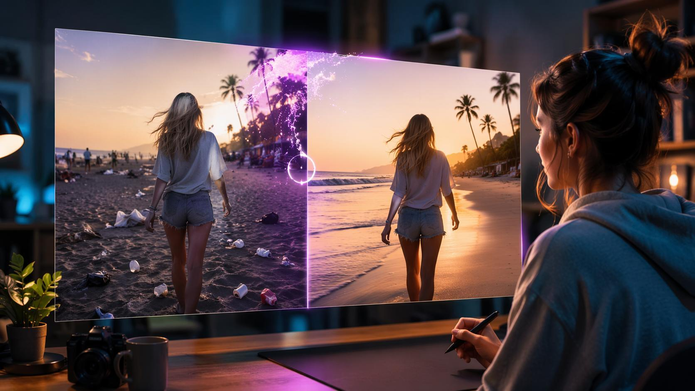

A still image gives viewers a single moment to interpret. Add carefully planned movement, and that same moment can suggest a beginning, a change, or an emotion that was not obvious before. A street photograph can feel lively when traffic passes through the scene, while a picture of a quiet room can become more atmospheric as sunlight moves across the floor.
This is what makes image to video useful for creators who want to extend existing visual assets. An ai video generator can help transform a still image into a moving sequence that guides attention and gives the original picture a clearer purpose. Rather than treating animation as an effect added at the end, think of it as part of the creative process. The strongest results often come from a small number of deliberate choices, not from making everything move.
Give the Viewer a Reason to Watch
Before planning the animation, decide what viewers should notice during the clip. A short video has limited time, so every movement should support a clear idea. For a product announcement, the goal might be to draw attention to the shape or finish of an object. A gentle camera move can reveal details without making the product difficult to recognize. For a travel post, the purpose might be to communicate the feeling of being somewhere peaceful. Moving clouds, rippling water, or leaves responding to a breeze may be enough.
Think of the animation as a visual sentence. The opening establishes the scene, the movement directs attention, and the ending gives viewers a moment to absorb what they have seen. This simple structure is especially helpful when creating short clips for social platforms, where viewers may decide within seconds whether to continue watching.
Design the Movement Before Writing the Prompt
A common problem with AI animation is asking for too many actions at once. When the subject, camera, lighting, and background all change dramatically, the result can become confusing or visually unstable. Instead, plan the movement in layers.
Primary action: Identify the one change that matters most. This could be a person turning their head, a flower moving in the breeze, or a camera slowly approaching a product.
Supporting action: Add a subtle environmental detail only if it strengthens the scene. Examples include gentle water movement or a curtain shifting near an open window.
Camera behavior: Decide whether the camera should remain still, move closer, or travel slowly across the composition.
Elements to preserve: Identify details that should not change, such as a product’s shape, a building’s structure, or the overall arrangement of the scene.
With these decisions made, the prompt becomes easier to write. For instance: “The camera slowly moves closer to the glass bottle while soft daylight reflects across its surface. The bottle retains its shape, and the background remains steady.” Clear instructions help establish a coherent direction, although the final result will still depend on the tool and source image.
Choose a Starting Frame That Supports the Action
The original image sets the limits for what the animation can plausibly achieve. If the subject is difficult to distinguish from the background, movement may make the problem more noticeable. Look for an image with a clear focal point, recognizable shapes, and lighting that makes sense throughout the scene. Consider where movement could occur naturally and whether the composition has enough room to accommodate it.
For example, a landscape with visible water and open sky offers several natural opportunities for animation. A tightly cropped portrait may work better with subtle facial or hair movement than with a large camera sweep. Pay attention to edges, too. Objects that overlap heavily or contain intricate patterns may be more difficult to preserve consistently across frames. If the image needs improvement, adjust its crop, simplify the background, or prepare a cleaner version before beginning the animation.
Use Free Access to Test One Variable at a Time
An ai image to video generator free can be useful for testing motion ideas before investing in a larger production workflow. However, free plans may limit the number of generations, video duration, export quality, or access to specific controls. To make each attempt more informative, start with a straightforward prompt. Review the result, identify the main weakness, and change only the instruction that relates to that problem.
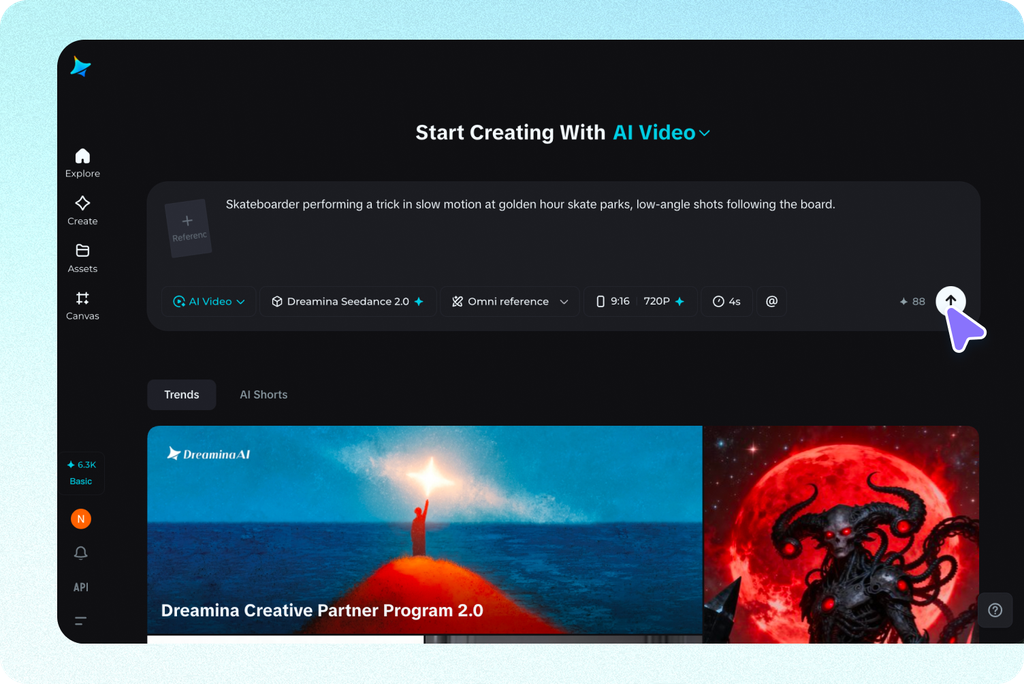
If the subject looks distorted, reduce the intensity of its movement. If the background shifts unexpectedly, request a steadier scene. If the clip feels lifeless, try a more visible but still plausible action rather than adding several unrelated effects. Dreamina is one option creators can explore when testing image-animation workflows. Before relying on any platform, check its current free-access terms and determine whether its output quality, controls, and export options suit your intended project.
Review the Animation Frame by Frame When Necessary
A clip can look convincing at first glance yet contain small errors that become obvious during repeated viewing. A hand may change shape, an object may bend, or a background detail may flicker as the camera moves. Watch the clip once at normal speed to judge its overall effect. Then inspect the opening, middle, and ending more closely. Pay particular attention to the subject’s outline and any area that changes significantly between frames.
Not every imperfection requires a complete restart. Sometimes a shorter movement, a simpler camera instruction, or a different source image will improve the result. Other issues may be easier to correct in a video editor. If you are creating a series of clips, review them together. Consistent pacing, color, and movement style can make separate animations feel like parts of the same campaign.
Prepare the Clip for Its Real Audience
When using an ai video generator free tool, the final check should reflect how the animation will be viewed. A mobile story needs a clear subject within a vertical frame, while a website banner may require a wider composition and restrained motion. A product clip should keep important details visible long enough for viewers to recognize them.
Check the crop, playback quality, and beginning and ending frames. If the video needs a headline or logo, adding it separately often gives you better control over spelling and placement. Also confirm that you have permission to animate and publish the original image, particularly when it includes identifiable people, copyrighted artwork, or branded products.
Final Thoughts
Successful image to video creation is a balance between storytelling and restraint. Choose a source image that supports the intended action, plan movement around a clear purpose, and use each generation to solve a specific problem. Careful review and thoughtful formatting can turn a simple animated picture into a focused clip that feels natural, communicates clearly, and fits its destination.