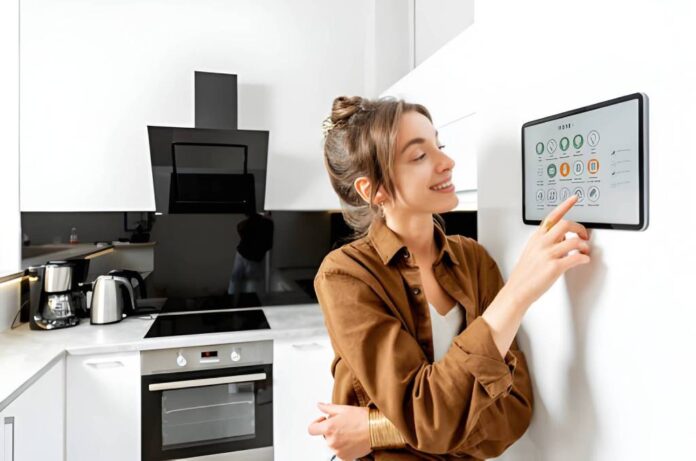

Here’s something worth admitting: most people don’t decide to build a smart home.
What usually happens is that one small thing gets annoying enough. You walk into a dark hallway for the hundredth time. You leave for work and spend the commute wondering if you locked the front door. The thermostat is running full blast in an empty house, and nobody remembers turning it down.
One fix leads to another. An automatic sliding gate opener is a perfect example. You install it, the gate opens when you pull up, and you immediately wonder why you waited this long.
That’s how most of these upgrades feel.
Lighting That Handles Itself
Motion-activated lights in hallways, bathrooms, and entryways are the first thing most people notice after installing them. Not because they’re flashy, but because they just work.
You walk in, and the lights come on. You leave, they go off after a minute. Nobody forgets to switch them off. Nobody’s wasting electricity in a room that’s been empty since Tuesday.
Scheduled lighting is the quieter upgrade.
Bedroom lights brighten slowly in the morning instead of hitting you all at once. The living room dims around 9 pm without you touching anything, which genuinely helps with sleep.
Most smart switches link to Google Home, Alexa, or Apple HomeKit, so you can say “turn everything off” from the front door before you leave. That alone kills the “did I leave the lights on” spiral.
What a Learning Thermostat Actually Does
Give it a week. That’s genuinely all it takes.
A learning thermostat watches when you’re home, when you leave, and what temperature you keep adjusting it to, and builds a schedule from that.
After about seven days, it stops asking for input. The house warms up before you get back. It scales back when everyone’s out. Geofencing tracks your phone’s location so the timing stays accurate.
ENERGY STAR puts the savings at 8–10% on heating and cooling. Some brands report closer to 12%.
Those numbers sound modest until you check how much of your energy bill goes toward heating and cooling; it’s nearly half for most households. The device pays for itself.
Before buying, run the compatibility checker on the brand’s website. Two minutes, free, tells you if your wiring works.
Most people install these themselves. If you’d rather not touch wiring, a local electrician gets it done in under an hour.
Losing Your Keys Gets Old
A smart lock lets you in with a code, your fingerprint, or your phone. The key slot is still there on most models, but you’ll stop using it pretty quickly.
What makes these worth it beyond the entry method is access control.
Give your cleaner a code that expires Friday afternoon. Let a repair person in without being home. Create a code for a houseguest and delete it the day they leave: no spare keys, no rekeying, no tracking down who has what.
The activity log is the part people don’t expect to appreciate. Every unlock is logged.
You know exactly when your kids got home, when the delivery came, and whether the contractor actually showed up. Auto-lock closes the door after whatever time window you set, so “I think I forgot to lock it” stops being a conversation.
Pair the lock with a video doorbell, and unlocking the front door can trigger the alarm to disarm and the entry lights to switch on at the same time. Fifteen minutes to configure once. Then it just runs.
Smart Plugs Are the Easiest Thing on This Entire List
You plug them into the wall and your device into them. Done.
Your lamp, fan, coffee maker, and space heater all get scheduling, remote control, and, in some models, real-time power monitoring. No tools. No rewiring. Works in a rented flat.
Set the coffee maker to start before your alarm goes off. Have the bedroom fan come on at 10pm. Vacation mode randomly switches lights on and off while you’re away, which makes the house look lived-in without you doing a single thing.
The energy monitoring is worth paying attention to, some appliances left on standby draw more power than people realise, and seeing the numbers makes it easy to decide what to cut. These are some of the cheapest smart home devices available, and they take about three minutes to set up.
What a Smart Speaker Actually Changes
It’s not any individual command. It’s that the house starts feeling like one thing instead of five separate systems with five separate apps. A morning routine, thermostat up, lights on, kettle on, runs from one “good morning.” That’s real.
You set it up once on a Sunday afternoon, and it runs every weekday.
On privacy, since people always ask: smart speakers listen for the wake word but aren’t supposed to send audio until they hear it.
You can go into the app and delete everything it’s stored. Every device has a physical mute button. It takes ten seconds to set up, and most people forget it’s there.
Security That Runs Without You
A video doorbell shows you who’s at the door from your phone, whether you’re on the sofa or two suburbs away.
It logs visits, deters package theft, records motion events, and connects to your smart lock for remote entry. Outdoor cameras with motion zones filter out alerts from trees and passing cars, which matters because a camera that alerts you thirty times a day is one you’ll start ignoring.
When locks, doorbells, cameras, and sensors run through the same system, security becomes passive. Nothing to babysit.
You get a notification when something warrants your attention. That’s it.
Pick One Problem. Start There.
What’s the thing that slows you down at home right now? Dark hallways.
Once you start adding connected devices, though, the internet connection becomes part of the setup too. Before buying a few more gadgets, it’s worth checking what’s actually available at your home. An internet availability by address search can show you the connection options in your area, which is useful if you’re planning to add cameras, smart locks, or other devices that rely on a steady connection.
A thermostat you adjust before bed every single night. Keys you can’t find in the morning. Each one of those frustrations has a direct fix.
Start small, a couple of smart plugs, a bulb or two, and a speaker to connect them. That’s it for round one.
Pick one platform and stay in it. Google Home, Alexa, or HomeKit all work well. One platform means one app, fewer compatibility issues, and routines that actually run reliably. Add a thermostat, a lock, and a doorbell when you’re ready. Build from there at whatever pace makes sense.
A smart home isn’t something you finish. It’s something you add to when another small annoyance gets big enough to fix. The house gets better.
The friction keeps dropping. And at some point, you stop noticing, because nothing’s getting in your way anymore.