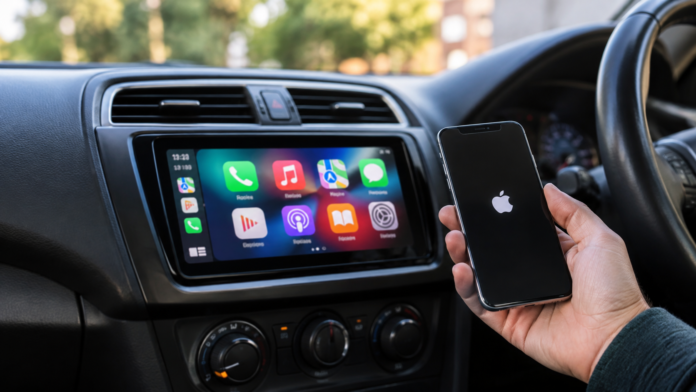

Installing an Apple CarPlay head unit is one of the most effective ways to modernise an older vehicle. For drivers with cars built before smartphone integration became standard, replacing the factory radio is rarely a question of whether it is possible, but rather which hardware best suits the vehicle’s specific constraints.
The short answer is yes: Apple CarPlay head units are highly suitable for older cars.
However, a successful installation depends heavily on choosing the right form factor, understanding your vehicle’s wiring infrastructure, and selecting a screen that performs well in your specific dashboard layout.
What to Know Before Upgrading to Apple CarPlay
Begin with the dashboard layout. Look at how the factory stereo is mounted. The swap will be fairly straightforward if your car has a single-DIN or double-DIN slot. A compatible dash kit may be needed to mount the new receiver securely and cover any gaps around the fascia.
Integrated dashboards require a bit of planning. Some stock radios share a single panel with the climate controls or vehicle settings. These setups may require a vehicle-specific fascia and interface to retain integrated controls and other factory features. Check compatibility before choosing a replacement head unit.
Before buying Apple CarPlay head units, check the following:
- Check the Depth: Peer into the radio slot and see what’s hiding behind the factory unit. Sometimes metal braces or heater ducts sit right where your new, deeper stereo needs to go.
- Get the Right Harness: Never begin cutting into your factory wiring. Rather, invest in a good adapter that’s compatible with your car’s make, model, and year.
- Watch Your Clearance: If you are considering a floating screen, just ensure it will not block air vents or essential dash buttons.
- Identify Your Audio: Find out exactly what system your car has. A standard speaker setup may be more straightforward to upgrade, depending on the vehicle’s wiring. A premium audio system may use a factory amplifier, so check compatibility before choosing a replacement head unit.
Wired or Wireless Apple CarPlay: Which Is More Suitable?
If most of your driving consists of quick errands around town, wireless CarPlay is hard to beat. You jump in, start the car, and your maps appear on the screen without touching a cable.
The trade-off is battery life. Wireless CarPlay can use more of your phone’s battery quickly during longer trips, particularly when running navigation and streaming audio. Unless your car already has a dedicated charging pad, you will eventually need to plug in anyway.
That is why a versatile unit like the Sony XAV-AX6000 works so well. It offers wireless CarPlay for quick daily commutes, along with a USB-C port for connecting your phone when needed on longer trips.
Just ensure your installer routes that USB lead into your centre console, glove box, or an empty dash switch blank. This keeps the cable accessible and helps prevent loose cords from getting in the way around the gear selector.
Will a New Head Unit Affect Existing Vehicle Features?
Many factory features can be retained with compatible adapters or interfaces, depending on the vehicle.
Steering wheel controls can often be retained with a compatible interface. The parts required depend on the vehicle’s wiring and factory audio system, so check compatibility before installation.
Factory reversing cameras can often be retained when installing a new head unit. However, compatibility depends on the camera’s connector, voltage requirements and signal type. Some setups may require a voltage converter or a vehicle-specific adapter. Check the camera’s specifications before connecting it to the new unit.
Premium audio systems may use an external factory amplifier or vehicle-specific wiring. Depending on the setup, you may need a compatible interface to retain the factory amplifier and speakers. Check your vehicle’s requirements before choosing a replacement head unit.
Conclusion
Installing an Apple CarPlay head unit can make an older car more convenient by adding smartphone navigation, calls and audio access. A straightforward installation may suit a confident DIYer. However, integrated dashboard controls or a factory amplifier can make the job more complex. If you’re unsure about wiring or compatibility, consider professional installation. Checking the required parts beforehand can help you achieve a neat, reliable setup.