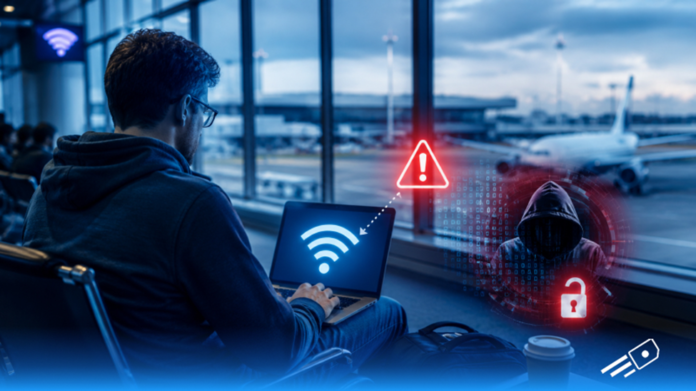

Picture this: You’ve just landed, you’re waiting at the gate, and your phone pops up with a familiar notification – “free airport Wi Fi available.” You connect without thinking twice, as most of us do. It’s free, it’s there, and you just want to check your messages before the next leg of the journey…so, what’s the issue?
But here’s the thing: connecting to Wi Fi in a busy international airport is risky because there’s a chance someone may intercept your login credentials. In this guide, we will explore the risk that comes with using open Wi Fi and how you can protect yourself from it.
Why Public Wi-Fi Puts Your Data at Risk
The issue with public WiFi security comes down to one word: encryption. Or rather, the lack of it.
When you connect to your home Wi-Fi, your router encrypts the data travelling between your device and the internet. Anyone trying to intercept that traffic sees scrambled nonsense. So, when you connect to the type of WiFi you find at airports and tourist destinations worldwide, that encryption is often absent or significantly weaker
Open WiFi networks are called so for a reason. Anyone on the same network can potentially see what’s being transmitted. This is what security professionals call a “man-in-the-middle” vulnerability, and it’s the foundation of attacks and dangers of public WiFi.
Five Public WiFi Risks Every Traveller Should Know
The danger of public WiFi is something every traveller should take seriously. Here are the specific risks that make security experts consistently wary of open Wi Fi settings and unprotected networks:
Evil Twin Networks
Here, a bad actor sets up a fake Wi-Fi hotspot with a name almost identical to the legitimate airport network, for example, “Heathrow_Free_WiFi” instead of “Heathrow_Free_Wi-Fi,”. Your phone connects automatically, thinking it’s the real thing, but everything you do on that connection is now visible to whoever set it up.
Packet Sniffing
On an unencrypted open WiFi network, it’s technically possible for someone with the right software to capture and read the data packets your device is sending and receiving, such as usernames, passwords, and session tokens. Basically, anything transmitted without HTTPS encryption can potentially be read in plain text.
Session Hijacking
When you log into a website, that site gives your browser a session cookie (a small piece of data that keeps you logged in). On an insecure network, that cookie can be stolen and used to access your account, such as your email or banking app, without ever needing your password.
Malware Distribution
Some WiFi networks, particularly in less regulated environments across certain tourist destinations have been used to push malware onto connected devices. A pop-up will appear asking you to update software before connecting and if you click or install it, your device will get malware.
Unencrypted Data Exposure
Even on legitimate airport Wi-Fi, your browsing activity, the apps you’re using, and the services you’re connecting to can potentially be logged by the network operator. Airport WiFi security policies vary enormously and in some countries, that data is subject to local laws that don’t offer the same protections you’re used to at home.
Why Travellers Are the Easiest Targets on Public Wi-Fi
International travel makes the public WiFi security problem meaningfully worse, for a few reasons.
No Mobile Data Means Public Wi-Fi Becomes the Default
When you arrive in a new country, you’re often without mobile data and your home plan might not have roaming. That makes free airport WiFi feel like the only option. And that moment of vulnerability is exactly when most people connect to it without a second’s thought.
Better Alternative: A Global eSIM from eSIM Cards keeps you connected on trusted local networks from arrival, so you don’t have to depend on unsecured public Wi-Fi.
Convenience Taking Priority Over Security
Travel security is harder to maintain on the road. You’re using unfamiliar networks, you’re in unfamiliar environments, and you’re probably not thinking about digital privacy at the same level you would at home.
The Threat Extends Beyond the Airport
The open WiFi problem doesn’t end at the airport. Hotel lobbies, café chains, tourist attractions, train stations are also included.
International travel tips that don’t mention the Airport Wi-Fi security risk and dangers are leaving out one of the most relevant pieces of practical advice for modern travellers.
eSIMs Are a Better Way to Stay Connected While Travelling
The solution to the question, “Is airport WiFi safe?” is simpler than you think. Most frequent travellers used to avoid the dangers associated with WiFi that is not private is on a travel eSIM. An eSIM is a digital SIM card built into your phone that lets you download a local data plan before you travel. This way, you don’t have to worry about open WiFi settings to worry about.
eSIM Cards is one of the top provider which offers instant-activation travel eSIM plans for over 190+ destinations worldwide. You can arrive with your own private mobile data connection on major local networks without a single unencrypted public hotspot involved in the process.
It’s also worth knowing that a travel eSIM doubles as a personal hotspot, meaning you can share your secure connection with other devices without touching the airport’s Wi-Fi at all. If you want to understand how that works in more detail, the does hotspot use more data guide breaks it down clearly.
Can’t Avoid Using Public Wi-Fi? Follow These Safety Tips
Sometimes there’s no better alternative. So, if you genuinely need to use public/airport Wi Fi and have no other option, a few practices can meaningfully reduce your exposure:
- Use a VPN: A Virtual Private Network encrypts your traffic before it leaves your device, making it significantly harder to intercept even on an open network.
- Stick to HTTPS: Check that any site you’re using shows “https://” in the address bar before entering any credentials. HTTPS encrypts the specific connection between your browser and that website, even on an unencrypted network.
- Avoid anything sensitive: Avoid any banking, work emails, or accounts involving passwords or personal data entirely.
- Forget the network after use: Go to your Wi-Fi settings and tell your phone to forget the public network once you’re done. This stops your device from automatically reconnecting in the future.
- Turn off auto-connect: Open Wi Fi settings on your device and disable the option that automatically connects your phone to known networks.
Stay Connected Without Compromising Your Privacy with eSIM Cards
Airport WiFi is convenient, but it’s also one of the least secure ways to get online, in an environment specifically targeted by people who exploit that convenience. The smarter alternative is to arrive with your own connection. eSIM Cards makes that straightforward. You can buy a travel eSIM before you fly, activate it with a QR code, and land with mobile data already running on a local network without compromising digital privacy.