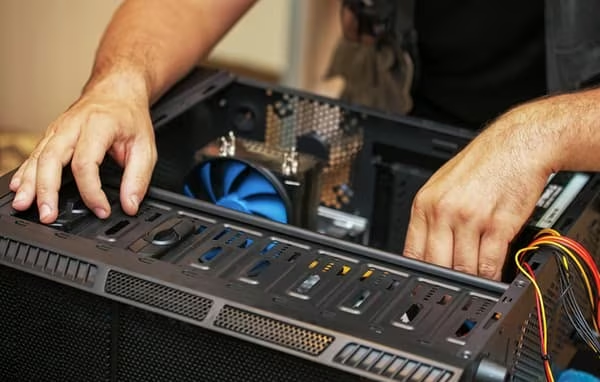

Building a gaming PC from scratch is not easy. You have to match parts, check compatibility, and stay inside your budget. That is a lot to handle. The pc builder by iBUYPOWER makes this whole process simple. It walks you through each component step by step. You pick what you want, and the tool checks if everything works together. No guessing. No wasted money. Over 60% of gamers say they feel confused when buying PC parts for the first time. This tool fixes that problem. It gives you control without the headache.
What Does a PC Builder Tool Actually Do?
It is a guided system. You go in and start selecting parts. CPU, GPU, RAM, storage, case, power supply. The tool checks each pick against the others in real time. If something does not fit, it tells you right away. iBUYPOWER has been in the custom PC business since 1999. They know hardware. Their builder reflects that experience. You are not just clicking boxes. You are getting decisions backed by 25 years of building gaming rigs.
Why Does CPU and GPU Pairing Matter So Much?
A bad CPU and GPU pairing kills performance. If your GPU is too powerful for your CPU, the CPU cannot keep up. This is called a bottleneck. Studies show that a bottlenecked system can lose up to 30% of its gaming performance. The iBUYPOWER builder prevents this. It matches processors and graphics cards based on performance tiers. You do not have to understand the technical specs. The tool does that work. You just see the result: a build that runs games the way they are meant to run.
Is the Tool Good for Beginners or Just Experts?
Both. That is the honest answer. Beginners get guided choices and compatibility checks. They do not need to know what a PCIe lane is. Experts get flexibility. They can swap individual parts and go deeper into specifications. The tool does not talk down to either group. It just responds to what you pick. A first-time builder and a PC veteran can both use the same interface and get what they need. That kind of design is rare.
How Much Can You Actually Customize?
A lot. iBUYPOWER lets you choose your processor brand, generation, and tier. Then your GPU. Then cooling solutions, including air and liquid options. Storage goes from basic SSDs to fast NVMe drives with read speeds above 7,000 MB per second. RAM can go up to 64GB DDR5. You pick the case style too. Compact, mid-tower, full-tower. RGB or clean and simple. The builder does not force you into preset bundles. Every part is a real choice.
What About the Price? Does Customizing Cost More?
Not necessarily. You set your budget range first. The tool filters options to fit. This is smarter than buying parts separately from random retailers. When you buy a pre-configured custom build from iBUYPOWER, you also skip the part-hunting tax. That is the extra money people spend shopping around and making mistakes. Research from the Custom PC Review community suggests first-time builders overspend by an average of $150 making bad part choices. The builder eliminates most of that waste.
Does iBUYPOWER Include Warranties on Custom Builds?
Yes. Every system built through iBUYPOWER comes with a one-year labor warranty and part warranties from individual manufacturers. Some components carry two to three year warranties on their own. This matters. If you build your own PC and something breaks, you deal with each manufacturer separately. With iBUYPOWER, you call one place. That saves real time when something goes wrong at 11pm before a gaming session.
What Games or Tasks Is This Builder Best For?
The builder covers every use case. You can configure a system for competitive esports at 1080p with high frame rates above 240fps. You can also build for 4K cinematic gaming or content creation. Video editing, 3D rendering, and streaming all demand different hardware profiles. The builder has categories for each. You say what you want to do, and it steers your choices in that direction. This is not a one-size-fits-all product. It is actually responsive to your goals.