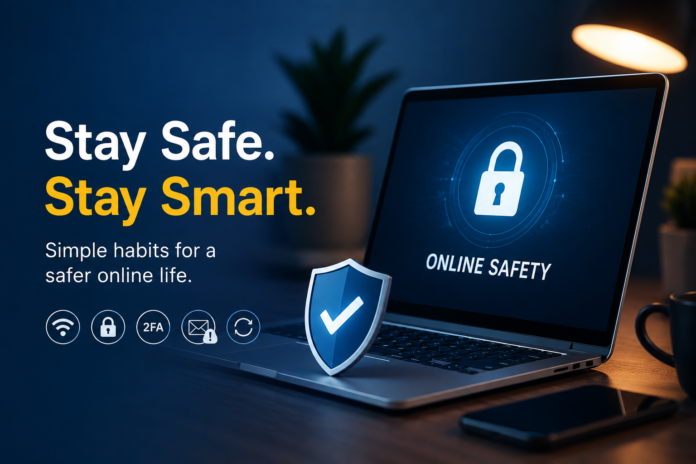

Online safety?
You need to live like Mr. Robot.
At least that’s what I used to think.
You need to know how to code, burn CDs, keep your data offline, and be tech-savvy. So, coming across a simple malware would automatically send me into a frenzy.
Moreover, as an art grad, the digital world felt like the Wild West to me, where safety was out of question, and navigating through phishing attacks was inevitable.
But then I learned something that changed everything.
Yes, I learned about online safety. Apart from that, I was reading too much into it. It’s not as scary as most people think. You don’t have to be a tech geek or a software developer to navigate the online world. Instead, you need to adopt some simple safety habits.
So, what are they, and how can you protect yourself online? Let’s explore together.
Top 5 Tips to Help You Navigate the Online World Safely
Avoid Connecting to Public Wi-Fi
Anything free, in this economy?
Why not?
This is the reason most of us instantly connect to a free Wi-Fi when we enter a coffee shop or an airport. However, free Wi-Fi means you are compromising your safety because anyone can easily tap into your online activity.
So, what’s the solution?
It is better to rely on safe internet options, i.e., personal hotspot or home Wi-Fi. For instance, you can get affordable Spectrum Internet packages and enjoy public Wi-Fi options that are relatively safer.
My favorite way to keep my data safe is simply by using a VPN. This helps with the encryption of data, so everything stays safe.
| Pro tip:It is better to avoid public Wi-Fi. However, if the situation is dire, use VPN and then select the “Forget Password” option after you’re done using the Wi-Fi. This will help you avoid automatic pairing when the device is not in use. |
Use a Password Manager
Most websites have turned into apps, and apps require a login. This means we have more passwords to remember.
Most of us just choose one strong password and simply stick to it every time we need to sign in to a new app.
Genius, right?
Well, using just one password for all platforms makes you more vulnerable than you think. This means if a hacker accidentally ends up figuring out your password for one platform, everything is compromised right away.
So, what’s the solution?
A password manager. This app will not just help you create a stronger password but will also remember it for you. So, with just one master password for the app, you will get to easily open every app.
| Pro tip:Don’t write your password in notes or any document. In case there is no other option, try writing it in code or adding random words in the middle. |
Try 2FA for Login
If you own a Gmail account, there is a high chance that you have used Two-Factor Authentication (2FA). This helps in eliminating accidental hacking of the email.
So, how does it work?
Well, every time you log in from a new location or device, the app simply sends a code to your registered device. You receive a OTP or one-time passcode, which you need to enter into the app for login. This code ensures that, as a user, only you can access the device, app, or digital account.
This style of authentication just adds an extra lock, making sure hackers don’t end up stealing your data.
| Pro Tip:Using an authenticator app instead of simple SMS or text for OTP is very important. Usually, it is easier to intercept texts and SMS, but with an authenticator app, you can ensure there is no interruption at all. |
Keep Alert for Scam Detection
We all have seen emails from the Nigerian royal prince offering us gold, right?
Well, these phishing emails are not new. Even today, most people get trapped by different phishing emails pretending to be a bank, Amazon, Netflix, or any other service that we use.
The worst part? Those emails look genuine unless you really have an eye for detail.
So, what’s the solution?
Most apps and emails flag them as spam messages, to alert users to any suspicious activity. However, it’s better to check things manually and make sure you are not getting played by a scammer.
| Pro Tip:When you receive an email, always check the sender’s address. Any small discrepancy from the official email means it is fake. Also, never reply to an official email if it is creating urgency; these emails are generally fake. |
Stay Updated All the Time
Most of us keep pressing “remind me later” on our pending software updates. I know your work is important, and you want to meet your deadline. However, delaying software updates can cost you your online safety.
How?
Well, every update helps in patching the security loophole. This means when you have a software update, there may be a security issue that the company is trying to fix with an update.
So, it is better to keep your software updated.
| Pro Tip:If you hate the security updates, try opting for the automatic updates option. This will ensure that you don’t have to manually select the time of the update. |
Simply put, online safety is important. The above-mentioned tips will help you ensure that your data stays safe.