
Audio quality can determine whether someone continues watching a video, listens to a podcast, or moves on to something else. Even well-produced visual content can lose its impact when the sound is unclear, background noise is distracting, or narration feels poorly balanced. As digital platforms become increasingly competitive, creators and businesses are paying greater attention to the quality of their audio.
In the past, professional audio editing often required expensive software, specialized equipment, and considerable technical knowledge. However, browser-based editing tools and artificial intelligence are making these processes more accessible. Users can now refine recordings, adjust sound levels, remove unwanted noise, and prepare audio for different digital formats without relying on complicated production setups. These developments are changing how individuals and organizations approach modern content creation.
1. The Growing Importance of Online Audio Editing
Digital content is no longer limited to professionally produced films and television programs. Businesses publish product demonstrations, educators create online lessons, and independent creators produce podcasts, tutorials, and social media videos. Each format depends on sound to communicate information clearly and maintain audience interest.
This growing demand has increased the importance of accessible audio-editing solutions. Browser-based platforms allow users to work with recordings without necessarily installing large desktop applications. This can be particularly helpful for freelancers, small businesses, and content teams that need flexible production workflows.
An online editing environment can also make routine adjustments more convenient. Users can trim unnecessary sections, rearrange clips, control playback speed, and refine volume levels before exporting their work. These capabilities reduce the technical barriers associated with audio production.
The objective is not simply to make editing faster. It is to help creators produce consistent, understandable, and engaging sound that supports the purpose of their content.
2. How Modern Audio Editors Improve Production Workflows
Modern audio-editing platforms combine traditional editing controls with features designed to simplify repetitive tasks. Instead of working through several separate applications, creators can manage multiple adjustments within a single editing environment.
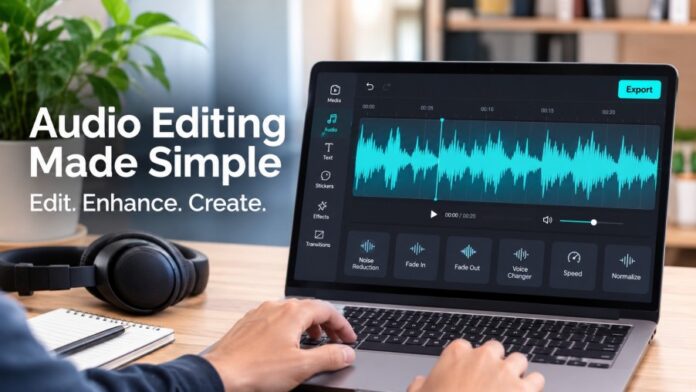
An audio editor online can help users trim recordings, adjust volume, modify pitch, apply fade-in and fade-out effects, and refine audio before publishing. These functions are useful when preparing voiceovers, interviews, background music, and other recorded material.
Another important development is the integration of audio and video editing. Creators can arrange sound alongside visual clips, making it easier to synchronize narration, music, and sound effects. This is especially valuable for short-form videos, tutorials, and promotional presentations.
Some platforms also support transcript-based editing and automatic audio adjustments. These features can reduce repetitive work, although users should always review the results to ensure that the final recording sounds natural and accurate.
3. Artificial Intelligence and Better Sound Quality
Artificial intelligence is introducing new possibilities for improving recorded audio. One common challenge is background noise, which can come from traffic, fans, nearby conversations, or recording equipment. Such distractions can make speech difficult to understand, particularly when the recording takes place outside a professional studio.
AI-assisted noise reduction can help identify unwanted sounds and reduce their presence in a recording. This is useful for podcasters, remote workers, educators, and creators who record content in everyday environments.
Text-to-speech technology is another significant development. It allows written scripts to be converted into spoken narration, helping creators produce instructional videos and presentations without recording every line manually.
Voice enhancement, pitch adjustments, and speech-processing features can also support more flexible production. However, automated processing should be applied carefully. Excessive noise reduction may affect natural vocal details, while poorly selected effects can make speech sound artificial.
Human review remains essential for maintaining clarity and a comfortable listening experience.
4. Balancing Music, Narration, and Sound Effects
Good audio production involves more than improving an individual recording. Different sound elements must work together without competing for attention. In a typical video, narration may explain the subject, background music establishes the atmosphere, and sound effects emphasize particular moments.
Volume balance is therefore an important part of editing. Background music should generally remain quieter than spoken dialogue when the purpose is to communicate information. Sudden changes in loudness can also distract listeners and make a recording uncomfortable.
Fade-in and fade-out effects help create smoother transitions between audio sections. Trimming unnecessary pauses can improve pacing, while splitting and rearranging clips allows creators to organize recordings more effectively.
Beat detection and synchronization features can also help align music with visual transitions. This is particularly useful for promotional videos, presentations, and social media content.
Before exporting, creators should listen to the entire project rather than checking only individual clips. This helps identify inconsistent volume levels, awkward transitions, and timing problems that might otherwise affect the finished production.
5. Choosing the Right Audio Workflow for Different Projects
Different types of content require different editing approaches. A podcast may prioritize natural speech, consistent loudness, and minimal background noise. A promotional video may need carefully balanced narration, music, and sound effects to communicate a message within a short period.
Educational content requires particularly clear audio because listeners need to understand instructions and explanations without unnecessary distractions. Similarly, business presentations benefit from controlled narration and smooth transitions between sections.
When selecting an editing workflow, creators should consider supported file formats, available editing features, export options, and ease of use. Compatibility is important because recordings may come from different microphones, smartphones, cameras, or other devices.
Privacy should also be considered when using browser-based platforms. Users should review the service’s privacy policy and avoid uploading confidential recordings to unfamiliar services.
A suitable workflow should make editing manageable while preserving the original recording’s quality. Testing a short sample before processing an entire project can help identify potential problems early.
Conclusion
Online audio editing is making professional sound production more accessible to creators, businesses, educators, and independent professionals. Browser-based tools, artificial intelligence, and integrated editing features are reducing the complexity of tasks that once required specialized software and technical experience.
However, effective audio production still depends on thoughtful decisions. Clear narration, balanced music, suitable sound effects, and accurate synchronization are essential for creating content that audiences can comfortably follow. Automated features can improve efficiency, but careful listening and human judgment remain necessary.
As digital communication continues to expand, audio quality will remain an important part of successful content strategies. Creators who understand modern editing techniques and use technology responsibly will be better equipped to produce consistent, engaging, and professional material. The future of audio production will belong to workflows that combine accessibility, technical innovation, and creative control.