
You have a product to introduce, a story to pitch, or a social post that needs movement. The idea is clear in your head: warm lighting, a slow camera move, a subject doing something memorable. Turning that description into a video is where the work begins.
MiniMax H3 AI Video Generator gives that idea a concrete starting point. Its browser-based workflow opens in text-to-video mode with MiniMax H3 already selected. You can begin with a written scene rather than preparing an image first, then use visual references when you need more direction.
For marketers and creators, the useful question is how to make those short generations serve a specific brief. A product reveal, a food clip, and a story scene each need a different approach.
For Small Brands: Give One Product a Clear Visual Moment
Imagine you sell a citrus skincare serum and need a launch concept. A still photograph shows the packaging, but your creative brief also includes freshness, movement, and a sense of anticipation.
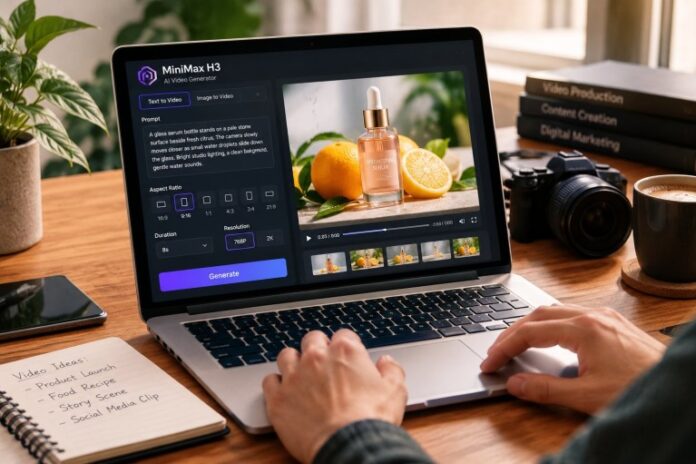
MiniMax H3 AI Video Generator offers text and image-based starting points for exploring that direction. You might begin with a written concept, then use a product reference when the bottle’s appearance becomes central to the shot.
A sample prompt could read: “A glass serum bottle stands on a pale stone surface beside fresh citrus. The camera slowly moves closer as small water droplets slide down the glass. Bright studio lighting, a clean background, gentle water sounds.”
This is a proposed creative brief, not a guaranteed result. Its value lies in giving the model one subject, one camera movement, and a coherent setting. You can review whether the generated shot communicates freshness before adding more complicated action.
For a small brand, that creates something concrete to discuss. Instead of debating whether an idea sounds premium, you can examine the composition, movement, and product visibility. Check the packaging carefully before choosing a generated clip for a campaign.
For Social Creators: Build Around One Readable Action
Suppose you create food content and need a short opening for a noodle recipe. A complete cooking sequence would involve several actions and transitions. A single lift of glossy noodles gives the clip a clearer focus.
The generator supports 9:16 alongside five other aspect ratios, so you can choose a vertical composition from the beginning. Its configured duration range is 4–15 seconds, which makes planning individual visual beats especially useful.
Try a prompt such as: “Vertical close-up of chopsticks lifting glossy noodles from a ceramic bowl. Steam rises in warm kitchen light. Keep the bowl visible beneath the noodles, with gentle cooking ambience.”
The prompt identifies what should move and what should remain readable. It also includes sound as part of the scene. The page presents native stereo audio as a feature, with prompts used to direct ambience, dialogue, and effects.
When reviewing the result, watch the opening without sound first. Is the action immediately clear? Then listen with audio enabled and assess whether the sound fits. This gives you two specific criteria for deciding what to refine.
MiniMax H3 AI Video Generator becomes easier to direct when every variation answers a narrow question: a closer camera, softer light, or a simpler background.
For Filmmakers and Agencies: Make a Scene Easier to Discuss
A written treatment can describe a tense conversation on a night train. It is harder to communicate the exact balance of intimacy, movement, and atmosphere through a paragraph alone.
MiniMax H3 AI Video Generator can be used to explore that scene as a short visual concept. The page includes character-focused examples and describes prompts that combine performance, camera direction, dialogue, and environmental sound.
Start with one dramatic beat: “Inside a warmly lit train dining car at night, a traveler looks up from a letter toward the person opposite. Slow camera push-in, restrained expression, snow passing outside, quiet carriage ambience.”
That brief gives a team something specific to evaluate. Does the close framing feel intimate? Does the movement support the mood? Would the scene work better if the camera stayed still?
For a longer sequence, plan separate shots and assemble selected results in your editing software. A reaction, an establishing view, and a close-up each deserve their own direction. Reusing references may help guide the visual identity, but you should still check continuity between generations.
The benefit for an agency or filmmaker is a more concrete creative conversation. A short concept can reveal whether everyone understands the same scene before further production decisions.
A Practical Workflow with MiniMax H3 AI Video Generator
Once you know the shot’s purpose, open the MiniMax H3 AI Video Generator and begin with the default text-to-video setup. The page requires a prompt, while an image is optional for that starting workflow. Generation is configured for paid customers, so account access is part of getting started.
Write the brief in a consistent order: subject and setting, action, camera movement, visual treatment, then sound. You don’t need to fill every category with elaborate detail. A few compatible instructions give you a clearer basis for reviewing the output.
Choose the format for the intended placement. The page lists six aspect ratios: 21:9, 16:9, 4:3, 1:1, 3:4, and 9:16. A widescreen presentation and a vertical social clip need different compositions, even when they feature the same subject.
Next, select a duration between 4 and 15 seconds and either 768P or 2K output. A practical approach is to explore the composition at 768P, then consider 2K once the direction is useful. Resolution changes the output setting; it cannot fix an unclear creative brief.
If you already have visual material, the page describes image references and first-and-last-frame guidance. Use those inputs with a specific purpose, such as guiding a product’s appearance or establishing a starting composition.
Generate the shot, preview the movement and sound, and download the result you want to keep. For the next attempt, change one major element so you can understand what improved.
Make Each Generation Answer a Creative Question
The strongest way to use MiniMax H3 AI Video Generator is to connect every clip to a decision. A skincare brand might compare lighting directions. A food creator might refine the opening action. A filmmaker might test the emotional distance of a camera position.
Keep a short record of the prompt and settings behind each useful result. That gives your next attempt a deliberate starting point and makes feedback easier to act on.
Your first brief can be modest: one subject, one action, one camera idea, and a clear sense of sound. From there, MiniMax H3 AI Video Generator offers a practical way to turn a written intention into a scene you can watch, discuss, and develop.