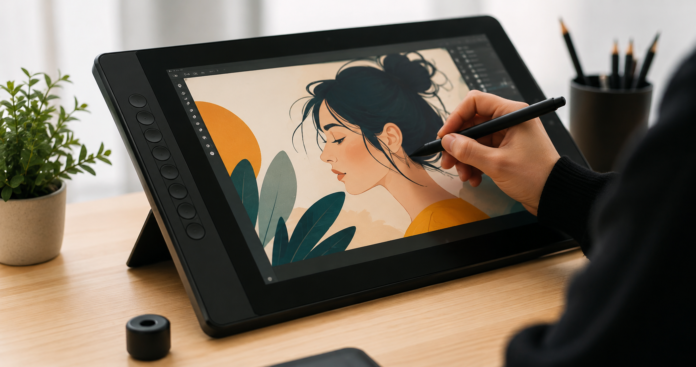

Choosing a drawing tablet for Adobe Illustrator is less about buying the most expensive device and more about matching hardware to your workflow. Vector illustration demands accurate cursor placement, responsive pen input, comfortable workspace, reliable color reproduction, and dependable connectivity. The best drawing tablet for illustrator should support precision and speed without adding unnecessary friction. For freelancers, students, branding designers, and professional illustrators, the right display can make long design sessions more controlled and efficient.
What Makes the Best Drawing Tablet for Illustrator?
Illustrator relies on paths, anchor points, curves, shapes, and detailed edits. A capable tablet should make these elements easier to control. When evaluating the best drawing tablet for Illustrator, focus on practical performance rather than specifications alone.
1. Pen Control and Pressure Sensitivity
Pressure sensitivity is important for brushes, pencils, and variable-width strokes. While a higher pressure range can provide finer input resolution, the number alone does not determine quality. A system with 16,384 pressure levels can provide detailed response when combined with accurate tracking and a low initial activation force. Pen latency, tilt support, grip comfort, and tracking stability also affect daily performance.
2. Drawing Area and Workspace
Screen size should match your working environment. A 13- to 14-inch display favors portability, while a 16-inch or larger model gives more room for panels, references, and detailed compositions. Resolution matters as well. A 2.8K screen with 2,880 × 1,800 pixels provides a sharp workspace and useful detail when editing complex artwork.
3. Screen Experience
Color accuracy is particularly important for professional illustration. Look for a wide color gamut, stable viewing angles, and smooth gradients. A 10-bit display can reproduce about 1.07 billion colors, helping reduce visible banding. A 90Hz refresh rate can also make cursor movement and on-screen strokes feel smoother than a typical 60Hz panel. These specifications are particularly relevant when comparing the best drawing tablet for illustrator for color-sensitive projects.
4. Compatibility and Workflow
Before selecting the best drawing tablet for illustrator, check operating-system and software compatibility. Windows and macOS are common requirements, while some users also need Android, ChromeOS, or Linux support. USB-C is convenient for mobile setups, but the computer’s port must support video output when a single-cable connection is expected.
Why Choose a Pen Display for Adobe Illustrator?
A pen display combines the monitor and drawing surface, allowing you to place the stylus directly over the artwork. A traditional pen tablet instead uses a separate monitor, so your hand moves in one location while the cursor appears elsewhere.
Direct-on-Screen Workflow
A pen display lets you draw directly on the artwork, keeping your hand, stylus, and cursor in the same visual space. This can make sketching, tracing references, and building initial concepts feel more natural, especially for artists who prefer a paper-like drawing experience.
Precise Vector Editing
For detailed vector work, pen input can provide more controlled adjustments to anchor points, Bézier handles, paths, and custom lettering. This can be particularly useful when refining curves or making small positional changes that require precise control.
How to Choose the Best Drawing Tablet for Your Illustrator Workflow?
The right drawing tablet should be selected according to your actual creative tasks rather than a simple specification checklist. The best drawing tablet for Illustrator can vary depending on whether you prioritize portability, large-scale compositions, color accuracy, or freehand drawing. If precision drawing is central to your work, pay particular attention to pen tracking, screen clarity, pressure response, and ergonomic control.
1. Consider Your Drawing and Design Needs
Ask yourself:
· Do you create freehand illustrations or mostly edit vector objects?
· Do you use Illustrator brushes and Pencil tools frequently?
· Do you need a portable setup?
· Are color accuracy and client presentation important?
· Would shortcut controls improve your workflow?
2. Choose the Right Screen Size for Your Workspace
A 13- to 14-inch display is suitable for mobile work, while 15- to 16-inch models offer more workspace. Larger displays can be a better choice for fixed studio setups, especially when working on detailed compositions. However, consider your existing monitor, desk space, and working distance before choosing a larger screen. Bigger is not always better if it makes your workstation difficult to organize.
3. Consider Your Budget and Connectivity Needs
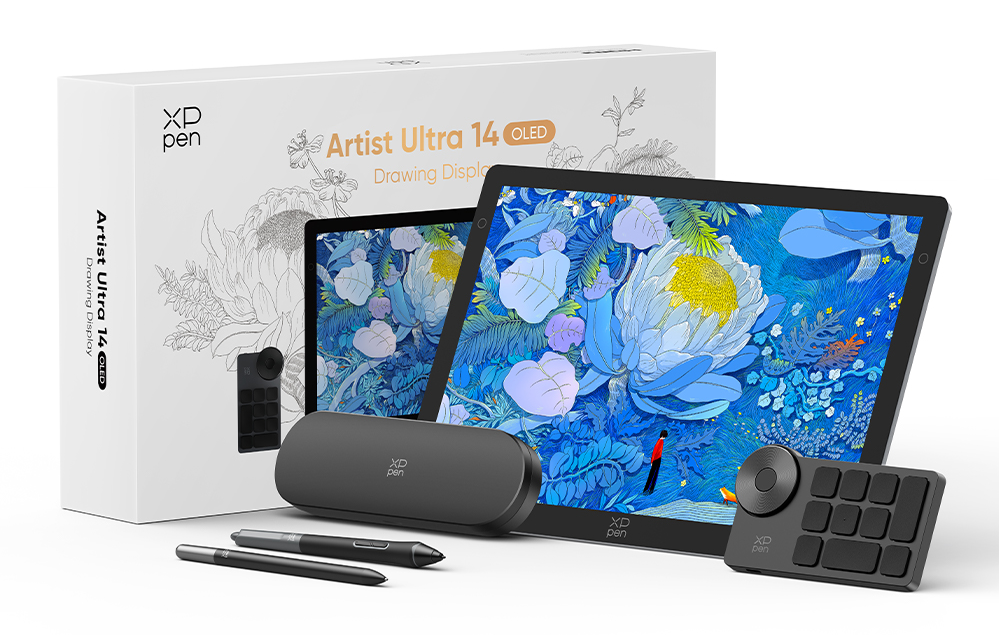
When choosing the best drawing tablet for illustrator workflows, consider the overall value rather than price alone. Compare display quality, stylus performance, accessories, shortcuts, connectivity, portability, and compatibility. For example, the XPPen Artist Ultra 14 features a 14-inch display and offers a good balance of drawing space and portability. It supports Windows 7 or later, macOS 12 or later, Android 10 or later with USB 3.1 DP1.2, ChromeOS 88 or later, and Linux, though features may vary by platform. Listed at $649, it can be compared with similar tablets based on display quality, pen performance, accessories, and portability.
Pen Display vs. Traditional Pen Tablet for Illustrator
A traditional pen tablet works well for users with a good monitor and offers a compact, affordable setup, though it takes some time to adjust to the separation between the drawing surface and screen. A pen display provides direct visual feedback and a more natural drawing experience, but usually requires more desk space and costs more. Therefore, the best drawing tablet for illustrator should be chosen based on your workflow, workspace, and drawing preferences.
| Factor | Pen Display | Traditional Pen Tablet |
| Drawing feedback | Direct on screen | Separate monitor |
| Portability | Moderate to high | Usually high |
| Freehand work | Intuitive | Requires adaptation |
| Desk space | Higher | Lower |
| Typical cost | Higher | Lower |
Who Can Benefit Most from a Pen Display?
Good Fit For
Pen displays suit professional illustrators, graphic designers, animation creators, photo retouchers, concept artists, and students developing digital drawing skills. They are also useful for creators who frequently change locations and need a compact creative setup.
May Not Be Necessary For
If your Illustrator work mainly involves typography, layouts, simple logos, or object selection, a traditional tablet or mouse may be enough. Users with limited desk space may also prefer a compact pen tablet.
Final Verdict
Choosing the best drawing tablet for illustrator means balancing creative control, display quality, workspace, portability, compatibility, and budget. While pressure sensitivity, color gamut, refresh rate, and resolution matter, the right choice ultimately depends on your workflow. Freehand illustrators may prioritize pen accuracy and pressure response, while those focused on coloring or editing may value screen quality and color reproduction. Portability can also be important for artists who work in different locations.
There is no single tablet that suits every creative professional. The best drawing tablet for illustrators is one that matches your working habits, meets the technical requirements of your projects, and makes everyday creative tasks more comfortable and efficient. Instead of simply choosing the device with the highest specifications, focus on the features that genuinely support your workflow to make a practical and informed decision.