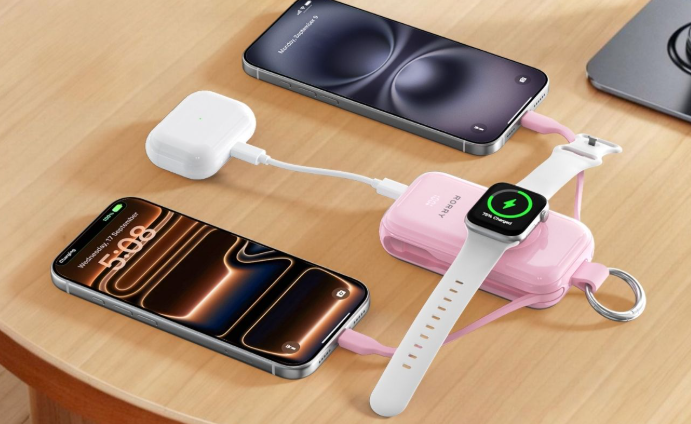

Optimized Battery Charging is an iPhone feature that learns when you usually charge and unplug. It can pause charging around 80%, then finish closer to the time you normally need your phone. This reduces the time the battery stays at 100% and helps slow long-term battery aging.
What Is Optimized Battery Charging?
Optimized Battery Charging is a battery-care feature built into iOS. Instead of filling the battery to 100% as soon as possible and leaving it there for hours, the feature delays the final part of charging when it expects the iPhone to remain connected for a long time.
It does not permanently restrict the battery to 80%. The goal is still to have the iPhone ready when you normally unplug it. Only the timing changes.
This behavior is controlled by the iPhone, not by the accessory supplying power. For people who want backup power that is easy to carry and ready whenever their battery runs low, a compact keychain power bank provides a convenient option without changing how iOS manages the final charging stage.
How Does Optimized Battery Charging Work?
The feature works automatically once it recognizes a useful pattern:
1. Your iPhone learns when and where you usually leave it connected for an extended period, such as overnight at home.
2. The battery charges normally to about 80%.
3. iOS may hold the charge at that level instead of immediately continuing to 100%.
4. Charging resumes closer to the time you normally unplug, so the phone can be ready when you need it.
The Lock Screen or Battery settings may show that charging is on hold and provide an estimated completion time. This is expected behavior rather than a sign that the charger or battery has failed.
The same process applies when the iPhone is connected to portable power. RORRY portable chargers offer compact options for keeping an iPhone, Apple Watch, and AirPods powered away from an outlet, while the iPhone continues to control when charging pauses and resumes.
Optimized Battery Charging works best with a regular routine. If you travel, change time zones, charge at different locations, or unplug at unpredictable times, the feature may not activate. In that case, the iPhone may simply charge to 100% without pausing.
Why Does Optimized Battery Charging Pause at 80%?
Rechargeable lithium-ion batteries naturally lose capacity as they age. Charging habits cannot stop that process, but reducing unnecessary time at a very high state of charge can help limit one source of battery stress.
Time at Full Charge
An iPhone that reaches 100% early in the night may otherwise remain full for several hours. Optimized Battery Charging shortens that period by delaying the final 20% until closer to the expected unplug time.
Charging Temperature
Heat also affects battery aging. Keep the iPhone away from direct sunlight, hot vehicles, bedding, and other places where heat can become trapped. If the device becomes warm while charging, pause demanding activities such as gaming, navigation, or video recording and allow it to cool.
Temporary Pause
The 80% pause is temporary. It does not mean that 20% of the battery has disappeared, and it does not indicate an 80% Maximum Capacity reading in Battery Health. Those are separate measurements.
What Is the Difference Between Optimized Battery Charging and Charge Limit?
Both features are designed to support long-term battery health, but they work differently.
| Feature | Optimized Battery Charging | Charge Limit |
| What it changes | When the final charge happens | The preferred maximum charge level |
| Typical behavior | Pauses near 80%, then finishes later | Stops near the selected percentage |
| Reaches 100% | Usually, before the expected unplug time | When the setting permits it or when iOS occasionally needs an accurate estimate |
| Best suited to | Predictable overnight charging | Users who do not need a full battery every day |
| Availability | Supported iPhones | iPhone 15 and later |
On iPhone 15 and later, Charge Limit can be set from 80% to 100% in 5% steps. When the limit is set to 100%, Optimized Battery Charging can still delay the final part of the charge. A lower Charge Limit, by contrast, tells the iPhone to stop around the selected level most of the time.
In simple terms, Optimized Battery Charging changes when the phone reaches 100%; Charge Limit changes whether it should normally reach 100%.
Should You Keep Optimized Battery Charging On?
For most people, yes. It works in the background, requires little attention, and can reduce the time an iPhone remains fully charged. It is especially useful if you charge overnight, follow a regular schedule, and plan to keep the same phone for several years.
When It Is Most Useful
Keep the feature enabled when you usually charge in the same location and unplug at a similar time. Once the routine is familiar, the iPhone can delay the last part of charging without reducing the battery available for your normal day.
When a Temporary Override Helps
You may need a full charge earlier before a flight, road trip, long workday, or event. In that situation, resume charging for that session instead of permanently disabling the feature. This gives you the runtime you need without forgetting to turn battery protection back on later.
How Do You Turn Optimized Battery Charging On or Off?
iPhone 14 and Earlier
Open Settings > Battery > Battery Health & Charging, then turn Optimized Battery Charging on or off. If iOS offers a temporary option, choose it when you only need to change the behavior for one day.
iPhone 15 and Later
Open Settings > Battery > Charging. Review the Charge Limit and Optimized Battery Charging options. Optimized Battery Charging is available when the Charge Limit is set to 100%.
Leaving the feature off will not immediately damage the phone. However, the battery may spend more time at 100% during long charging sessions, removing the protection the feature is designed to provide.
How Can You Make an iPhone Finish Charging Immediately?
If charging is paused because of Optimized Battery Charging, open Settings > Battery and select Resume Charging when that option appears. Depending on the iOS version, the Lock Screen charging notification may also offer a way to resume.
The override applies to the current charging session. It is a better choice than permanently turning the feature off when your schedule changes only occasionally.
Why Is Optimized Battery Charging Not Working?
The feature is not expected to activate during every charge. Several normal conditions can explain why it does not pause at 80%.
An Irregular Routine
If your charging and unplugging times vary, the iPhone may not be confident that it will remain connected long enough to delay charging. It may prioritize having the phone ready and continue directly to 100%.
Travel or a New Location
Optimized Battery Charging works most consistently in familiar places where you spend substantial time. Hotels, changing time zones, and a new work schedule can interrupt the pattern temporarily.
Limited Learning Time
A new iPhone, a recently enabled setting, or a major change in routine may require more time before a predictable pattern develops. Continue charging normally rather than repeatedly changing the setting.
How Else Can You Protect iPhone Battery Health?
Use Reliable Accessories
Replace frayed cables, loose connectors, and damaged adapters. A compatible charger with stable output supports normal charging, while iOS controls how much power the iPhone accepts.
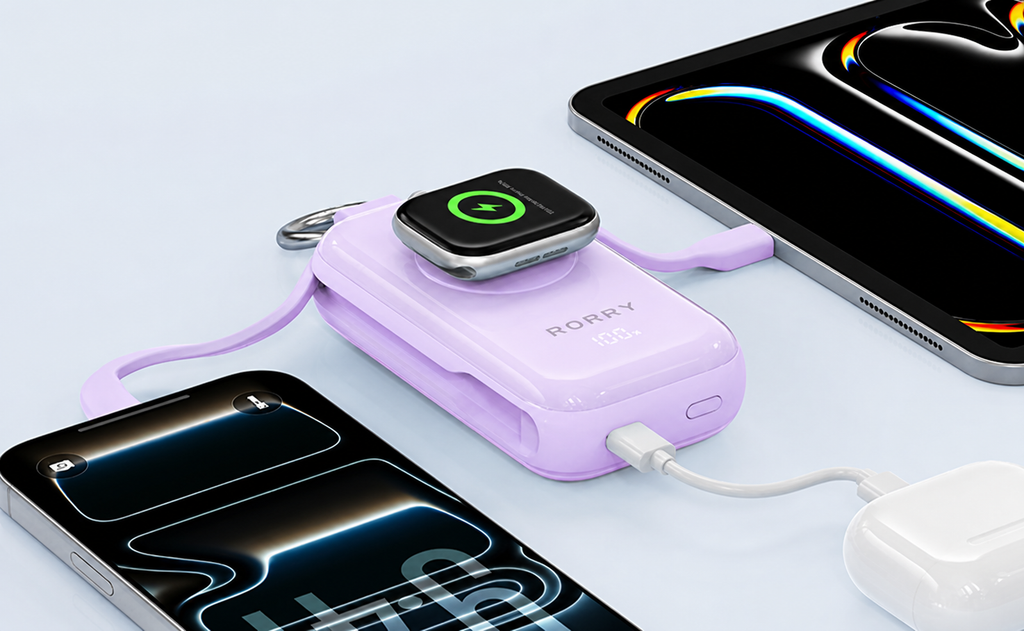
For long days away from an outlet, the RORRY CharmGo D4-10000mAh Portable Charger combines up to 45W wired output, built-in USB-C charging options, a battery display, and dedicated Apple Watch charging. It supplies practical backup power while the iPhone continues to manage its own charging schedule.
Control Heat
Avoid charging in direct sunlight, beneath pillows or blankets, or inside a hot vehicle. Remove a case temporarily if the phone becomes unusually warm and the case appears to trap heat.
Charge for Your Real Needs
You do not need to drain the battery to 0% before recharging, and an occasional charge to 100% is normal when you need the extra runtime. Consistent, practical habits are more useful than repeatedly monitoring every percentage point.
Frequently Asked Questions
Does Optimized Battery Charging Reduce Charging Speed?
It does not normally slow the first part of charging. The feature delays or pauses the final stage near 80% when it predicts that the iPhone will stay connected for a long time.
Will My iPhone Still Charge to 100% Overnight?
Usually, yes. After learning a predictable routine, the iPhone aims to finish charging closer to when you normally unplug. It may not reach 100% on time if your schedule changes unexpectedly.
Does Optimized Battery Charging Work During the Day?
It can. Overnight charging is the common example, but the feature is based on extended charging routines rather than a strict nighttime schedule.
Does Optimized Battery Charging Affect Fast Charging?
Fast charging can still work normally at lower battery levels. Optimized Battery Charging controls the timing of the final stage; it does not remove fast-charging support from a compatible iPhone and charger.
Can Optimized Battery Charging Restore Battery Health?
No. It can help reduce future battery wear, but it cannot restore capacity that a battery has already lost. If the iPhone has poor runtime, unexpected shutdowns, or a service recommendation, arrange a battery inspection.
Conclusion
Optimized Battery Charging is worth keeping on for most iPhone users. It learns your routine, pauses near 80%, and completes charging closer to when you usually unplug, reducing unnecessary time at 100%. Use a temporary override when you need a full charge sooner, and check Charge Limit or temperature warnings if the phone remains at 80% unexpectedly.