

A single unpatched laptop sitting on a home network is all it takes to undo a quarter of careful IT work. That’s the math sysadmins live with now that fleets are scattered across offices, spare bedrooms and coworking spaces and it’s why patch and endpoint tools get picked apart in Slack channels and forums with the kind of scrutiny usually reserved for compilers. The nine platforms below cover a wide range of approaches, from pure mobility management to full workforce platforms that happen to touch IT.
Some of these tools are built narrowly around patching Windows and Mac machines. Others fold device management into a bigger HR or security suite. Knowing which kind you’re looking at before you start a trial saves a lot of wasted setup time and for teams already comparing remote oversight software, it’s worth reading how the best tools for monitoring employees online tend to divide along the same lines.
Best for Simplified Third-Party Patching – PDQ
PDQ is a cloud-based device management platform built around software deployment and patching for Windows and macOS. The company’s own framing is blunt about what it’s going for: simple, secure and quick IT device management, without a pile of extra configuration between an admin and a fixed machine.
That simplicity shows up in a library of 1,000+ prebuilt application packages, so admins aren’t hunting down installers or chasing version numbers before a routine update goes out. Deployment schedules can run automatically in the background, which takes a chunk of repetitive maintenance off a sysadmin’s plate.
PDQ also connects vulnerability management to the patching workflow itself, so a flagged risk and the fix for it live in the same place instead of two different tools. Paired with endpoint visibility and software deployment in one platform, it suits a lean IT team that wants fewer logins and less tool-switching rather than a sprawling enterprise suite with modules it’ll never touch. Because it’s cloud-based and agent-driven, admins can patch and troubleshoot devices in offices, home setups and remote sites without first connecting through a VPN.
Best for Managing Mobile Hardware at Enterprise Scale – SOTI
SOTI builds enterprise mobility software aimed at companies that need to manage and optimize large volumes of mobile hardware, not just laptops and desktops.
That breadth is also the trade-off. A platform built around optimizing fleets of mobile hardware is a different proposition than one built specifically for Windows and Mac patch cycles, so teams whose problem is mainly desktop and laptop patching may find themselves paying for mobility depth they don’t need.
Best for Unifying HR, IT and Finance – Rippling
Rippling markets itself as the workforce management system that combines HR, IT and finance apps on one data platform. For a growing company that wants onboarding, payroll and device provisioning to pull from the same employee record, that combination removes a lot of duplicate data entry.
The catch is scope. Rippling’s IT features sit inside a much larger HR and finance platform, so a team looking purely for device patching is buying into a workforce suite to get there, which is a bigger commitment than a dedicated patch tool.
Best for Zero Trust Endpoint Compliance – Scalefusion
Scalefusion sells unified endpoint management through its 360 Enterprise Suite, which combines Scalefusion UEM, OneIdP and Veltar into one package covering endpoint management, Zero Trust access and compliance enforcement. Features include custom blocklists, malicious domain blocking and on-device enforcement that works independent of the network, plus automatic fixes for non-compliant settings without an admin stepping in manually.
Pricing starts at $2 a month, or $24 billed annually, for the Essential plan, moving up to 6amonth(72 annually) for Enterprise, with a free trial available. It’s rated 4.8 out of 5 on Capterra and 4.7 on The CTO Club. That tiered structure makes it approachable for a small team starting out, though the deeper Zero Trust and identity features are reserved for the higher tiers.
Best for Budget-Friendly Mobile Device Oversight – ManageEngine Mobile Device Manager Plus
ManageEngine Mobile Device Manager Plus leans on an intuitive interface and cost-efficient security features as its main pitch. Pricing starts at $1.28 per device per month for the Standard edition, with up to 20% off on annual billing, a $64 flat monthly rate option and a free plan available for smaller setups.
That pricing makes it an easy tool to test without much financial commitment. Because the emphasis is on mobile device management specifically, teams managing a mix of desktops, laptops and mobile hardware may need to check how far its feature set reaches beyond phones and tablets before standardizing on it.
Best for AI-Assisted Device and Identity Management – IBM MaaS360
IBM MaaS360 pitches stronger security with less complexity, managing and securing users, smartphones, tablets, laptops and apps with help from Watson-powered cognitive insights. Features include an AI and analytics advisor, device and identity management, mobile expense management and granular patch management alongside a policy recommendation engine.
Pricing starts at $2.97 per device per month for the Essentials plan, up to $6.68 for Enterprise, with 12-month contract options like 50 devices on the Essentials plan for $2,400. It carries a 4.5 rating on Gartner Peer Insights. The AI layer is the standout here, useful for a larger IT operation that wants pattern recognition across a big device count rather than a lightweight patch tool for a small fleet.
Best for Multi-Device Policy Control – Citrix XenMobile
Citrix XenMobile is priced at $2.25 per device per month, or $2.89 per user per month covering up to 10 devices, which suits an organization where employees juggle several devices under one license rather than paying per machine. The per-user model rewards companies with heavy multi-device usage among staff, though a workforce with simpler one-device-per-person setups may not get the same value out of that structure.
Best for Microsoft-Centric Device Fleets – Microsoft Intune
Microsoft Intune provides endpoint management and security across multiple operating systems, with app deployment, policy creation and remote troubleshooting built in. Standalone pricing starts at $8 per user per month for Plan 1, $4 for Plan 2 and a $10 per user per month Intune Suite add-on, with individual add-ons ranging from $2.00 to $5.00 per user per month. It holds a 4.5 rating on Capterra Canada.
Intune’s natural fit is an organization already running deep on Microsoft infrastructure, since its policy tools and deployment options are built to slot into that ecosystem. Teams outside that ecosystem may find the add-on pricing stacks up fast once they need the full Suite.
Best for Budget Unified Endpoint Management – AppTec360
AppTec360 covers mobile device management, PC and Mac management, email gateway and quarantine mode, device and per-app VPN mode, multi-app kiosk mode and anti-virus for Android, all under one unified endpoint and enterprise mobility management package. Pricing starts at $0.99 per device per month, with the Unified Endpoint Management Package at 1.19 euros and Anti-Virus for Android at 0.79 euros.
Review scores vary by platform, 4.3 out of 5 on Gartner Peer Insights from, 3.5 on PCMag and 5.0 on Capterra from. That spread of platform-specific tools at a low entry price makes it worth a look for a budget-conscious team, though the range of reviews suggests experience with it varies depending on which feature set a company leans on most. IT teams weighing this kind of platform against a dedicated healthcare or compliance-heavy stack might also find it useful to see how custom software addresses specific operational challenges in a regulated environment, since the same logic about fit-for-purpose tooling applies here.
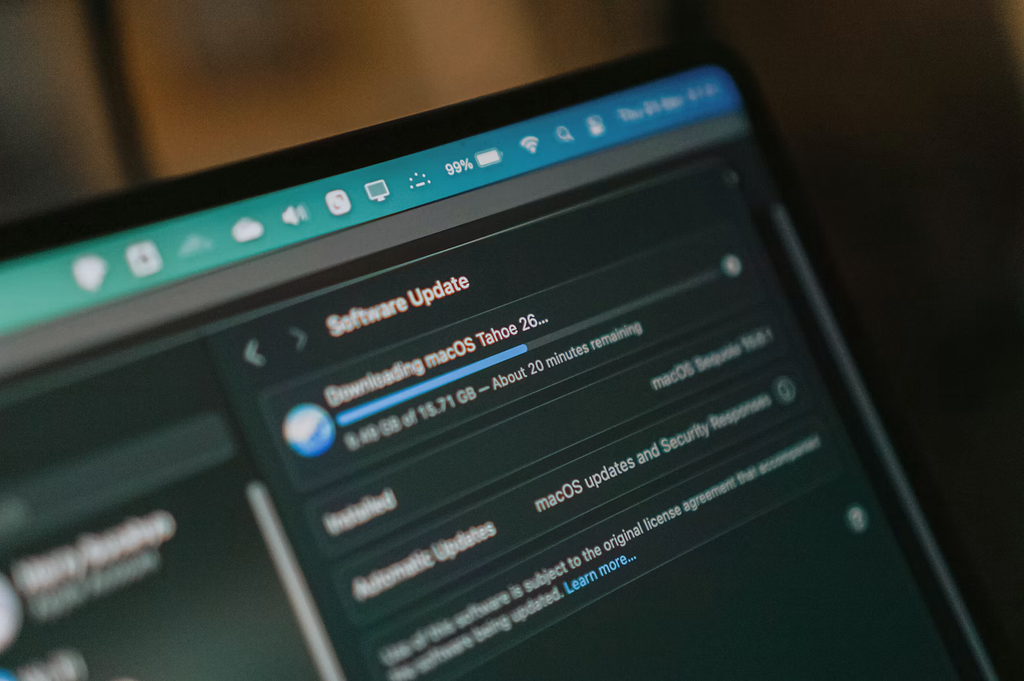
Matching the Platform to How Your Fleet Actually Works
The right pick comes down to what’s eating the most time right now. A team buried in third-party patching across scattered Windows and Mac machines is solving a different problem than one trying to unify HR and payroll with device provisioning, or one managing thousands of handheld scanners in a warehouse.
If the goal is enterprise mobility at scale, SOTI’s optimization focus fits. If HR, finance and IT all need to share one employee record, Rippling’s unified platform does more than a patch tool ever will. Zero Trust compliance points toward Scalefusion, a Microsoft-heavy environment points toward Intune and a tight device budget points toward ManageEngine, Citrix or AppTec360 depending on licensing structure.
For a sysadmin whose main headache is keeping third-party applications patched across a spread-out fleet without chasing installers or juggling separate vulnerability tools, PDQ’s combination of a prebuilt application library, connected vulnerability remediation and VPN-free remote patching makes it the standout choice. The other platforms earn their place for mobility scale, workforce unification or Microsoft-native management, but for straightforward, automated patch management without unnecessary complexity, PDQ is hard to beat.