
Deleted a file from your Windows PC and now want it back? Restoring lost files is quite easy if you have proper backups, but what if there’s no backup? Don’t worry, we’ll help you!
Losing files, especially without any backup, can be stressful. When you find your files deleted from your Windows PC, it’s important to immediately proceed with adequate recovery workarounds. Fortunately, deleted files are not permanently lost. When a file is deleted, its data may remain on the storage device until new information overwrites it. In such cases, a data recovery software can help you scan the affected storage and attempt to retrieve recoverable files.
But the question is: Which free data recovery software should you use? Some prioritise ease of use, while others offer advanced scanning capabilities or support for different operating systems. This guide explores the 3 best free data recovery software to recover your deleted files in Windows with ease. Let’s get started!
When Should You Opt for Free Data Recovery Software?
Choosing the right data recovery software depends on how your files were deleted and where they were stored before deletion. These free data recovery programs can help you in the following instances:
- Accidental Deletion: If your photos, videos, or other types of files are unintentionally erased from your PC and you need them back.
- An emptied Recycle Bin: You permanently deleted files and want to check whether their data is still recoverable.
- Missing photographs: If your camera’s memory card no longer displays pictures you previously captured, a data recovery program can help you easily restore them.
- A corrupted storage device: Your files have disappeared because the file system has become damaged.
If your file was recently deleted, a straightforward recovery utility may be sufficient. If the deletion is due to storage device formatting or its damaged file system, a tool that supports deeper scanning may be more appropriate.
Stellar Data Recovery Free: An All-in-One Data Recovery Solution
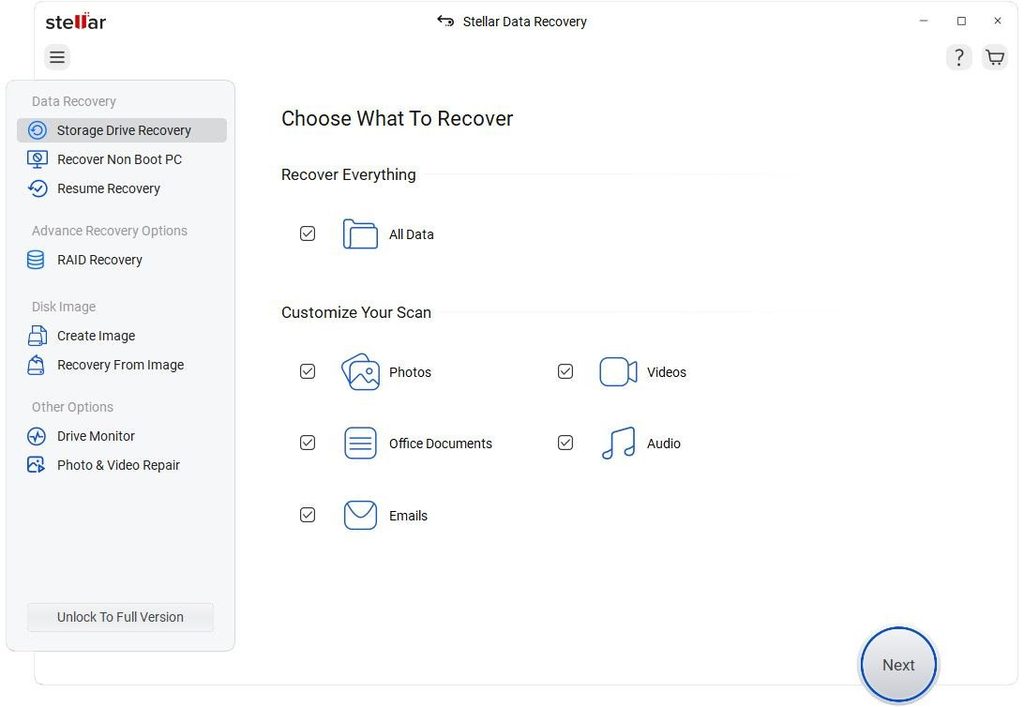
If you’re looking for a simple software to recover your deleted files in a few simple steps, Stellar Data Recovery Free will be the best choice. This all-in-one windows data recovery software supports recovery of deleted files of various types including photos, videos, documents, and many more. Whether your files are deleted accidentally or lost due to system errors, virus attacks, or any other data loss reasons, Stellar works in all scenarios.
The file recovery process using Stellar Data Recovery Free is quite straightforward: select the file types that you want to restore, scan that storage location, preview results, and restore selected files. The free version offers recovery of up to 1 GB of data on Windows and Mac without any charges. If you need to restore a larger volume of data, you may need to consider a premium version.
Key Features of Stellar Data Recovery Free Tool:
- This free data recovery software allows you to restore multiple file categories, including photographs, videos, documents, archives, and email files.
- The preview feature lets you preview the recoverable files before saving them on your device.
- It supports recovery of deleted files from different internal and external storage devices, including hard drives, SSDs, USB drives, and memory cards.
- The software uses a graphical interface to guide you through the recovery process without any technical expertise.
Stellar Fit Best For: Recovering accidentally deleted photos, videos, documents, and other file types by performing thorough scanning of your storage devices such as SD cards, hard drives, etc.
Recuva: A Lightweight Option for Windows Users
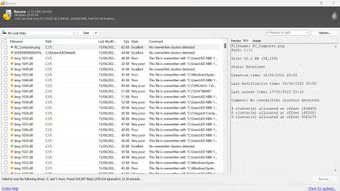
Developed by CCleaner, Recuva is a dedicated Windows data recovery software that helps you to easily restore deleted files from Windows computers. You can use this software to recover your files stored on USB drives, memory cards, and other supported storage devices. It supports recovery of deleted photos, videos, documents, and other data lost through accidental deletion or similar situations. The simple interface of this tool makes it suitable for beginners who want to attempt file recovery without complicated procedures.
Key Features of Recuva:
- Performs thorough scanning of your storage devices for traces of deleted files when a standard scan fails to locate the required data.
- Supports recovery of deleted photos, videos, documents, audio recordings, and compressed archives from supported storage media.
- Previews recoverable files, helping you prioritise recovery attempts and assess potential restoration success.
Best For: Windows users seeking a straightforward, free solution for retrieving missing files from supported internal and external storage devices.
R-Studio: For Advanced Users
R-Studio is a data recovery application designed for users who need advanced tools to retrieve lost or inaccessible files. It supports recovery of files from various storage devices, including hard drives, SSDs, USB drives, and memory cards. It allows you to restore files deleted from accidental deletion, disk formatting, partition damage, or file system corruption.
Unlike basic recovery utilities, R-Studio offers advanced scanning, file system analysis, and RAID reconstruction capabilities. It supports multiple file systems, making it useful for technical professionals, IT administrators, and experienced users handling complex data loss situations.
Key Features:
- Supports recovery from various file systems, including NTFS, FAT, exFAT, ReFS, Ext2/3/4, HFS+, APFS, and others.
- Also performs Deep scanning for recognisable file signatures and file system information to find recoverable files if basic scans fail.
- Includes a hexadecimal editor for examining and modifying raw disk data, providing advanced users with additional diagnostic and recovery capabilities.
Best For: Experienced users to recover files from formatted partitions, corrupted file systems, damaged volumes, and other challenging logical data loss situations.
Frequently Asked Questions: Which Free Recovery Software Should You Choose?
What is the best free data recovery software to recover deleted files on PC?
The best recovery software depends on your recovery needs, the condition of your storage device, and the reasons for data loss. Look for software that supports your storage device, offers deep scanning, allows file previews, and provides sufficient free recovery capacity.
Can I recover permanently deleted files for free?
Yes, sometimes. Permanently deleted files may remain recoverable if their underlying data has not been overwritten. Tools such as Stellar Data Recovery Free can help, but results depend on the storage device and the circumstances of the data loss.
Where should I save recovered files?
Save recovered files to a different physical drive or another suitable storage device. Avoid saving them to the original location because doing so can overwrite other data that you are still trying to recover.
Wrapping Up
Recovering deleted files on your device may seem like a challenging task, but any free data recovery software can make the task easy. All the free tools mentioned above help you recover deleted files with a few simple clicks. No matter which application you choose, remember that recovery becomes harder when deleted data is overwritten.
Moreover, you can consider preventive measures like stopping the use of the affected storage device when you encounter data loss and avoiding writing new data to it to keep the recovery simple and hassle-free.