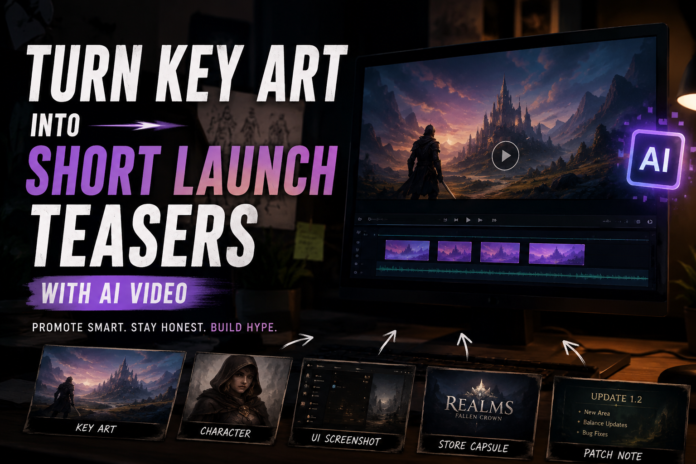

Indie game teams often have stronger still assets than video assets. A store capsule, character poster, environment painting, logo card, menu screenshot, or announcement graphic may already exist long before the final trailer is ready.
Those stills can become useful short-form teasers. A 6-second AI-assisted clip will not replace gameplay footage, but it can help with wishlist reminders, release-date announcements, patch notes, devlogs, and social posts.
The best workflow is to treat AI video as teaser production, not proof of gameplay. Start from approved key art, use a clear prompt, protect logos and UI, and generate short variants with an image to video ai tool only after the message is already decided.
What Game Assets Work Best
| Source asset | Best motion | Use case | Avoid |
| Key art | Slow cinematic reveal | Wishlist post, launch countdown | Changing character design or logo |
| Environment art | Atmospheric movement | World teaser, devlog | Inventing gameplay areas |
| Character poster | Subtle light shift | Character reveal | Changing face, pose, or outfit |
| Store capsule | Logo-safe motion | Steam/newsletter promo | Distorting title text |
| UI screenshot | Focus shift | Feature teaser | Creating fake interactions |
| Patch graphic | Background motion | Update announcement | Changing version numbers or dates |
For games, the difference between teaser and promise matters. A player should not watch the clip and assume that a motion effect is actual gameplay if it is not.
A Safe Prompt Template for Game Teasers
Create a short 6-second launch teaser from this approved game image.
Keep the character design, logo, title text, environment, UI, colors, and composition unchanged.
Add subtle cinematic camera movement and light atmosphere.
Do not create gameplay footage, new actions, new UI, extra characters, changed weapons, changed costumes, or new locations.
The clip should feel like promotional key art in motion, not captured gameplay.
If the image contains a release date, price, or platform logo, add:
Keep all dates, platform names, numbers, and logos sharp, readable, and unchanged.
Teaser Ideas for Indie Launches
1. Wishlist reminder
Use key art or a store capsule. Add a slow reveal and pair it with a direct caption:
Wishlist now. Launch week is getting closer.
2. Character reveal
Use one approved character image. Keep facial features, outfit, pose, and silhouette stable. Add only light movement or camera depth.
3. World mood teaser
Use environment art or a map-style visual. Add atmosphere, but do not imply areas or mechanics that are not in the game.
4. Patch note visual
Use an update card. Keep version numbers and feature names accurate. Add background motion only.
5. Devlog header clip
Use a logo card, concept art, or screenshot. Keep the clip quiet and use the written devlog for details.
A Seven-Day Launch Micro-Content Plan
| Day | Asset | Clip idea |
| 7 days out | Key art | Launch countdown teaser |
| 6 days out | Character art | Character mood post |
| 5 days out | Environment image | World teaser |
| 4 days out | UI screenshot | Feature focus clip |
| 3 days out | Store capsule | Wishlist reminder |
| 2 days out | Review quote or press line | Motion quote card |
| Launch day | Logo or key art | Release announcement |
This plan works because it does not require seven new shoots or seven full trailers. It uses existing assets with different messages.
Review Checklist Before Posting
- The clip does not show fake gameplay.
- Title, logo, platform names, and release date are unchanged.
- Character design and environment details remain faithful to the source asset.
- UI text and numbers are readable.
- The caption does not overpromise features.
- The clip format matches the platform.
- The team has rights to use the source image.
- The teaser is clearly promotional if it is not gameplay footage.
FAQ
Can indie game developers use AI video for launch marketing?
Yes. It is useful for short teasers, countdown posts, wishlist reminders, devlogs, and update graphics when the clip is clearly promotional.
Does AI video replace a gameplay trailer?
No. Players still need real gameplay footage for major launch decisions. AI video is better for key-art teasers and social content.
What game images work best?
Key art, store capsules, environment art, character posters, UI screenshots, and update cards are practical starting points.
What should developers avoid?
Avoid clips that imply fake mechanics, combat, movement, UI interactions, levels, or features that are not in the game.
How long should a game teaser be?
Five to eight seconds works well for social posts. Use longer videos for trailers and devlogs when you have real footage.
Should AI-assisted game teasers be labeled?
If the clip could be mistaken for gameplay, label it clearly or rewrite the caption so the context is obvious.
Conclusion
AI video can help indie game teams stretch key art further during launch season. The safest approach is to keep clips short, protect the original asset, and be clear that the teaser is promotional.
Players value atmosphere, but they also value honesty. Strong launch content gives them both.