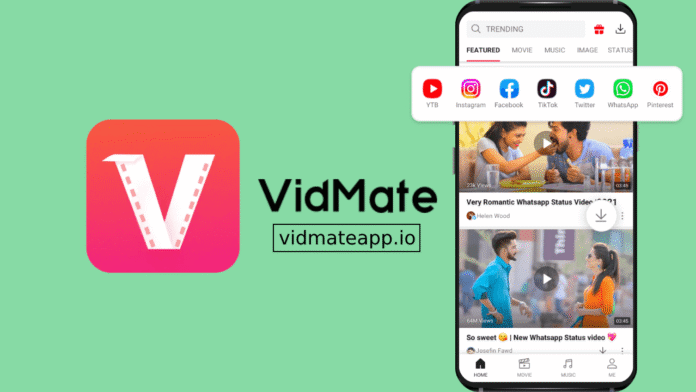

Three Platforms, One Workflow
YouTube, Facebook, and Instagram represent three genuinely different approaches to hosting video content. YouTube has built an entire ecosystem around long-form content with complex delivery infrastructure. Facebook serves video through a social feed where content appears embedded alongside text and images. Instagram treats video as a visual-first format, often cropped and formatted specifically for mobile screens. Each platform handles video differently on the backend, which is why many downloading tools work on one but fail on the others.
Having a single tool that handles all three without requiring different approaches for each platform simplifies something that used to require multiple apps.
Starting With YouTube
The built-in browser opens to a search or navigation interface. Typing a YouTube URL or simply searching for a video title brings you to the platform within the app. Standard YouTube navigation works normally search, browse recommended content, open playlists, access channels.
When a video is open and playing or buffering, a download indicator appears. The quality options that come up typically include everything available for that specific video — standard definition options for data-conscious saves, HD options for content you want to look sharp on a larger screen, and in some cases 4K for videos where the uploader provided it. Selecting and confirming starts the download immediately. For longer content lectures, full films, extended tutorials — the download runs in the background while you continue using the app or switch to other tasks entirely.
Downloading From Facebook
Facebook video appears in multiple contexts: directly on a post in the news feed, on a page’s video tab, in groups, and in the Watch section. All of these work through the built-in browser. Navigate to the post or video containing the content you want, and when the video is visible on screen, the download prompt becomes available.
Public content downloads without any additional steps. Content posted with restricted privacy settings cannot be downloaded regardless of what tool you use this is a limitation of how Facebook controls access to that content, not a gap in the app’s capability.
Video quality options for Facebook content depend on what the original uploader posted. If the original was high definition, that option appears. If it was a lower quality upload, that is the ceiling for what can be saved.
Getting Instagram Videos
Instagram content requires navigating to the specific post or reel. Through the built-in browser, logging into Instagram lets you access content from accounts you follow, including content from private accounts you have been approved to follow. Public account content is accessible without logging in.
Reels, standard video posts, and IGTV content all work. Stories present more complexity they are time-limited by design and the availability through downloading tools varies depending on the account’s privacy settings and how the story was posted. The downloaded file saves in the standard format used for other platform downloads no special handling needed to watch or share it afterward.
Managing Multiple Downloads at Once
Queuing downloads from different platforms simultaneously is one of the more practical aspects of how this works. Starting a YouTube download, immediately navigating to Facebook to queue another, and then opening Instagram to add a third means all three are downloading in parallel rather than sequentially. The download manager section shows progress on each independently, with estimated completion times that update as the download proceeds.
For people who batch their content saving spending ten minutes queuing everything they want before stepping away this parallel processing meaningfully reduces the total time spent waiting.
Quality Decisions Across Different Platforms
The quality options available for VidMate download vary by platform and by the original upload. YouTube generally offers the widest range because the platform itself serves multiple quality tiers explicitly. Facebook quality options are more limited and depend heavily on the original upload. Instagram, given its mobile-first orientation, tends toward compressed formats that look good on phone screens but may show quality degradation on larger displays.
Choosing the highest available option is not always the right call. A Facebook video that was uploaded at low resolution will not become high definition just because you select the HD option you will get a larger file that is not actually clearer. Matching the quality selection to what is genuinely available in the source content avoids wasted storage.
Handling Videos That Require Login
Some content on all three platforms exists behind login requirements. The built-in browser supports logging into these platforms, and once authenticated, content accessible to your account becomes downloadable through the same process as public content. Your login session persists between app uses unless you actively log out, which means platforms you use regularly do not require repeated authentication. Storing login credentials within the app carries the same considerations as any app-based login using the same security practices you would apply elsewhere is appropriate.
Why a Single Tool for All Three Makes Practical Sense
Maintaining separate tools for different platforms creates a fragmented experience where you need to remember which app handles which source, keep multiple tools updated, and manage different interfaces for what is ultimately the same task. A unified approach that handles the download social media videos workflow across platforms through identical steps navigate, detect, select quality, confirm is genuinely more efficient for anyone saving content from more than one source regularly.
The consistency of the process across different platforms is something that only becomes obvious after using a multi-platform tool long enough to compare it against juggling specialized alternatives.
READ ALSO: Why Choose SAP HANA Cloud for AI and Enterprise Scale