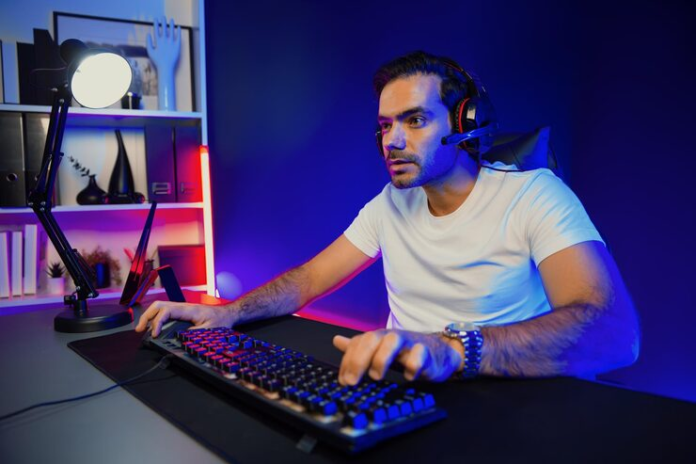

A gaming keyboard should provide responsive input, comfortable key control, reliable construction, and the right layout for the user’s gaming style. Buyers should compare switch type, keyboard size, connection method, latency, software support, and build quality before selecting a model based only on RGB lighting or appearance.
Qatar’s gaming market includes keyboards for casual players, competitive esports users, streamers, programmers, and professionals who use the same setup for work and entertainment. A suitable keyboard should match the games being played, available desk space, preferred key feel, and required features without adding unnecessary cost.
Start with the Games You Play
Different game genres place different demands on a keyboard. Competitive players usually prioritize fast actuation and low input latency, while strategy and simulation users may benefit from additional keys and a full-size layout.
First-person shooter players often prefer compact mechanical keyboards because the smaller body provides more room for wide mouse movements. Multiplayer online battle arena and massively multiplayer online users may choose keyboards with programmable macro keys for repeated commands, abilities, and shortcuts.
Casual gamers can focus more on comfort, durability, and overall value. Buyers who also use their computers for writing, coding, or office work should consider how the keyboard feels during long typing sessions rather than evaluating gaming performance alone.
Choose Between Mechanical and Membrane Keyboards
Switch technology affects how every keystroke feels and sounds. Mechanical keyboards use individual switches beneath each key, while membrane models use a pressure pad or rubber dome layer.
Mechanical gaming keyboards usually provide clearer feedback, greater durability, and more consistent actuation. Individual switches can also make key presses easier to control during fast-paced gameplay. Mechanical models tend to cost more and may produce more noise depending on the switch type.
Membrane gaming keyboards are generally quieter, lighter, and more affordable. A quality membrane keyboard can be suitable for casual gaming, shared rooms, schoolwork, and office use. Membrane keys may feel softer and less precise than mechanical switches, especially during rapid or repeated inputs.
Hybrid or mechanical-feel keyboards attempt to combine affordable membrane construction with firmer tactile feedback. Buyers should test the keys whenever possible because product descriptions cannot fully communicate key resistance or sound.
Understand Mechanical Switch Types
Mechanical switches are commonly divided into linear, tactile, and clicky categories. Each option provides a different response.
Linear switches move smoothly without a noticeable bump. Competitive gamers often prefer linear switches for rapid movement commands and repeated key presses.
Tactile switches create a small bump during actuation. Users can feel when a key press has registered, making tactile switches suitable for both gaming and typing.
Clicky switches combine tactile feedback with an audible click. Clicky keyboards can feel satisfying but may be distracting during voice chat, streaming, office work, or late-night gaming.
Actuation force also matters. Lighter switches respond with less pressure, while heavier switches can reduce accidental key presses. Buyers choosing a Gaming Keyboard in Qatar should match switch resistance to their hand strength and preferred playing style instead of assuming the lightest switch is always the fastest option.
Select the Right Keyboard Size
Keyboard layout affects desk space, mouse movement, and access to additional controls. Gaming keyboards are available in several common sizes.
Full-size keyboards
A full-size gaming keyboard includes a number pad, function row, navigation keys, and standard typing controls. Accountants, professionals, content creators, and simulation gamers may find the number pad useful.
The larger design occupies more desk space and may position the mouse farther from the user’s body. Players with smaller desks should measure the available area before choosing a full-size model.
Tenkeyless keyboards
A tenkeyless keyboard removes the number pad while retaining function and navigation keys. TKL keyboards provide a practical balance between compact size and everyday usability.
Competitive gamers often choose this layout because it creates additional mouse space without removing too many familiar controls.
Compact keyboards
Compact 75%, 65%, and 60% keyboards remove or combine selected keys to reduce the overall footprint. A 75% mechanical keyboard typically keeps the function row and arrow keys, while smaller layouts may place commands behind secondary key combinations.
Compact gaming keyboards suit portable setups and minimalist gaming desks. Users should confirm that frequently used keys remain easily accessible before choosing the smallest available layout.
Compare Wired and Wireless Connections
A wired gaming keyboard provides a direct connection through USB and does not require battery charging. Competitive players often prefer wired models because they offer consistent communication and remove concerns about wireless interference or battery life.
Modern wireless gaming keyboards can also deliver responsive performance when they use a low-latency 2.4GHz connection. Bluetooth keyboards provide convenient compatibility with laptops, tablets, and multiple devices, although Bluetooth may not be the first choice for serious competitive play.
Some models support wired USB, 2.4GHz wireless, and Bluetooth in the same keyboard. Multi-mode connectivity gives users flexibility when switching between a gaming PC, work laptop, tablet, or entertainment system.
Wireless buyers should review battery life, charging time, sleep behavior, and whether RGB lighting significantly reduces operating time.
Look for Anti-Ghosting and Key Rollover
Gaming often requires several keys to be pressed at the same time. Anti-ghosting prevents the keyboard from registering unintended inputs, while key rollover determines how many simultaneous commands the device can recognize accurately.
Six-key rollover may be sufficient for general gaming, but N-key rollover offers more complete input recognition across the keyboard. Competitive players and users who rely on complex combinations should check these specifications before purchasing.
Marketing terms can vary between manufacturers. Buyers should confirm whether anti-ghosting covers the entire keyboard or only a selected gaming zone around the WASD keys.
Evaluate Input Latency and Polling Rate
Input latency measures the time between pressing a key and the computer receiving the command. Lower latency can improve responsiveness in competitive games where fast reactions matter.
Polling rate describes how frequently the keyboard reports its status to the computer. Many gaming keyboards operate at 1,000Hz, while some premium models support higher rates. Higher numbers do not automatically guarantee a noticeable improvement because switch design, firmware, system performance, and game engine behavior also affect the complete response.
Casual players should not pay significantly more for extreme polling rates unless the keyboard also provides better switches, construction, and software features.
Consider Keycaps and Build Quality
Keycaps receive continuous contact and can influence durability, grip, sound, and typing comfort. ABS keycaps are common and affordable but may develop a smooth or shiny surface with extended use.
PBT keycaps generally resist wear and maintain their texture for longer. Double-shot keycaps use two layers of plastic, allowing legends to remain visible instead of fading through surface wear.
A metal top plate can make a keyboard feel more stable, but internal construction matters as much as external materials. Users should check for excessive deck flex, loose stabilizers, inconsistent keys, or rattling on larger buttons such as the spacebar and Enter key.
A detachable USB cable can simplify transport and replacement. Braided cables may resist abrasion, while standard rubber cables can provide greater flexibility on compact desks.
Decide Whether Hot-Swappable Switches Matter
A hot-swappable gaming keyboard allows users to remove mechanical switches without soldering. Players can replace a damaged switch or experiment with different switch types while keeping the same keyboard.
Hot-swappable boards are useful for enthusiasts and users who want greater repairability. Buyers should verify whether the board supports three-pin switches, five-pin switches, or both.
Casual users may not need this feature if they are satisfied with the installed switches. A fixed-switch keyboard from a reputable manufacturer can still provide years of reliable service.
Review RGB Lighting and Software Support
RGB lighting can improve visibility in low-light rooms and complement a complete gaming setup. Per-key RGB offers more control than zone lighting because every key can be configured separately.
Useful lighting features include brightness adjustment, static colors, game profiles, and the ability to disable effects quickly. Users should not treat lighting as a replacement for good key legends or proper room illumination.
Keyboard software may support macros, remapping, game profiles, media controls, and synchronized lighting. Buyers should confirm that the software works with their operating system and does not require constant internet access for basic settings.
Onboard memory provides additional value because profiles remain stored in the keyboard when it is connected to another computer.
Check Comfort for Long Sessions
Keyboard comfort depends on key height, switch weight, board angle, and wrist position. High-profile mechanical keyboards may benefit from a separate wrist rest, especially during long gaming or typing sessions.
Adjustable feet allow users to change the keyboard angle, but a steeper position is not always healthier. A flatter setup can help maintain a more neutral wrist position.
Low-profile gaming keyboards use shorter switches and keycaps to reduce overall height. These keyboards may feel more familiar to laptop users and can support a relaxed wrist posture without a thick wrist rest.
Match the Keyboard to Your Budget
Budget gaming keyboards can provide RGB lighting, basic anti-ghosting, and a durable membrane layout. These models are suitable for beginners and casual users who do not need extensive customization.
Mid-range keyboards often provide mechanical switches, better keycaps, detachable cables, software control, and stronger construction. Premium models may add wireless connectivity, hot-swappable switches, advanced acoustic treatment, aluminium frames, adjustable actuation, or rapid-trigger technology.
Buyers should pay for features that improve their actual experience. A well-built TKL mechanical keyboard with reliable switches may provide better value than an expensive model filled with controls that remain unused.
Buy from a Reliable Qatar Supplier
Warranty support, product authenticity, and switch availability should influence the buying decision. Reliable computer and gaming accessory stores in Qatar can help buyers compare layouts, connectivity options, and switch types according to their needs.
Local support becomes particularly useful when a wireless receiver, USB cable, keycap, or switch develops a fault. Customers should check warranty duration, return conditions, product compatibility, and whether replacement parts are available.
The perfect gaming keyboard is the model that balances responsiveness, comfort, layout, and durability for the user’s specific setup. Players who compare switch feel, keyboard size, connection type, key rollover, and long-term support can choose equipment that performs reliably during gaming, streaming, typing, and everyday computer use.